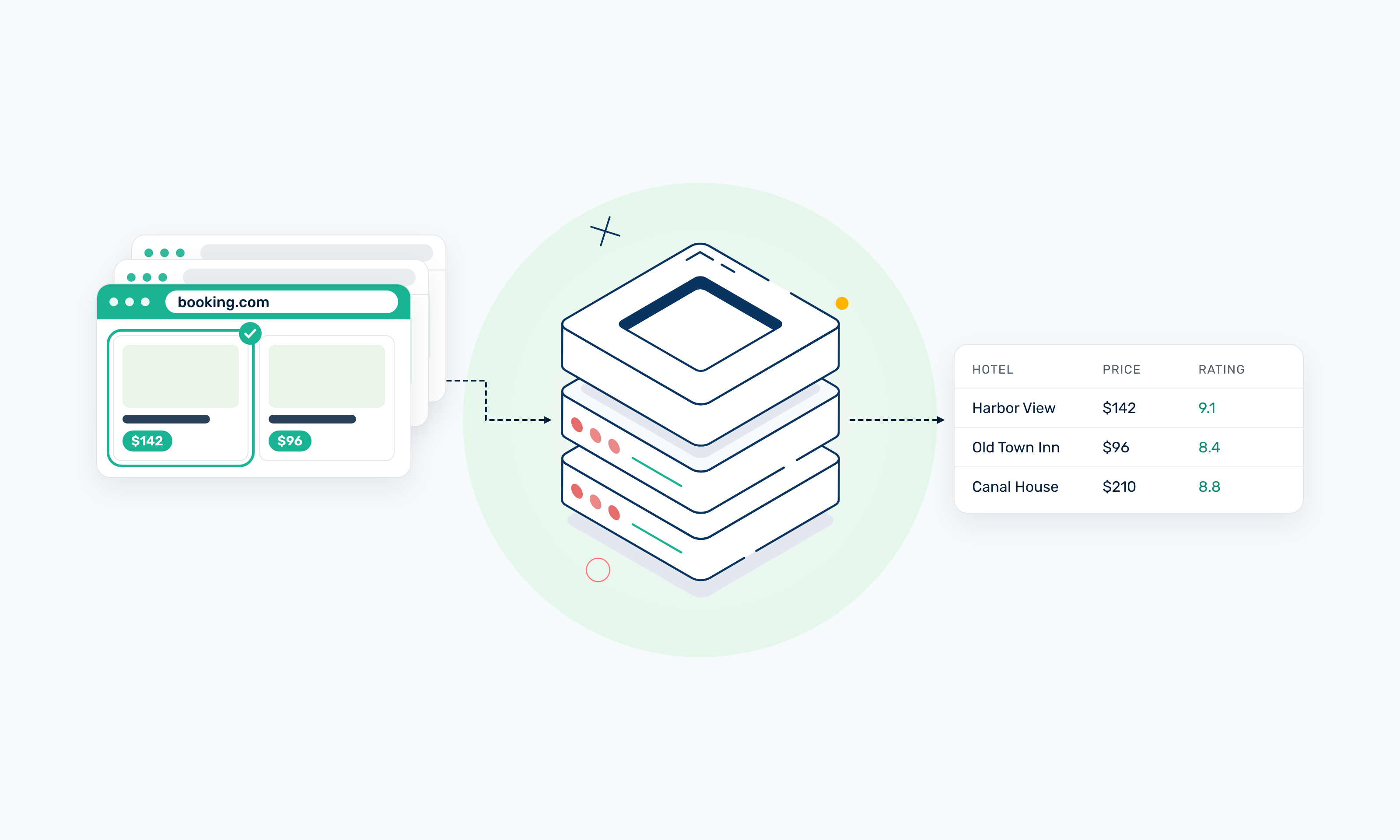
Booking.com hotel pages contain structured information such as property names, prices, locations, availability, ratings, amenities, and reviews. You can scrape Booking.com programmatically using Python, Requests, and BeautifulSoup, or browser automation tools when data loads dynamically.
This guide explains what Booking.com data you can collect, the legal and terms considerations to check first, and how to scrape hotel listings, prices, and reviews step by step. It also covers different Booking.com page types and the role of proxies when scaling data collection.
Note: This guide is informational and not legal advice, so review Booking.com’s current terms, the applicable robots directives, relevant laws, and your intended use of the data before starting any scraping project. Booking.com’s terms prohibit commercial use of Platform content, including scraping or crawling, without written permission. The selectors and page structures in this guide reflect how Booking.com’s pages looked in October 2026. Booking.com may change its markup at any time, so treat the code as a practical walkthrough rather than something guaranteed to work as written, and inspect the live page before relying on any selector.
TL;DR
- Identify the exact Booking.com data you need, such as hotel names, prices, ratings, or reviews.
- Find the search results or property pages that contain that data.
- Inspect the page’s HTML and rendered content to see where each field lives and whether it loads with JavaScript.
- Request the page with an HTTP client, or use browser automation if the data only appears after rendering.
- Parse only the fields you need from the response.
- Store your results and normalize prices, currencies, dates, and ratings so records are comparable.
- Handle pagination, and keep dates, guest count, and location consistent across requests.
- Add rate control, retries, and response checks as your request volume increases.
- Always review Booking.com’s current terms and the laws that apply to your use case before you start.
Is It Legal to Scrape Booking.com?
Scraping Booking.com may be legal in some circumstances, but public access to a page doesn’t mean you’re free to collect or reuse its data. The answer depends on your jurisdiction, the data you collect, how you access it, and what you do with it afterward.
Booking.com’s terms of service are clear about automated access. You can’t use robots, spiders, scrapers, or other automated tools to access, monitor, copy, scrape, or crawl anything on the platform without Booking.com’s prior written permission. This applies whether or not you have a commercial purpose.
The terms also say Booking.com will block anyone it suspects of running an unreasonable number of searches or using software to gather prices. If someone uses automated access without permission, Booking.com can seek a court injunction to stop them.
Booking.com’s robots.txt file also gives crawlers instructions. It leaves search results, hotel pages, and review pages open to general crawlers, while blocking certain parts of the site and bots like TurnitinBot and psbot.
Keep in mind that robots.txt is only a set of technical instructions for crawlers, while the terms of service are a legal agreement. A page being open in robots.txt doesn’t mean you’re allowed to scrape it, and the terms still apply.
If you need Booking.com data for a product or service, the Demand API is the approved route. It covers accommodations, car rentals, and attractions, but it’s only open to Managed Affiliate Partners with a signed contract, and some data, such as reviews, depends on what your partner agreement allows.
Reviewer names and other personal details count as personal data under laws such as the EU’s GDPR, even when they’re publicly visible. Don’t try to get around logins, CAPTCHAs, or other access controls.
Before you start scraping, check Booking.com’s current terms and the laws that apply to your project.
What Data Can You Scrape From Booking.com?
The data you can scrape from Booking.com depends on the page you’re working with and what that page shows. The table below lists the main data types* and examples of each:
*Fields vary by property, region, travel dates, and page type.
Why Scrape Booking.com?
Booking.com reports more than 31 million listings and over 370 million verified reviews, which makes it a valuable source for scraping hotel data.
Common reasons to scrape Booking.com include:
- Hotel price monitoring: Web scraping hotel prices lets you track rates across different dates and locations, so you can see how they change with demand and how far ahead people book.
- Market research: Compare properties, locations, ratings, and inventory to understand what a destination offers.
- Availability monitoring: Track how room availability changes over time, including when properties sell out for specific dates.
- Competitive research: Compare how nearby properties use amenities, reviews, and pricing to stand out, which helps hotel teams benchmark their own offer.
- Review analysis: Study guest feedback and rating patterns to spot recurring complaints, strengths, and shifts in guest sentiment.
As your collection grows, proxy infrastructure like Webshare’s can support these workflows by distributing your requests across multiple IPs. It also lets you collect location-specific prices and availability.
Challenges With Scraping Booking.com
Below are some of the challenges you may encounter when scraping Booking.com.
Dynamic Content
Some of the data you want may not be in the page’s initial HTML. Prices, availability, and parts of the review section can load after the page renders or only appear once dates are selected. If a field is missing from the raw response, you may need a browser automation tool like Playwright instead of a plain HTTP request.
Search Parameters
Booking.com tailors search results to the details of each search. The properties, prices, and availability you see change depending on:
- the destination
- your check-in and check-out dates
- the number of guests and rooms
- the currency you select
- the locale, meaning the language and region settings of the request
If any of these change between requests, you can’t compare the results fairly. Keep them the same for every request in a dataset, and store them alongside your results.
Changing HTML Structure
Booking.com updates its markup over time. Its terms also say it shows different people different designs and features to see how they respond, so two requests to the same page can return different HTML. You’ll have to maintain selectors regularly, and have your scraper flag pages where expected fields come back empty.
Geographic Variation
Prices and inventory on Booking.com can vary by market and the origin of the request. A hotel may show a different rate or currency to a traveler in Nigeria than to one in Germany. If you’re scraping hotel prices across regions, keep the request location consistent within each dataset, so any differences come from the market and not your setup.
Request Volume
Each Booking.com search is tied to a specific destination, date range, and guest count. When web scraping hotel prices for a few cities across a few months of dates, the number of requests you need climbs fast. At that volume, you’ll need tighter control over request rates and retries.
Keep in mind that Booking.com’s terms say it blocks anyone running an unreasonable number of searches.
Data Consistency
Property data on Booking.com isn’t uniform. Room names vary from hotel to hotel, taxes and fees may be included in the price or listed separately, and some properties leave out fields such as amenities or star ratings.
When scraping hotel data from Booking.com, build your scraper to handle missing fields and normalize values, rather than assuming every listing follows the same format.
Bot and Automation Controls
Booking.com monitors every visit to its platform and blocks people or automated systems it suspects of using software to gather prices or other information. Automated requests may get a challenge page or an error response instead of the content you asked for. Check each response before parsing it, so you don’t store an empty or blocked page as valid data.
For larger permitted workflows, proxy infrastructure can support location-specific data collection and spread request volume across IPs, but it doesn't replace rate limits or permission from the site.
How to Scrape Booking.com Step by Step
Scraping Booking.com follows the same basic steps as most scrapers. You decide what data you need, find the page that has it, request the page, and pull out the fields.
One thing to know before getting started is that Booking.com results depend heavily on your search settings, and some content only loads in the browser. The steps below account for both.
1. Define the Data You Need
Start by listing the exact fields your project needs. For a hotel dataset, that might include:
- Hotel name
- Property URL
- Price
- Rating
- Review count
- Room type
- Availability
- Location
Keep the list as short as your project allows. Every extra field adds selectors to maintain, and some fields only appear on certain page types. For example, room types and facilities are only on property pages, and full review text is only in the reviews panel.
2. Choose the Booking.com Page Type
Booking.com’s hotel data is split across three main page types:
- Search results pages list many properties at once, with each hotel’s name, price, rating, review count, and location.
- Property pages cover a single hotel in depth, including its full address, facilities, and a room table with prices for each room type.
- Review pages hold individual guest reviews, which open in a side panel on the property page.
Each page type uses a different markup, so it needs its own parser. Choose the page that holds your fields, and only visit deeper pages when the search results don’t have what you need.
3. Build the Search URL
Booking.com search URLs carry your search settings as query parameters. The main ones are:
ss, which sets the destination, such asParis.checkinandcheckout, which set the stay dates inYYYY-MM-DDformat.group_adults,group_children, andno_rooms, which set the occupancy.selected_currency, which sets the display currency, such asUSD.lang, which sets the page language, such asen-us.
Keeping these settings in one dictionary makes sure every request in a dataset uses the same search conditions.
search_url = "https://www.booking.com/searchresults.html"

params = {
    "ss": "Paris",
    "checkin": "2026-11-14",
    "checkout": "2026-11-16",
    "group_adults": 2,
    "group_children": 0,
    "no_rooms": 1,
    "selected_currency": "USD",
    "lang": "en-us",
}
Booking.com doesn’t publicly document these parameters, so open the URL in your browser and confirm the page shows the right destination, dates, guests, and currency. Don’t assume every parameter works, either.
4. Inspect the Page Structure
Open the page source and find where each field lives. Below are some things to look for on Booking.com:
- HTML. View the page source to see the raw HTML the server returns. On Booking.com, it includes the first search results and some featured reviews, so you don’t need a browser for those.
- Stable attributes. Booking.com’s class names are hashes, such as
c3bdfd4ac2. They don’t describe the content, so you can’t tell what an element holds from its class, and nothing guarantees they’ll stay the same between site updates. Itsdata-testidattributes, such as[data-testid="property-card"]and[data-testid="title"], are more reliable CSS selectors. - Structured data. Property pages include JSON-LD with the hotel’s name and other info. Search pages have no JSON-LD, but they embed a JSON store in
script[data-capla-store-data="apollo"]with each hotel’s ID, price, and currency. - Hidden text. The review score block includes a screen-reader label (“Scored 9.1”) next to the visible “9.1”, so a broad selector returns the score twice.
- Rendered elements. Some content only appears after the page loads in a browser. The raw search page holds the first 15 results, while more load as you scroll. The full reviews panel isn’t in the page source at all.
Comparing the raw source with the rendered page tells you whether a plain HTTP request is enough, or whether you need a browser.
5. Request the Page
For data in the initial HTML, an HTTP client such as Requests or httpx is enough. This request uses the parameters from step 3, with a timeout and a status check.
import requests

response = requests.get(search_url, params=params, timeout=30)
response.raise_for_status()

html = response.text
if 'data-testid="property-card"' not in html:
    raise ValueError("No property cards found. Check the response before parsing.")
A 200 status code doesn’t guarantee you received search results. Booking.com may return a challenge page or different markup instead, so the last check stops your scraper before it parses the wrong content.
If the data you need only appears after rendering, such as additional search results or the full reviews panel, use a browser automation tool like Playwright or Selenium instead.
6. Parse the Response
Pass the HTML to a parser such as BeautifulSoup or lxml, and extract only the fields you need (step 1).
The function below uses lxml as BeautifulSoup’s parser and pulls the core fields from each search result card.
from bs4 import BeautifulSoup

def text(el):
    return el.get_text(" ", strip=True) if el else None

def parse_search_results(html):
    soup = BeautifulSoup(html, "lxml")
    hotels = []
    for card in soup.select('[data-testid="property-card"]'):
        link = card.select_one('a[data-testid="title-link"]')
        hotels.append({
            "name": text(card.select_one('[data-testid="title"]')),
            "url": link["href"].split("?")[0] if link else None,
            "price": text(card.select_one('[data-testid="price-and-discounted-price"]')),
            "rating": text(card.select_one('[data-testid="review-score"] div[aria-hidden="true"]')),
            "location": text(card.select_one('[data-testid="address-link"]')),
        })
    return hotels
The rating selector targets the aria-hidden="true" element, which skips the hidden “Scored” label. Keep the card selector exact too. The “Popular homes and apartments” carousel below the results uses a similar web-core-property-card attribute, and a looser selector would mix those cards into your data.
7. Handle Pagination
Booking.com doesn’t use URLs to handle search result pagination. The first batch of results is in the initial HTML, the next batch loads when you scroll to the bottom, and after that a “Load more results” button appears.
To collect more than the first batch, use Playwright to scroll and click that button until no new results appear. This loop stops when the number of cards stops growing, or once it passes a limit you set.
from urllib.parse import urlencode
from playwright.sync_api import sync_playwright

with sync_playwright() as p:
    browser = p.chromium.launch()
    page = browser.new_page()
    page.goto(f"{search_url}?{urlencode(params)}")
    page.wait_for_selector('[data-testid="property-card"]')

    previous = 0
    while True:
        page.mouse.wheel(0, 20000)
        page.wait_for_timeout(2000)
        load_more = page.get_by_role("button", name="Load more results")
        if load_more.count():
            load_more.click()
            page.wait_for_timeout(2000)
        count = page.locator('[data-testid="property-card"]').count()
        if count == previous or count >= 100:
            break
        previous = count

    hotels = parse_search_results(page.content())
    browser.close()
The order of results can change between sessions, so don't use position to track properties. Instead, deduplicate by the property URL with its query string removed, which stays the same for each hotel.
unique_hotels = {hotel["url"]: hotel for hotel in hotels}If you run the same search again later, use these URLs to check which properties are new and which you've already collected.
8. Store and Normalize the Data
Save your results in a format that fits how you’ll use them. CSV works for spreadsheets, and JSON keeps nested fields such as room lists intact. Use a database for recurring crawls that you’ll query over time.
Before storing, convert values into consistent formats. Prices, ratings, and review counts are set as text: “US$282,” “9.1,” and “2,816 reviews,” respectively.
The helper below turns those strings into numbers:
import re

def to_number(value):
    if not value:
        return None
    match = re.search(r"\d[\d,]*\.?\d*", value)
    return float(match.group().replace(",", "")) if match else None
Here are some more best practices to follow:
- Store the currency in its own field, since the same hotel can show prices in different currencies.
- When scraping hotel prices, save the check-in date, check-out date, and guest count with every price, because a price only means something alongside its search conditions.
- Use ISO dates (
YYYY-MM-DD) throughout, including for review dates, which Booking.com displays as text like “June 14, 2026”. - Use a stable hotel identifier. The embedded JSON on search pages includes a numeric hotel ID, and the property URL works when the ID isn’t available.
9. Add Request Management
Once your scraper handles more than a few test requests, add controls around how it collects data, so request volume stays reasonable, and failures show up early.
Cover these areas as your workload grows.
- Rate control. Space out your requests and limit how many you send at once.
- Retries. Retry temporary failures such as
429and5xxresponses with an increasing delay, and don’t retry403responses in a tight loop. - HTTP status handling. Log every non-
2xxresponse, so you can see when and where failures start. - Response validation. Confirm each page contains the elements you expect before parsing it (step 5).
- Selector monitoring. Track how many cards and fields each page returns. A sudden drop to zero usually means the markup changed or you received a different page.
10. Add Proxy Infrastructure for Larger Workloads
As your scraping workload grows, proxies let you:
- Distribute requests across multiple IPs
- Collect prices as travelers in specific countries see them
- Run multiple jobs at the same time
- Reduce your dependence on a single source IP
Choose a setup based on your request volume, whether you need location-specific results or your workflow needs to keep the same IP across several pages. For more on matching proxies to scraping workloads, see our page on web scraping proxies.
How to Scrape Booking.com Hotel Listings
Here’s an overview of the steps for scraping Booking.com hotel listings:
1. Start With Booking.com Search Results
Search results are the best starting point for listing data, because one page gives you many properties at once. Configure a search URL that contains the destination, dates, and guest count you’re interested in, and check that the page reflects those settings before you start collecting.
2. Extract Property URLs or IDs
Each property needs an identifier, so you can track it across pages and crawls. You have two options.
- Property URL. Take the link from
a[data-testid="title-link"]and remove the query string. What remains, such ashttps://www.booking.com/hotel/fr/zoku-paris.html, stays the same for each hotel. - Hotel ID. The JSON store embedded in the search page includes a numeric ID for each property, such as
9371947.
You can use either one to remove duplicates. The hotel ID is shorter, but you’ll only find it in the embedded data. The URL is on every card.
3. Capture the Listing Details
The search page includes a JSON store with each hotel’s details. It’s the cleanest source for the first batch of results. Prices come as plain numbers, so you don’t have to strip out text like “US$”.
The function below reads the name, price, currency, rating, review count, and location for each hotel.
import json
from bs4 import BeautifulSoup

def parse_search_json(html):
    soup = BeautifulSoup(html, "lxml")
    store = json.loads(soup.select_one('script[data-capla-store-data="apollo"]').string)
    queries = store["ROOT_QUERY"]["searchQueries"]
    search = next(v for k, v in queries.items() if k.startswith("search("))
    hotels = []
    for result in search["results"]:
        data = result["basicPropertyData"]
        price = result["priceDisplayInfoIrene"]["displayPrice"]["amountPerStay"]
        hotels.append({
            "hotel_id": data["id"],
            "name": result["displayName"]["text"],
            "url": f'https://www.booking.com/hotel/{data["location"]["countryCode"]}/{data["pageName"]}.html',
            "price": price["amountUnformatted"],
            "currency": price["currency"],
            "rating": data["reviews"]["totalScore"],
            "review_count": data["reviews"]["reviewsCount"],
            "location": result["location"]["displayLocation"],
        })
    return hotels
4. Follow Property Pages for Deeper Data
Some details only appear on the property page, such as the full address and room types. The page’s JSON-LD holds the hotel’s core details, and the facilities and room types are in the HTML.
Use this function to pull those fields from a property page.
def parse_property_page(html):
    soup = BeautifulSoup(html, "lxml")
    data = json.loads(soup.select_one('script[type="application/ld+json"]').string)
    facilities = [li.get_text(strip=True) for li in soup.select('[data-testid="property-most-popular-facilities-wrapper"] li')]
    room_types = [el.get_text(strip=True) for el in soup.select("#hprt-table .hprt-roomtype-icon-link")]
    return {
        "name": data["name"],
        "address": data["address"]["streetAddress"],
        "rating": data["aggregateRating"]["ratingValue"],
        "review_count": data["aggregateRating"]["reviewCount"],
        "facilities": list(dict.fromkeys(facilities)),
        "room_types": room_types,
    }
5. Store and Deduplicate the Results
Store your listings in a format that suits your project, such as a CSV file or a database. Use the hotel ID or the cleaned property URL as each record’s key.
Don’t rely on a hotel’s position in the results. The order can change between sessions, so the same hotel may show up in a different spot each time.
6. Re-Crawl Based on How Fresh the Data Needs to Be
How often you re-crawl depends on how quickly your data goes out of date. Prices and availability can change daily, so price monitoring may need frequent crawls. Addresses, facilities, and room types change less often, so you can refresh them less frequently.
If you’re also scraping hotel data from other travel sites, see our guide to scraping travel data.
How to Scrape Booking.com Hotel Prices
Booking.com prices change with your search settings, so the same room can cost more on different dates or for more guests. Follow these steps to keep your prices accurate and consistent when web scraping hotel prices from Booking.com.
1. Set the Destination and Dates
Start by searching, because a search lets you set the conditions behind each price yourself. Add the destination, check-in date, check-out date, and number of guests to the search URL. Booking.com only shows prices for future dates, so choose check-in dates after the day you run your scraper.
2. Keep Dates and Guest Count Consistent
Use the same dates, guest count, and room count for every request in a dataset. If any of them change, the price changes too.
If you’re scraping hotel prices to track changes over time, keep the search the same and only change the day you collect. If you need to compare different stays, such as weekends and weekdays, treat each one as a separate search and label it in your data.
3. Extract the Visible Price Fields
Search result cards show several price fields. Here’s what each one means.
- Main price (
[data-testid="price-and-discounted-price"]). This is the total for the whole stay, not the price per night. - Taxes and fees (
[data-testid="taxes-and-charges"]). These appear on a separate line, such as “+US$38 taxes and fees”, and aren’t included in the main price. - Stay summary (
[data-testid="price-for-x-nights"]). This shows what the price covers, such as “2 nights, 2 adults”. - Original price. Discounted listings also show a crossed-out price next to the current one. It has no stable selector on the card, so read it from the
priceBeforeDiscountfield in the JSON store, which is empty when there’s no discount.
The search page’s JSON store holds the same prices as plain numbers, so you don’t have to strip out text like “US$”.
The function below collects each hotel’s price, currency, and taxes, along with the search details behind the price.
import json
from datetime import date
from bs4 import BeautifulSoup

def extract_prices(html, params):
    soup = BeautifulSoup(html, "lxml")
    store = json.loads(soup.select_one('script[data-capla-store-data="apollo"]').string)
    queries = store["ROOT_QUERY"]["searchQueries"]
    search = next(v for k, v in queries.items() if k.startswith("search("))
    records = []
    for result in search["results"]:
        info = result["priceDisplayInfoIrene"]
        total = info["displayPrice"]["amountPerStay"]
        local = info["displayPrice"]["amountPerStayHotelCurr"]
        records.append({
            "hotel_id": result["basicPropertyData"]["id"],
            "price": total["amountUnformatted"],
            "currency": total["currency"],
            "hotel_currency_price": local["amountUnformatted"],
            "hotel_currency": local["currency"],
            "taxes_and_fees": info["chargesInfo"]["translation"],
            "checkin": params["checkin"],
            "checkout": params["checkout"],
            "adults": params["group_adults"],
            "rooms": params["no_rooms"],
            "collected_on": date.today().isoformat(),
        })
    return records
For prices by room type, use the property page. Its room table (#hprt-table) lists every available rate, and one room type often has several, such as rates with breakfast or with free cancellation. Each rate’s price is in .bui-price-display__value.
4. Normalize Currencies
Booking.com shows prices in the currency set by the selected_currency parameter in your search URL, such as selected_currency=USD. Keep that parameter the same for every request, and store the currency code in its own field.
The JSON store also shows each price in the hotel’s own currency, such as EUR for a Paris hotel. Use this price when you track changes over time.
Booking.com converts prices into your chosen currency using its own exchange rate. If that rate moves, the converted price changes even though the hotel didn’t change anything. The price in the hotel’s own currency only changes when the hotel changes its rate.
5. Store the Date Context With Every Result
A price is only useful alongside its search details. Save the check-in date, check-out date, guest count, and room count with every price.
Also record the date you collected the price. The same stay can cost a different amount depending on how far in advance you search.
6. Compare Prices Only Under the Same Search Conditions
Before comparing two prices, check that their search details match. A weekend price for two adults can’t be compared with a midweek price for one guest, even at the same hotel.
Location matters too. Booking.com can show different prices to travelers in different countries, so send each dataset’s requests from the same location. If you collect from more than one location, record where each price came from.
What We Saw When Testing Three Markets
To see how location affects what Booking.com returns, we ran the same Paris search (two adults, one room, November 14–16, 2026) through Webshare datacenter proxies in the US, Germany, and the UK. We left out the selected_currency parameter, so Booking.com could choose each market’s default currency.
The test ran on October 13, 2026, using Python 3.9.6, Requests 2.32.5, Beautiful Soup 4.15.0, and lxml 6.1.3. Each request used this search URL:
https://www.booking.com/searchresults.html?ss=Paris&checkin=2026-11-14&checkout=2026-11-16&group_adults=2&group_children=0&no_rooms=1&lang=en-usHere are two main takeaways from the test:
- Blocked requests can still look successful. Booking.com blocked the US and Germany requests, but both returned a 2xx status code, which normally means success. If your scraper only checks the status code, it would treat these blocked pages as valid results. That’s why step 5 of the step-by-step section also checks that the page contains property cards.
- Location changes how prices appear. The UK request returned prices in pounds with taxes already included, even though we didn’t ask for either. Because your location can change both the currency and how prices are shown, record where each price came from.
How to Scrape Booking.com Reviews
Booking.com reviews load in a side panel on the property page, not in the page’s initial HTML. That means you’ll need a browser automation tool like Playwright to open the panel and move through each page of reviews.
Here’s an overview of the steps.
1. Identify the Property
Start with the property you want reviews for. If you’ve already scraped search results, use the cleaned property URL or hotel ID you collected there, such as https://www.booking.com/hotel/fr/le-grand-ha-tel-de-normandie.html.
Keep the hotel ID close by, since you’ll store it with every review so you can match each one to the right property.
2. Locate the Review Data
The property page shows a few reviews in its initial HTML, but these are only a sample. They also leave out the score and review date.
The full reviews open in a side panel when you click the “Read all reviews” button ([data-testid="fr-read-all-reviews"]). That panel isn’t in the page source, so you need to load the page in a browser and click the button to reach it.
3. Extract the Review Details
Each review in the panel sits in a [data-testid="review-card"] element. The fields inside it use data-testid attributes too.
- Score:
[data-testid="review-score"] div[aria-hidden="true"] - Review date:
[data-testid="review-date"] - Title:
[data-testid="review-title"] - Positive and negative text:
[data-testid="review-positive-text"]and[data-testid="review-negative-text"]
Booking.com splits each review into a positive and a negative part, and some reviews leave one of them empty. The function below returns None for any missing field, so a blank section doesn’t break the parser.
from bs4 import BeautifulSoup

def text(el):
    return el.get_text(" ", strip=True) if el else None

def parse_reviews(html):
    soup = BeautifulSoup(html, "lxml")
    reviews = []
    for card in soup.select('[data-testid="review-card"]'):
        reviews.append({
            "score": text(card.select_one('[data-testid="review-score"] div[aria-hidden="true"]')),
            "date": text(card.select_one('[data-testid="review-date"]')),
            "title": text(card.select_one('[data-testid="review-title"]')),
            "positive": text(card.select_one('[data-testid="review-positive-text"] span:not([aria-hidden])')),
            "negative": text(card.select_one('[data-testid="review-negative-text"] span:not([aria-hidden])')),
        })
    return reviews
The score block also contains a hidden “Scored” label, just like on the search page. The selector targets the aria-hidden="true" element, so you only get the number.
4. Handle Pagination and Dynamic Loading
The reviews panel shows 10 reviews at a time. Below them are page buttons and a “Next page” button, but no page URLs, so you have to click through the pages in a browser.
By default, the panel sorts reviews by “Most relevant,” which isn’t chronological. For repeat crawls, it’s easier to sort by “Newest first.” That way, new reviews always appear at the top, and you can stop once you reach ones you’ve already collected.
The script below opens the reviews panel and switches the sort order to “Newest first.” It then collects reviews one page at a time, until it reaches the limit you set or runs out of pages.
from playwright.sync_api import sync_playwright

with sync_playwright() as p:
    browser = p.chromium.launch()
    page = browser.new_page()
    page.goto("https://www.booking.com/hotel/fr/le-grand-ha-tel-de-normandie.html")
    page.locator('[data-testid="fr-read-all-reviews"]').click()
    page.wait_for_selector('[data-testid="review-card"]')
    page.select_option('[data-testid="reviews-sorter-component"]', "NEWEST_FIRST")
    page.wait_for_timeout(2000)

    all_reviews = []
    for _ in range(5):
        all_reviews.extend(parse_reviews(page.content()))
        next_button = page.get_by_role("button", name="Next page")
        if next_button.count() == 0 or next_button.is_disabled():
            break
        next_button.click()
        page.wait_for_timeout(2000)

    browser.close()
The range(5) limits the script to five pages. Raise it to collect more, keeping in mind that a popular hotel can have well over 100 pages of reviews.
5. Normalize Ratings and Dates
Scores arrive as text, such as “9.0”, and dates as text like “Reviewed: June 14, 2026”. Convert both before storing them, and attach the hotel ID to each review.
from datetime import datetime

def normalize_review(review, hotel_id):
    review["hotel_id"] = hotel_id
    review["score"] = float(review["score"]) if review["score"] else None
    if review["date"]:
        raw = review["date"].replace("Reviewed:", "").strip()
        review["date"] = datetime.strptime(raw, "%B %d, %Y").date().isoformat()
    return review

all_reviews = [normalize_review(r, 365693) for r in all_reviews]
This turns “Reviewed: June 14, 2026” into 2026-06-14, which sorts and compares correctly. The date format assumes the English version of the page, so set lang=en-us in your URLs or adjust the format for other languages.
6. Deduplicate the Reviews
Booking.com doesn’t include a review ID in the panel’s markup, so you need to build your own key. Combining the hotel ID, reviewer name, review date, and review text works well, since two different reviews are very unlikely to match on all of them.
def review_key(review):
    return (review["hotel_id"], review["reviewer"], review["date"], review["positive"], review["negative"])

unique_reviews = {review_key(r): r for r in all_reviews}
Use the same key on repeat crawls to skip reviews you’ve already stored. Booking.com can change the reviews panel at any time, so check the current markup before using these selectors.
Using Proxies for Booking.com Scraping
Your own IP may be enough for small test runs. However, if you’re sending a steady stream of searches, collecting prices for specific markets, or running several jobs at once, it’s time to switch to proxies so your collection doesn’t depend on a single IP address.
The right proxy type depends on what your scraper is doing.
Static Residential (ISP) Proxies for Multi-Page Sessions
A typical Booking.com workflow moves from a search page to a property page and then to its reviews. Those pages should all load with the same location, language, and currency, or the data you collect won’t line up.
Static residential proxies, also called ISP proxies, give you a residential IP that stays assigned to you, so the whole sequence goes out from the same IP and location. Webshare’s static residential proxies use IPs from ISPs such as AT&T and Comcast, with speeds of up to 1 Gbps and sticky sessions that don’t time out.
Rotating Residential Proxies for Prices by Country or City
Booking.com can show different prices, currencies, and availability depending on where a visitor is. To collect prices as travelers in a specific market see them, your requests need to come from that market.
Webshare’s residential proxies draw on 80M+ ethically sourced IPs across 195 countries, with targeting by country, city, state, ZIP code, or ASN. You can also use them as rotating proxies, so each request goes out through a new IP, which helps when you’re collecting prices across many dates or destinations.
Datacenter Proxies for Prototyping
While you’re building your scraper, testing selectors, and checking your parsing logic, datacenter proxies are a fast and cheap option. Sites can identify their IP ranges as non-residential more easily, though, so expect more challenge pages as your volume grows.
Webshare’s proxy servers support HTTP and SOCKS5 across 50+ countries, and the free plan includes 10 proxies with no credit card required.
Ready to build your Booking.com scraping proxy setup? Compare proxy types from Webshare.
Booking.com Scraping FAQs
Can you scrape Booking.com?
Yes, you can technically scrape Booking.com, since hotel data on its search, property, and review pages is publicly visible.
However, Booking.com’s terms prohibit accessing or scraping its platform with bots, scrapers, or other automated means without its prior written permission, whether or not you have a commercial purpose. Review its current terms and the laws that apply to your use case before you start.
How do I scrape Booking.com hotel listings?
Start from a Booking.com search results page and work your way down to individual property pages.
- Run a search with a fixed destination, check-in and check-out dates, and guest count.
- Extract each property’s URL or ID from the result cards.
- Capture the name, price, rating, review count, and location shown on each card.
- Visit the property pages when you need deeper data such as amenities or room details.
- Paginate through the remaining results and deduplicate properties by ID.
- Store the results and re-crawl as often as your data needs to stay fresh.
How do I scrape Booking.com hotel prices?
Follow these steps to scrape Booking.com hotel prices.
- Choose the destination, check-in and check-out dates, and number of guests for your search.
- Extract the price shown for each property, including any taxes and fees the page lists.
- Use the same destination, dates, and guest count for every search you plan to compare.
- Keep one display currency across searches and store the currency code with each price.
- Save the search dates and guest count with each price record.
How do I scrape Booking.com hotel reviews?
Start with the property you want reviews for, then find where Booking.com displays its review data, either on the property page itself or in its full reviews section. From each review, extract the score, review text, review date, and reviewer details where they’re public.
Most properties have more reviews than one page shows, so follow the pagination or handle content that loads dynamically as you scroll. Store the property ID with every review, convert scores and dates to consistent formats, and remove duplicates before saving the final dataset.
What data can I scrape from Booking.com?
You can collect most of the hotel information Booking.com shows publicly on its search, property, and review pages. Below are the main data types that can be scraped.
- Hotel details such as property name, property type, and address.
- Prices for a given stay, including taxes and fees where the page shows them.
- Availability, including which rooms are open and which dates are sold out.
- Review scores and the total number of reviews.
- Guest reviews, including the review text and date, and reviewer details if they’re public.
- Location data such as city, neighborhood, and distance from landmarks.
- Amenities such as Wi-Fi, breakfast, parking, and a pool.
Do I need proxies to scrape Booking.com?
Not for a small test. If you’re only checking a few pages to confirm your selectors work, your own IP is usually enough.
Proxies help more as your request volume grows. Distributing requests across multiple IPs means one address isn’t carrying all your traffic, though it doesn’t guarantee access.
They also matter for location-specific collections. Booking.com can show different prices and availability by country, so you need IPs in a market to see the results a traveler there would see.
What is the best proxy type for Booking.com?
No single proxy type fits every Booking.com workflow. The right choice depends on how many requests you send, whether you need prices from specific markets, and whether your scraper has to keep the same IP across several pages.
Each of these situations points to a different setup.
- If you’re running a high-volume, cost-sensitive crawl where location doesn’t affect the data, a proxy server with datacenter IPs keeps costs low, though datacenter ranges are easier for sites to identify as non-residential traffic.
- If prices or availability need to reflect a specific country, residential IPs let you send requests from that market, since Booking.com can show different results depending on where a request comes from.
- If you’re sending many concurrent requests across search result pages, a rotating proxy sends each request through a different IP so no single address carries your full request volume.
- If your scraper moves from a search page to a property page and then to its reviews, a sticky session holds one IP for that sequence so the location and currency context don’t shift partway through.