TL;DR
- Learn how to scrape Google Images using Python and Playwright.
- Use Webshare rotating residential proxies to bypass blocks, minimize detection, and ensure stable scraping.
- Collect large volumes of visual data – including image URLs, titles, and source pages – and save them into a structured dataset for machine-learning workflows.
Google Images is one of the most valuable sources for gathering high-quality visual data. Whether you're building machine-learning datasets, powering computer-vision models, or analyzing visual trends, automated image collection is essential. In this guide, you’ll learn how to build a Google Images scraper in Python, set up proxy rotation to reduce fingerprinting, and export the results into a clean JSON/CSV dataset.
Prerequisites
Before building and running the Google Images scraper, make sure your environment is prepared with the required tools, libraries, and proxy configuration.
- Python Installation: Ensure you have Python 3.9+ installed. Verify your version with:
```bash
python --version
```
- Required Python Packages: The scraper relies on Playwright for browser automation. Install the necessary dependencies:
```bash
pip install playwright
```
- Built-in Python Modules: Make sure these standard libraries are available:
- asyncio - Manages asynchronous browser tasks.
- json and csv - Handles data export.
- random and time - Adds delays to mimic human behavior.
- urllib.parse - Encodes search queries safely.
- Browser Setup: After installing Playwright, install the Chromium binaries once:
```bash
playwright install chromium
```
- Webshare Proxy Access: Google Images is heavily protected. To avoid rate limits and CAPTCHAs, you need to use Webshare rotating residential proxies. These IPs help mimic real user traffic, making your scraper significantly harder for Google to detect.
Scraping Google Images
Once your environment is ready, you can start scraping. Below are the steps to run searches, handle dynamic content, and export data.
Step 1: Initialize the scraper
Start by creating a class for your scraper. This keeps your browser setup and parsing logic organized.
scraper = GoogleImagesScraper()
Step 2: Define your search queries
Define the keywords you want to scrape. You can list multiple queries, and the scraper will process them sequentially.
search_queries = ["Cute kittens", "4k wallpapers"]
Step 3: Configure your Webshare proxy
Google Images strictly monitors bot traffic. Configure your Webshare proxy to rotate IP addresses for every session.
proxy_config = {
    'server': 'http://p.webshare.io:80',
    'username': 'your-username',
    'password': 'your-password'
}
Step 4: Navigate to Google Images
For each query, the scraper uses Playwright to open the search URL.
# Encodes query (e.g., "Cute kittens" -> "Cute+kittens")
encoded_query = quote(query)
search_url = f"https://www.google.com/search?q={encoded_query}&tbm=isch"
await self.page.goto(search_url, wait_until='domcontentloaded')
Step 5: Handle Cookie Consent
Google often interrupts automation with a "Before you continue" cookie consent pop-up. Before scraping, you must detect and dismiss this dialog, otherwise, it will block the view for the scrolling script.
# [NEW] logic to click "Accept all" or "I agree"
try:
    cookie_button = await self.page.query_selector('button:has-text("Accept all"), button:has-text("I agree")')
    if cookie_button:
        await cookie_button.click()
        await self.random_delay(1, 2)
except:
    pass
Step 6: Scroll to load more images (Infinite Scroll)
Google Images uses "lazy loading," meaning images only appear as you scroll down. You cannot simply load the page and extract; you must simulate a user scrolling to the bottom.
async def infinite_scroll(self, max_scrolls=10):
    scroll_attempts = 0
    last_height = await self.page.evaluate("document.body.scrollHeight")

    while scroll_attempts < max_scrolls:
        await self.page.evaluate("window.scrollTo(0, document.body.scrollHeight)")
        await self.random_delay(2, 3) # Wait for new images to render
        # ... (check if new height matches last height)
Step 7: Extract image data
Once the page is populated, extract the details. [Technical Note: Google Image classes like .YQ4gaf are often obfuscated and change frequently. Always inspect the page to verify selectors. Also, be aware that many results are Base64 thumbnails; for high-resolution images, a more complex "click-and-scrape" approach is required, but this script focuses on the grid results.]
image_data.append({
    'image_url': image_url,
    'source_page_url': f"https://www.google.com{source_page_url}",
    'alt_tag': alt_tag,
    'title': title.strip()
})
Step 8: Export the results
Finally, save the extracted data to structured files.
scraper.save_to_json(images, "images.json")
scraper.save_to_csv(images, "images.csv")
Complete Code
Here is the full, copy-paste ready script with all the steps integrated.
import asyncio
import json
import csv
import time
import random
from datetime import datetime
from playwright.async_api import async_playwright
from urllib.parse import quote

class GoogleImagesScraper:
    def __init__(self):
        self.browser = None
        self.page = None
        self.base_url = "https://www.google.com/search"
        self.playwright = None

        # selectors - [NOTE: These classes may change over time]
        self.selectors = {
            'image_card': 'div[jsname="dTDiAc"]',
            'actual_image': 'img.YQ4gaf',
            'source_page': 'a.EZAeBe',
            'title': '.toI8Rb.OSrXXb',
            'alt_tag': 'img.YQ4gaf',
            'image_container': '.islrc div[jsname]'
        }

    async def setup_browser(self, proxy_config=None):
        """Setup browser with anti-detection measures"""
        await self.close()
        self.playwright = await async_playwright().start()

        launch_options = {
            'headless': True,
            'args': [
                '--no-sandbox',
                '--disable-blink-features=AutomationControlled',
            ]
        }

        if proxy_config:
            launch_options['proxy'] = {
                'server': proxy_config.get('server', 'http://p.webshare.io:80'),
                'username': proxy_config.get('username'),
                'password': proxy_config.get('password')
            }

        self.browser = await self.playwright.chromium.launch(**launch_options)

        # Create context with stealth scripts
        context = await self.browser.new_context(
            viewport={'width': 1920, 'height': 1080},
            user_agent='Mozilla/5.0 (Windows NT 10.0; Win64; x64) AppleWebKit/537.36 (KHTML, like Gecko) Chrome/119.0.0.0 Safari/537.36'
        )
        await context.add_init_script("Object.defineProperty(navigator, 'webdriver', {get: () => undefined});")
        self.page = await context.new_page()

    async def random_delay(self, min_seconds=1, max_seconds=3):
        await asyncio.sleep(random.uniform(min_seconds, max_seconds))

    async def infinite_scroll(self, max_scrolls=10):
        """Scroll to bottom to trigger lazy loading images"""
        scroll_attempts = 0
        last_height = await self.page.evaluate("document.body.scrollHeight")
        no_new_content = 0

        while scroll_attempts < max_scrolls and no_new_content < 3:
            await self.page.evaluate("window.scrollTo(0, document.body.scrollHeight)")
            await self.random_delay(2, 3)
            new_height = await self.page.evaluate("document.body.scrollHeight")

            if new_height == last_height:
                no_new_content += 1
            else:
                no_new_content = 0
            last_height = new_height
            scroll_attempts += 1

    async def extract_image_data(self):
        image_data = []
        try:
            await self.page.wait_for_selector(self.selectors['image_card'], timeout=15000)
            image_cards = await self.page.query_selector_all(self.selectors['image_card'])

            for card in image_cards:
                try:
                    image_element = await card.query_selector(self.selectors['actual_image'])
                    if not image_element: continue

                    image_url = await image_element.get_attribute('src')
                    # [NOTE: We accept base64 data here to ensure results,
                    # but prefer http links if available]
                    if not image_url: continue

                    alt_tag = await image_element.get_attribute('alt') or ""

                    source_link = await card.query_selector(self.selectors['source_page'])
                    source_page_url = await source_link.get_attribute('href') if source_link else ""

                    title_element = await card.query_selector(self.selectors['title'])
                    title = await title_element.text_content() if title_element else ""

                    image_data.append({
                        'image_url': image_url[:100] + "..." if len(image_url) > 100 else image_url, # Truncate long base64
                        'source_page_url': f"https://www.google.com{source_page_url}" if source_page_url.startswith('/') else source_page_url,
                        'alt_tag': alt_tag,
                        'title': title.strip()
                    })
                except: continue
        except Exception as e:
            print(f"Error extraction: {e}")
        return image_data

    async def scrape_images(self, query, proxy_config=None, max_images=100):
        encoded_query = quote(query)
        await self.page.goto(f"{self.base_url}?q={encoded_query}&tbm=isch", wait_until='domcontentloaded')
        await self.random_delay(2, 3)

        # [NEW] Cookie Consent Handling
        try:
            btn = await self.page.query_selector('button:has-text("Accept all"), button:has-text("I agree")')
            if btn: await btn.click()
        except: pass

        await self.infinite_scroll()
        return await self.extract_image_data()

    async def scrape_queries(self, queries, proxy_config=None, max_images_per_query=100):
        all_results = []
        await self.setup_browser(proxy_config)
        try:
            for query in queries:
                print(f"Processing: {query}")
                images = await self.scrape_images(query, proxy_config, max_images_per_query)
                for img in images:
                    img['search_query'] = query
                    img['scraped_at'] = datetime.now().isoformat()
                all_results.extend(images[:max_images_per_query])
        finally:
            await self.close()
        return all_results

    async def close(self):
        if self.browser: await self.browser.close()
        if self.playwright: await self.playwright.stop()

    def save_to_json(self, images, filename):
        with open(filename, 'w', encoding='utf-8') as f:
            json.dump(images, f, indent=2, ensure_ascii=False)

    def save_to_csv(self, images, filename):
        if not images: return
        with open(filename, 'w', newline='', encoding='utf-8') as f:
            writer = csv.DictWriter(f, fieldnames=images[0].keys())
            writer.writeheader()
            writer.writerows(images)

async def main():
    # 1. Configuration
    search_queries = ["Cute kittens", "4k wallpapers"]
    proxy_config = {
        'server': 'http://p.webshare.io:80',
        'username': 'your-username',
        'password': 'your-password'
    }

    # 2. Scrape
    scraper = GoogleImagesScraper()
    images = await scraper.scrape_queries(search_queries, proxy_config, 50)

    # 3. Save
    if images:
        scraper.save_to_json(images, "google_images.json")
        scraper.save_to_csv(images, "google_images.csv")
        print(f"Saved {len(images)} images.")

if __name__ == "__main__":
    asyncio.run(main())
Here’s the console output:
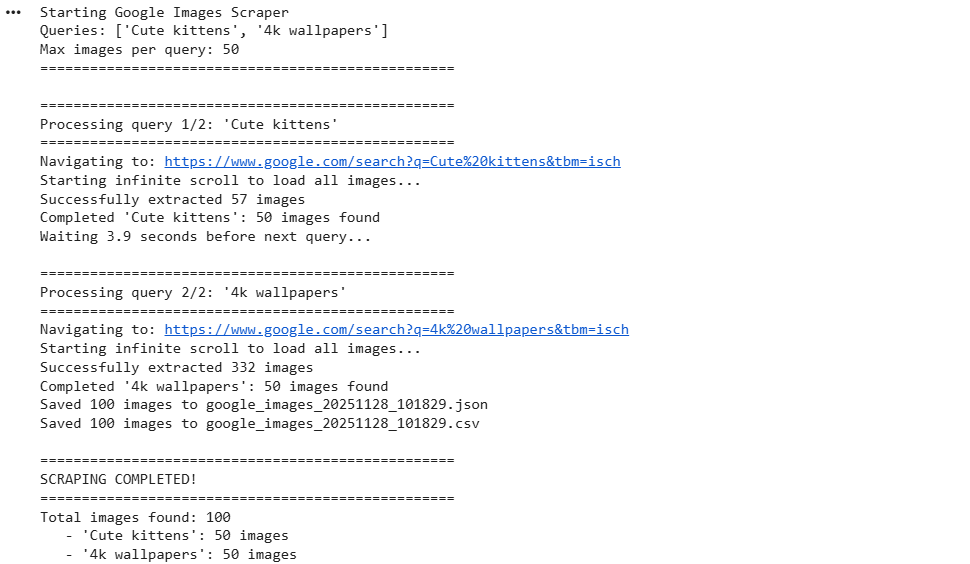
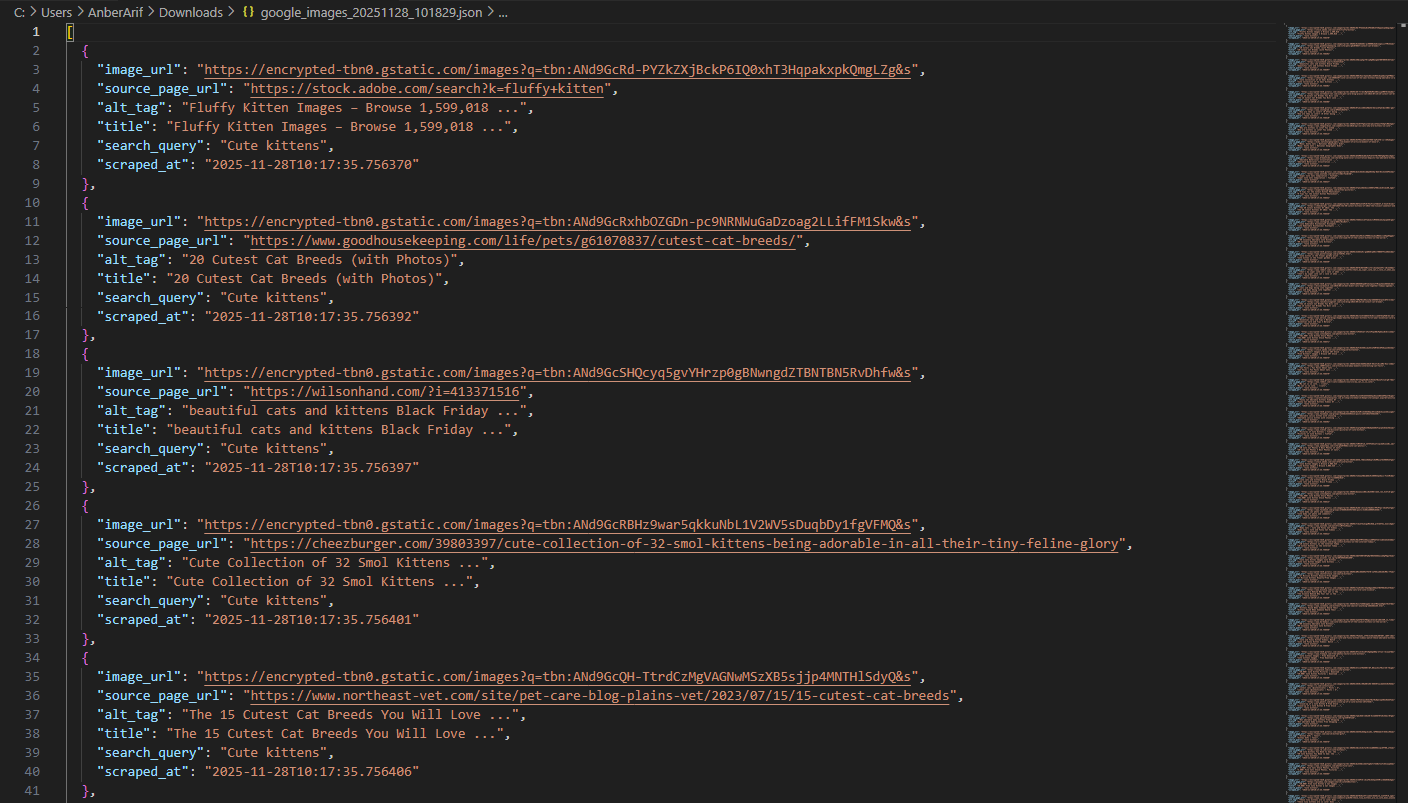
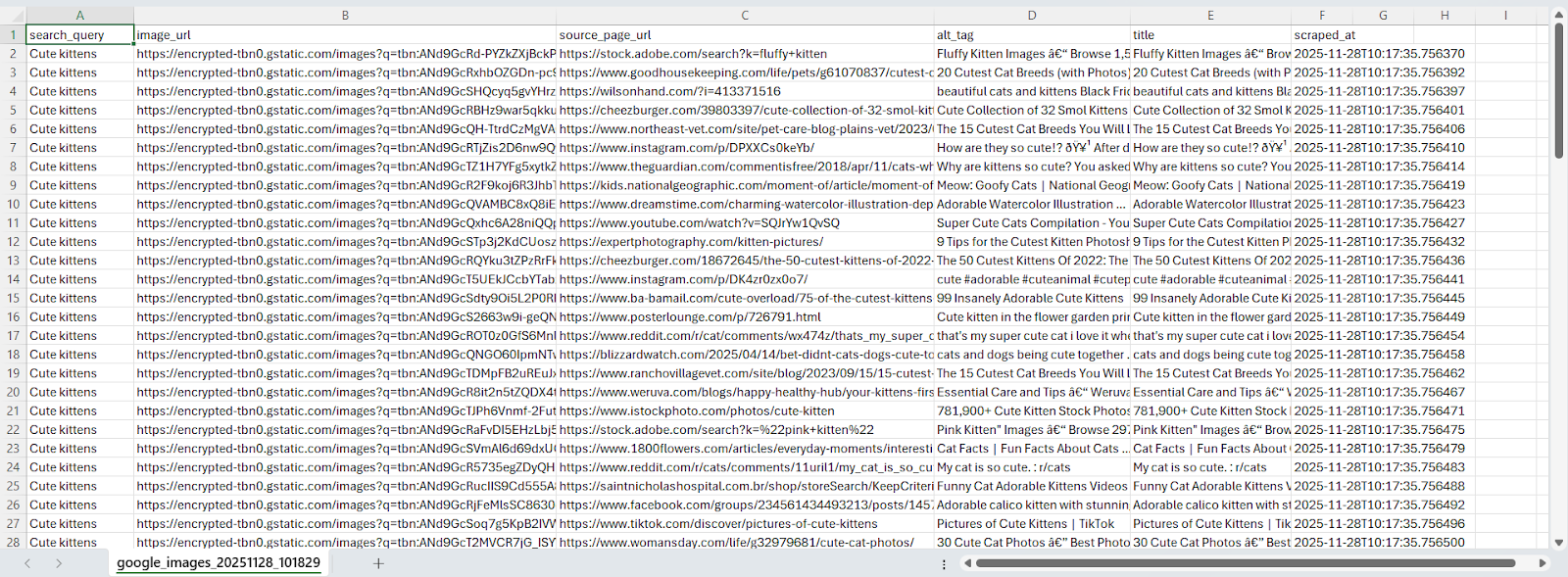
Wrapping up: Scrape Google Images
In this article, we built a Google Images scraper using Webshare rotating residential proxies combined with Playwright to handle dynamic content loading and scrolling. The solution extracts image URLs, titles, and metadata directly from Google Images while avoiding CAPTCHAs, IP blocks, and other anti-bot challenges.