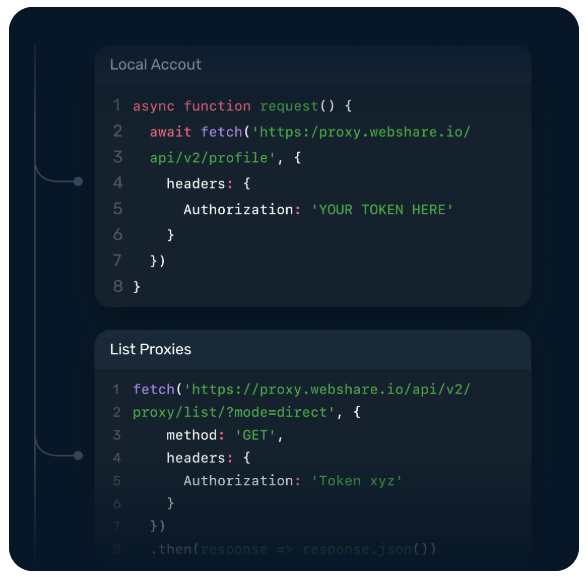
Managing proxies manually works until it doesn’t. You download a list, hardcode credentials, write rotation logic by hand, and somewhere down the line, a stale IP quietly breaks your pipeline while you spend hours figuring out why.
This kind of setup holds up at a small scale when you're dealing with a few hundred requests, but it falls apart fast once production systems are handling thousands of them on a regular basis.
Modern development workflows move quickly, and proxy infrastructure that lives outside your codebase introduces friction at every turn. A better approach is to switch to a proxy API that gives your team direct programmatic access to IP rotation, geo-filtering, authentication, usage monitoring, and session management, so proxy operations fit naturally into how you already build and ship software.
This guide is written for backend developers, data engineers, and DevOps teams who are evaluating API-first proxy providers or looking to replace a manual setup that’s become a bottleneck. We’ll cover what to look for in a proxy API, how Webshare approaches it, and how to go from API key to your first proxied request.
The Case for API-First Proxy Management: Control, Automation, and Scale
Downloading a proxy list and rotating IPs by hand might work for a weekend project, but at production scale, it turns into a maintenance burden that leads to stale IPs and essentially zero visibility into what's actually happening inside your pipeline.
With API-first proxy management, your code requests proxies on demand, filtered by whatever parameters matter for that specific job. This way, if you need residential IPs from Germany for a geo-sensitive request, you simply call an endpoint and get exactly that.
Here’s what a proper proxy rotation API unlocks that manual workflows can’t:
- Dynamic proxy retrieval filtered by country, proxy type (residential, datacenter, or ISP), and protocol (HTTP or SOCKS5), pulled fresh at runtime rather than from an outdated static file.
- Rotation configuration via code, where you define session behavior (per-request rotation or sticky sessions with a configurable TTL) without touching a dashboard.
- Pipeline integration, so your scraping jobs, ETL workflows, and geo-distributed test suites can manage proxy logic the same way they manage any other part of their stack.
The dashboard-as-primary-interface model works fine for occasional manual checks, but not for deeper programmatic control over how your proxies behave in production.
Proxy API integration makes proxy behavior a first-class part of your stack that’s versioned, testable, and observable.
What Breaks Without a Proxy API: Stale Lists, Manual Rotation, and Debugging Blind Spots
Manual proxy management can quickly create friction at multiple points in your workflow.
Here are some areas where things typically break down:
- Stale lists cause silent failures: IPs expire, get banned, or get reassigned, and unless you're refreshing your list regularly, your pipeline is burning through invalid proxies with no indication that anything is wrong. As a result, requests time out, return unexpected responses, or hit block pages, and without API-level logging, there is nothing in your logs to tell you why.
- Manual rotation increases your block rate: Without programmatic control over which IP handles which request, you can't guarantee consistent identity across a request sequence. Anti-bot systems are built to catch that kind of irregularity, and the more unpredictable your rotation pattern, the faster your IPs get flagged.
- Debugging without metadata is slow: When a request fails, there’s no way to trace the failure back to a specific request, determine at what point in the sequence it happened, or figure out whether it was a dead proxy, a rate limit, or an outright block. Without that context, what should be a straightforward fix becomes a significantly longer investigation.
These problems compound as your team grows. When multiple engineers are pulling from the same static list across different services, there’s no shared state or structured system for coordinating rotation behavior.
One service exhausts the clean IPs before another job even starts. ETL pipelines and long-running scraping workflows are especially exposed here, since a bad IP early in the process can corrupt downstream data or trigger cascading failures that are genuinely challenging to trace back to their source.
Core API Features That Matter: Endpoints, Authentication, Rotation, and Monitoring
The quality of an API proxy comes down to a few key capabilities. Here’s what to look for before you commit to an integration.
Proxy List Endpoints
The proxy list endpoint is the foundation of any programmatic proxy workflow. At minimum, it should return proxies as paginated JSON and support filtering by country, proxy type, and protocol in the request itself, not as a post-processing step on your end.
This matters because pulling a full list and filtering it locally means your code is doing work the API should be doing, which can become tedious as your pool grows.
A well-designed endpoint lets you ask for exactly what you need, whether that’s residential IPs from a specific country over HTTP or datacenter proxies that support SOCKS5.
The API’s response fields should provide everything needed to construct an authenticated proxy URL without extra lookups. At a minimum, this should include address, port, credentials, country code, and proxy type.
Authentication Methods
A proxy API worth integrating into production should support more different authentication patterns, because deployment environments have varying constraints. Auth options to watch for include the following:
- API key (header-based), authenticates the requests you make to the proxy management API. It’s straightforward to rotate and works well in server-side and CI/CD environments.
- IP whitelisting removes the need for inline credentials on proxied requests. Your server’s IP is authorized at the account level, so outbound requests go through without embedding a username and password in every URL. This works well for environments where credentials being exposed in logs is a concern.
- Username/password per-request embeds credentials directly in the proxy URL, which means authentication travels with the request rather than being tied to a specific origin IP. This makes it the better fit for distributed jobs running across multiple machines or cloud functions where egress IPs are dynamic or unpredictable.
Webshare supports all three, giving you flexibility to match the authentication pattern to the environment rather than working around a single option.
Rotation Control
Rotation behavior is one area where proxy APIs vary most in what they actually expose to the developer.
There are two modes to look for: per-request rotation and sticky sessions, and how well a provider implements both determines how much control you have over your pipeline’s identity management.
- Per-request rotation assigns a fresh IP to every outbound request and is the right choice for high-volume scraping, where a consistent identity across requests increases your detection surface.
- Sticky sessions hold the same IP for a configurable TTL across a sequence of requests. You need this when the target requires session continuity, such as staying authenticated across page loads, following a multi-step flow, or maintaining a state that breaks if the IP changes mid-sequence.
Beyond these two modes, it’s also important to evaluate whether session TTL is configurable via API or locked to a platform default. If you can only set it in a dashboard, you lose the ability to tune rotation behavior per job, which matters when workloads have different requirements.
Usage, Monitoring, and Error Handling
An API proxy that only lets you fetch proxies and make proxy API requests, but gives you no visibility into what's happening, creates a debugging problem the moment something goes wrong in production.
Look for endpoints that programmatically expose:
- Bandwidth consumed and request counts
- Success and failure rates per request
- Response time and latency per proxy
- Block and flagging rates across your pool
- Pool health, meaning how many proxies are currently valid
- Per-proxy error rates, so you can identify consistently underperforming IPs
- Geographic distribution of requests
- Session activity for sticky session workloads
Being able to query usage data from your own monitoring stack means you catch degradation early rather than discovering it through failed jobs.
Developer Integration Guide: Python, Node.js, cURL, and CI/CD Patterns
Proxy API integration looks different depending on your stack. Here are common patterns you can use to integrate these APIs into your workflow.
Python (request library, aiohttp, and Scrapy middleware)
requests is Python’s standard HTTP library for making synchronous web requests. To use it, start by fetching a proxy from the list endpoint:
import requests

response = requests.get(
    "https://proxy.webshare.io/api/v2/proxy/list/?mode=direct&page=1&page_size=1",
    headers={"Authorization": "Token YOUR_API_KEY"}
)

proxy = response.json()["results"][0]
Then construct a proxy URL from the response and pass it to your next request:
proxy_url = (
    f"http://{proxy['username']}:{proxy['password']}"
    f"@{proxy['proxy_address']}:{proxy['port']}"
)

proxies = {"http": proxy_url, "https": proxy_url}

response = requests.get("https://example.com", proxies=proxies)
print(response.status_code)
For higher throughput, aiohttp, an async HTTP library, allows concurrent requests through async workflows, which is useful when working with a proxy API Python setup that needs to scale.
The pattern below fetches your proxy pool once at startup, then distributes requests across it asynchronously:
import aiohttp
import asyncio
import requests
import random

def get_proxy_pool(api_key):
    response = requests.get(
        "https://proxy.webshare.io/api/v2/proxy/list/?mode=direct&page=1&page_size=25",
        headers={"Authorization": f"Token {api_key}"}
    )
    return [p for p in response.json()["results"] if p["valid"]]

async def fetch(session, url, proxy_url):
    async with session.get(url, proxy=proxy_url) as response:
        return await response.text()

async def main(api_key, urls):
    pool = get_proxy_pool(api_key)
    async with aiohttp.ClientSession() as session:
        tasks = []
        for url in urls:
            proxy = random.choice(pool)
            proxy_url = (
                f"http://{proxy['username']}:{proxy['password']}"
                f"@{proxy['proxy_address']}:{proxy['port']}"
            )
            tasks.append(fetch(session, url, proxy_url))
        return await asyncio.gather(*tasks)

results = asyncio.run(main("YOUR_API_KEY", ["https://example.com"] * 5))
If you’re using Scrapy, the cleanest way to handle proxy rotation is through a custom downloader middleware rather than mixing it into your crawler code.
# myproject/middlewares.py
import requests
import random

class WebshareProxyMiddleware:
    def __init__(self, api_key):
        self.api_key = api_key
        self.proxies = self._fetch_proxies()

    @classmethod
    def from_crawler(cls, crawler):
        return cls(api_key=crawler.settings.get("WEBSHARE_API_KEY"))

    def _fetch_proxies(self):
        response = requests.get(
            "https://proxy.webshare.io/api/v2/proxy/list/?mode=direct&page=1&page_size=25",
            headers={"Authorization": f"Token {self.api_key}"}
        )
        return [p for p in response.json()["results"] if p["valid"]]

    def process_request(self, request, spider):
        proxy = random.choice(self.proxies)
        proxy_url = (
            f"http://{proxy['username']}:{proxy['password']}"
            f"@{proxy['proxy_address']}:{proxy['port']}"
        )
        request.meta["proxy"] = proxy_url
Register it in settings.py alongside your API key:
# settings.py
WEBSHARE_API_KEY = "YOUR_API_KEY"

DOWNLOADER_MIDDLEWARES = {
    "myproject.middlewares.WebshareProxyMiddleware": 350,
}
From this point, every request your spider makes will route through a different proxy from your IP pool without any changes to your spider code.
Node.js (axios, proxy-agent, and browser automation)
axios is a Node.js HTTP client that doesn’t handle proxies natively for HTTPS requests; it needs https-proxy-agent to deal with them. Here’s what that looks like:
const axios = require("axios");
const { HttpsProxyAgent } = require("https-proxy-agent");

async function getProxy(apiKey) {
    const response = await axios.get(
        "https://proxy.webshare.io/api/v2/proxy/list/?mode=direct&page=1&page_size=1",
        { headers: { Authorization: `Token ${apiKey}` } }
    );
    return response.data.results[0];
}

async function main() {
    const proxy = await getProxy("YOUR_API_KEY");
    const proxyUrl = `http://${proxy.username}:${proxy.password}@${proxy.proxy_address}:${proxy.port}`;
    const agent = new HttpsProxyAgent(proxyUrl);

    const response = await axios.get("https://example.com", { httpsAgent: agent });
    console.log(response.status);
}

main();
There’s also Puppeteer, a Node.js library for controlling a headless Chrome browser. You can use it to pass proxy configuration at browser launch, so every page that opens in that browser instance routes through it automatically.
const puppeteer = require("puppeteer");
const axios = require("axios");

async function getProxy(apiKey) {
    const response = await axios.get(
        "https://proxy.webshare.io/api/v2/proxy/list/?mode=direct&page=1&page_size=1",
        { headers: { Authorization: `Token ${apiKey}` } }
    );
    return response.data.results[0];
}

async function main() {
    const proxy = await getProxy("YOUR_API_KEY");

    const browser = await puppeteer.launch({
        args: [`--proxy-server=http://${proxy.proxy_address}:${proxy.port}`],
    });

    const page = await browser.newPage();
    await page.authenticate({
        username: proxy.username,
        password: proxy.password,
    });

    await page.goto("https://example.com");
    console.log(await page.title());
    await browser.close();
}

main();
You can also use Playwright, a browser automation library that supports Chromium, Firefox, and WebKit from a single API. It works similarly to Puppeteer for proxy use, except credentials are passed directly in the launch options rather than in a separate call after the browser starts.
const { chromium } = require("playwright");
const axios = require("axios");

async function getProxy(apiKey) {
    const response = await axios.get(
        "https://proxy.webshare.io/api/v2/proxy/list/?mode=direct&page=1&page_size=1",
        { headers: { Authorization: `Token ${apiKey}` } }
    );
    return response.data.results[0];
}

async function main() {
    const proxy = await getProxy("YOUR_API_KEY");

    const browser = await chromium.launch({
        proxy: {
            server: `http://${proxy.proxy_address}:${proxy.port}`,
            username: proxy.username,
            password: proxy.password,
        },
    });

    const page = await browser.newPage();
    await page.goto("https://example.com");
    console.log(await page.title());
    await browser.close();
}

main();
cURL and CLI usage
For quick testing or scripting, cURL provides a direct way to validate proxy behavior without writing application code, and this is often the fastest way to confirm that authentication and connectivity are working.
curl -H "Authorization: Token YOUR_API_KEY" \
  "https://proxy.webshare.io/api/v2/proxy/list/?mode=direct&page=1&page_size=1"
CI/CD and environment-based configuration
In automated pipelines, proxy credentials should never sit in your source code. The standard approach is to store them as secrets in your pipeline configuration and inject them as environment variables at runtime, so they never touch version control and can be rotated without changing any code.
Here’s how that looks in a GitHub Actions workflow:
jobs:
  scrape:
    runs-on: ubuntu-latest
    steps:
      - name: Checkout code
        uses: actions/checkout@v3

      - name: Run scraper
        env:
          WEBSHARE_API_KEY: ${{ secrets.WEBSHARE_API_KEY }}
        run: python scraper.py
With this setup, applications can then read this value at runtime and apply it to outgoing requests.
Where Webshare Fits: API Coverage + Documentation + Developer Experience
Here’s an overview of what Webshare actually offers developers via its proxy api integration.
Full REST API Coverage
The API covers the workflows developers actually need to automate. You can retrieve your proxy list programmatically, filter by country or proxy type, check proxy validity, refresh your pool on demand, and pull usage stats, all via code.
The key endpoint groups worth knowing include:
- Proxy list: Covers everything involved in managing your proxy pool programmatically. You can retrieve proxies in paginated JSON format, with filtering options for country code, proxy address, and validity status. For tools that expect a flat file rather than JSON, there’s a separate download endpoint that returns your pool as plain text. You can also refresh your entire pool on demand with a single POST request.
- Proxy configuration: The endpoint group for reading and updating how your proxy pool behaves at the account level. You can check and update settings like request timeout, idle timeout, auto-replacement rules, and your download token. Two additional endpoints sit alongside these: one for retrieving proxy stats, including available countries and IP ranges, and another for allocating proxies sitting in an unallocated state to specific countries.
- Proxy statistics: The endpoint group for monitoring usage and request-level activity across your proxy pool. Stats are aggregated hourly and cover bandwidth consumption, total requests, success and failure counts, countries used, number of proxies active, average concurrency, requests per second, and more. Activity logs can be filtered by time range, error reason, and byte size.
- IP authorization: Lets you create, list, retrieve, and delete IP authorizations programmatically, which matters when your server’s public IP changes and you need to update authorization rules without touching the dashboard. There is also a utility endpoint that returns your current public IP address, and it is useful when you need to confirm which IP to authorize before making changes.
Proxy Types Available Through the API
These are the proxy types you can access via Webshare’s API:
- Residential proxies route traffic through real devices on consumer ISPs, which makes them harder to detect and block. They’re the right choice for targets that scrutinize datacenter IP ranges.
- Rotating proxies assign a new IP on each request without any session management on your side. If you're running high-volume scraping and don’t need sticky sessions, this removes a layer of complexity from your code.
- Static residential proxies give you a fixed residential IP that persists across requests, making them useful when you need to maintain a consistent identity without the detection risk that comes with datacenter IPs.
Documentation Quality
The documentation covers every endpoint with request examples in Python, JavaScript, and cURL, alongside the full JSON response structure. Error codes are documented with plain-language descriptions, so when a 403 comes back, you can quickly tell if it’s a plan restriction or an authentication issue.
A core differentiator between good and bad API documentation is whether the examples actually run, and Webshare's do! The request and response examples in the docs match what the API returns in production, which matters when you're debugging at 11 pm and don’t want to cross-reference a changelog to figure out why a field is missing from your response.
The Dashboard as a Complement
The dashboard gives you a visual layer on top of the same data the API exposes, including usage trends and account configurations. It’s useful during initial setup or when you want a quick sanity check without writing a query.
The Free Tier
Webshare offers a free tier that gives you access to the API and a proxy pool. That means you can build your integration, test authentication, validate your proxy rotation logic, and confirm the API behaves the way you expect before spending anything.
Hands-On Walkthrough: From API Key to First Proxied Request in 5 Minutes
Here are the steps to take to go from zero to a working proxied request with Webshare’s API.
Step 1: Generate Your API Key
Head to your Webshare dashboard and generate an API key from the API Keys page; once generated, store it as an environment variable instead of hardcoding it. If you don’t have an account yet, sign up and grab your API key here.
Step 2: Pull Your First Proxy from the List Endpoint
With your key ready, make your first API call to retrieve a proxy from your pool. The Python request below fetches one proxy in direct mode, which is the right starting point for datacenter proxies.
import requests

response = requests.get(
    "https://proxy.webshare.io/api/v2/proxy/list/?mode=direct&page=1&page_size=1",
    headers={"Authorization": "Token YOUR_API_KEY"}
)

proxy = response.json()["results"][0]
print(proxy)
This is the JSON response that comes back:
{
  "count": 1,
  "results": [
    {
      "id": "d-10513",
      "username": "username",
      "password": "password",
      "proxy_address": "1.2.3.4",
      "port": 8168,
      "valid": true,
      "country_code": "US",
      "city_name": "New York"
    }
  ]
}
Pull the proxy_address, port, username, and password fields, as you’ll need them in the next step.
Step 3: Configure and Fire a Proxied Request
The next step is constructing a proxy URL from those fields and passing it to your HTTP client. The format is http://username:password@proxy_address:port, and your HTTP client uses this to route the outbound request through the proxy server rather than sending it directly from your machine.
For verification purposes, the requests below target httpbin.org/ip, which is a public testing endpoint that returns the IP address of the incoming request.
import requests

# Credentials from Step 2
proxy_address = "1.2.3.4"
port = 8168
username = "your_username"
password = "your_password"

proxies = {
    "http": f"http://{username}:{password}@{proxy_address}:{port}",
    "https": f"http://{username}:{password}@{proxy_address}:{port}",
}

response = requests.get("https://httpbin.org/ip", proxies=proxies)
print(response.json())
Step 4: Verify the Request Routed Through the Proxy
Since httpbin.org/ip returns the IP address of the incoming request, you can use the response to confirm whether traffic is actually routing through your proxy. If everything is configured correctly, the IP in the response should match the proxy_address from your Step 2 API response rather than your own machine’s IP.
If your own IP comes back instead, the proxy URL is likely formatted incorrectly, or the credentials are wrong.
Note: This walkthrough covers the core path from API key to a verified proxied request. From here, you can take it further by adding rotation across your proxy pool, layering in error handling for stale proxies and rate limits, or wiring the whole setup into a CI/CD pipeline.
Conclusion: Build Proxy Logic Into Your Stack, Not Around It
Proxy management that lives outside your codebase is one that will eventually break your pipeline when you can least afford it.
With the API-first approach, your proxy infrastructure fits inside the same operational model as everything else you run, and Webshare is built for exactly that workflow.
The Webshare API provides all the necessary functionality needed for proper proxy management, and it’s backed by documentation that shows real request and response examples at every step.
The free tier gives you enough access to build and validate your integration before committing fully to the platform.
If you’re ready to start, get yourfree API key and make your first proxied request in minutes. If you’d rather explore the full endpoint reference first, the Webshare API documentation is a good place to start.