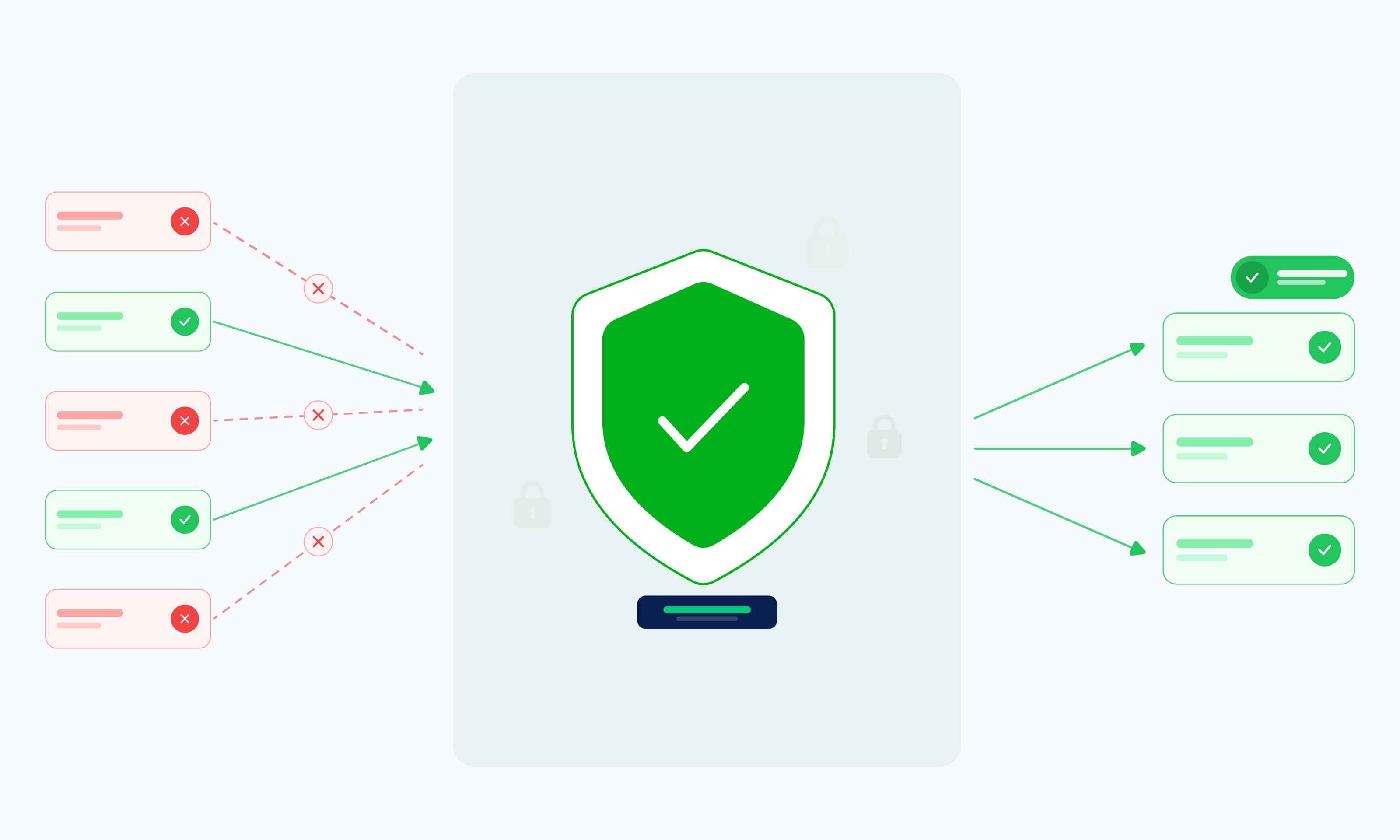
IP whitelisting has become a standard way to run ISP proxy services safely.
Teams that depend on proxies for scraping, monitoring, ad verification, and similar work cannot risk open access from unknown sources. This is because uncontrolled connections lead to leaked credentials, accidental exposure of internal networks, and constant operational problems when environments scale or change.
ISP proxies are static residential proxies that combine the speed of a data center with the reputation of a home network. By using IP addresses assigned by legitimate providers (e.g., AT&T, Comcast, or Cox) but hosting them on high-speed servers, they provide higher trust scores and greater uptime than rotating residential proxies, which typically rely on peer-to-peer connections from fluctuating end-user devices.
For security and platform engineers and data engineering leads, IP whitelisting is a control that governs who can reach your proxy layer while keeping static IP assignments, sticky sessions, and performance intact. Done right, it adds a layer of protection without slowing down workflows.
This guide explains how to implement IP whitelisting in modern infrastructures, highlights patterns that actually work, and shows how the right solution supports secure access control for ISP proxy services.
The Security and Compliance Risks of Uncontrolled ISP Proxy Access
When ISP proxy access is left unmanaged, problems tend to appear slowly and then build up. Weak proxy access control usually starts as a minor oversight and eventually turns into a real security or compliance issue that affects multiple teams.
These are the issues that show up most frequently in real systems:
- Exposure of internal tools: When proxy endpoints accept connections from any source, internal services and jobs can reach the proxy layer without clear boundaries. This raises the odds of internal tools becoming accessible from locations they were never meant to be reached from.
- Shared credentials across teams: When the same proxy credentials are reused by multiple teams, access boundaries disappear. A leaked credential affects every workflow tied to it, and one team’s change can break another team’s pipeline. Tracking activity back to a specific service or owner also becomes difficult.
- Compliance gaps in access control and audits: Audit trails quickly lose meaning when access cannot be limited by IP address. Auditors and compliance teams need to know which systems are allowed to reach ISP proxy services and why. Without IP address whitelisting and scoped access, it's also difficult to demonstrate a clear separation between dev, staging, production, and testing environments.
- Friction during SOC 2 and enterprise reviews: Unmanaged proxy access often becomes a blind spot in security diagrams and access reviews, where controls exist on paper, but any machine with credentials can still reach the proxy layer. This can delay security approvals and lead to last-minute changes that disrupt production workflows.
Infrastructure Challenges That Break Traditional IP Whitelisting in Proxy Workflows
IP whitelisting sounds simple on paper, but in real proxy setups, it breaks more often than teams expect. As soon as traffic flows through cloud systems and automated jobs, static allowlists no longer match real behavior.
These are the breaking points teams encounter most:
- Managing static IP pools across teams and environments: ISP proxies assign fixed IPs rather than rotating them, which is good for allowlist stability. But this introduces a different challenge: governing a large pool of static IPs across multiple teams, services, and environments. Without clear ownership and access boundaries, IPs get shared across workflows they were never meant to touch, and tracing a problem back to the right team becomes difficult.
- Dynamic cloud and remote environments changing source IPs: Cloud instances rarely keep the same public IP for long, which means redeployments or autoscaling events can change your egress address without any warning. This same problem shows up when engineers run jobs from home networks or shared Wi-Fi, where the public IP can change at any time.
- Automation at scale causing frequent IP drift: As scraping and monitoring pipelines grow, new workers are constantly being launched to handle increased load while older ones are removed once they finish their tasks. The result is a steady churn of source IPs, because each new instance often gets assigned a completely different egress address than the one it replaced.
Regional routing creating mismatches with static rules: Traffic does not always exit from the region you expect. With ISP proxies, regional coverage is tied to specific ISP networks rather than a broad residential pool. Allowlists built around an assumed region can break when traffic is served from a different ISP's coverage area, even if the target location stays the same.
Webshare’s Authentication and Access Control Features for Secure Proxy Usage
Access control only works when it fits how teams actually use proxies.
Webshare's authentication model is built to lock down proxy access without forcing you into brittle configurations that fall apart once traffic scales or infrastructure shifts.
- Native IP Authorization for ISP proxies. Webshare's ISP proxies include built-in IP Authorization support, meaning access to the proxy layer can be locked to approved source addresses without requiring username/password credentials. This makes it straightforward to tie proxy access to your network design rather than managing credentials across every service and team.
- IP whitelisting for controlled access to proxy endpoints. The IP whitelisting feature limits which source addresses can connect to the proxy layer, giving security teams a clear boundary to work with. Once egress IPs are stable, proxy access is no longer tied to wherever a job happens to run and instead becomes part of the network design itself.
- User-based authentication for teams and services. Not every workflow should share the same credentials. Webshare supports separate users for different services and teams, which makes it easier to rotate access when ownership changes. It also helps during incidents, since you can trace activities back to a specific account instead of a shared login.
- Exclusivity settings for granular access control. Webshare's ISP proxies come in three exclusivity tiers that map directly to least-privilege principles. Shared proxies are used by two or more users, Private proxies are limited to one or two users, and Dedicated proxies are fully owned by a single account. Teams handling sensitive workflows can choose the tier that matches their isolation requirements without overpaying for access they don't need.
- Role-based access for limiting proxy pool usage. Different teams often need access to different proxy pools. With a pool of 100K+ ISP proxies, scoping who can use what becomes important at scale. Role-based access lets you scope who can use what, reducing the risk of accidental cross-use that leads to blocked traffic or unexpected cost overruns.
Activity logs and usage visibility for audits and reviews. Since proxy usage should not be a black box, Webshare provides visibility into how accounts are used, which endpoints are accessed, and where traffic comes from. Backed by 99.97% uptime, the infrastructure stays consistent enough that anomalies in logs are meaningful rather than just noise. This makes security reviews less painful and gives platform teams something concrete to point to when questions come up.
How Webshare Enables Reliable IP Whitelisting Without Sacrificing ISP Proxy Performance
Locking down proxy access usually comes with tradeoffs. Teams add IP whitelisting, then watch sessions break or traffic fail when scale increases.
The following Webshare features can help you restrict access without getting in the way of how ISP proxies are meant to work or breaking workflows as your traffic grows.
- Stable allowlists backed by static IP assignments: Because ISP proxies use fixed IPs that don't change between sessions or jobs, allowlists stay accurate over time. There is no rotation on the proxy side to account for, which means the IP your allowlist approves today is the same one handling traffic next month. Teams can lock down access once and focus on the work rather than constantly maintaining allowlist hygiene.
- Supporting regional targeting without breaking allowlists: With ISP proxies, geo-targeting is handled through ISP network coverage rather than username parameters. Your allowlist applies to where traffic enters Webshare, while regional targeting is resolved through the ISP layer using providers like AT&T, Sprint, and Cox. This separation keeps the allowlist logic clean and avoids the credential-parameter conflicts that come with other proxy types.
- Preserving scale for automation and large verification runs: Automation does not slow down when access is restricted. As long as your jobs egress from known IPs, new workers can spin up without touching the allowlist every time you add capacity or roll out new instances.
Keeping proxy traffic isolated from internal networks: Whitelisted access makes it easier to place proxies on a separate layer. Traffic enters Webshare from known egress points rather than directly from internal networks, which reduces the blast radius if something goes wrong.
Practical Playbook: Implementing Whitelisting in Modern Environments
ISP proxies are particularly well-suited to IP whitelisting because their IPs are static by design. Unlike proxy types that rotate or rely on session parameters, ISP proxy IPs stay fixed, which means the allowlist patterns you set up here will hold as your infrastructure grows.
How can you roll out IP whitelisting in real-world environments? Here’s a practical playbook we recommend for getting the best results.
Map which services and teams need proxy access
List the jobs and services that need to talk to proxies. Examples include:
- Long-running services that power scraping or monitoring features in production apps
- Scheduled jobs that run on timers for price checks, data syncs, or content pulls
- One-off scripts used by data or growth teams for research and testing
Understanding exactly which services touch proxies helps make access rules realistic. The goal is to match whitelisting and authentication to how traffic flows.
Set up IP whitelisting for cloud workloads and offices
Route outbound traffic through stable egress points for cloud workloads and office networks. In practice, this might mean using NAT (Network Address Translation) gateways or fixed exit IPs. Known, predictable addresses make it much easier to manage access and reduce the chance of unexpected blocks when infrastructure changes.
Handle remote teams with controlled egress points
Home networks and shared Wi-Fi make source IPs unpredictable. The best approach is to route access through controlled egress points like VPN gateways or jump hosts, which keeps allowlists clean and avoids breaking access every time someone changes locations or switches networks.
Combine IP whitelisting with user authentication
IP rules alone do not show who is behind the traffic. Pairing whitelisting with individual user credentials lets you trace activity to a specific account rather than a shared login. With this, you can easily track and resolve issues without guessing which service or team caused a problem.
Monitor usage and rotate access keys safely
Track which endpoints are in use and which ones have gone quiet. Old access paths tend to stick around long after the job that needed them is gone. Rotate keys on a schedule, but plan the change so active jobs do not drop mid-run.
Real-World Use Cases for Security-Conscious Teams
Security controls around proxy access shape how data is collected, how risks show up in reports, and how much internal exposure sits behind each workflow.
Here are some cases where tighter access control around ISP proxies makes a real difference.
Ad verification and fraud detection across regions
A core part of thorough ad verification is properly checking how ads appear to real users in different locations and placements.
When proxy access is left open, traffic often comes from random machines or shared accounts that are hard to trace later. This leads to results that look inconsistent or suspicious to ad platforms. Because ISP proxies are backed by real ISP networks, they carry higher trust scores with ad platforms than datacenter proxies, making flagged traffic less likely from the start.
Tying access to specific regions and known services keeps things stable and makes it easier to explain when traffic patterns get flagged.
Brand protection and domain spoofing monitoring
Monitoring brand mentions and fake domains usually involves automated checks that run on set schedules and scan different websites. If proxy access is too loose, those tasks can end up routing traffic from systems that were never meant to handle them, including internal environments.
Restricting access to specific services keeps traffic contained and predictable. When a domain starts blocking requests, it is clear where the traffic came from, which cuts down on guesswork and speeds up the resolution process across teams.
Competitive research without exposing corporate networks
Research tools should not reach competitor sites from office IP ranges or shared cloud networks. Such traffic patterns are easy to detect.
Routing these workflows through controlled ISP proxy access keeps corporate networks out of view. It also limits who can run this type of research in the first place, helping reduce misuse.
Feeding clean proxy traffic into threat intelligence pipelines
Threat intel pipelines depend on inputs that behave consistently over time. When proxy traffic comes from mixed sources, the data gets noisy and harder to trust.
Tying access to specific services that gather the data keeps feeds stable. If one source starts failing or gets blocked, it can be swapped out without touching the rest of the pipeline.
Conclusion: Achieving Governable, High-Performance ISP Proxies with Webshare
Proxy usage tends to expand over time, and risks are a natural consequence of that kind of growth. Clear governance, IP whitelisting, and structured access control help keep that risk in check by limiting connections to trusted sources and tying activity to individual users.
Instead of relying on shared credentials or open access, you gain visibility, accountability, and a setup that supports compliance from the start.
Strong controls do not have to slow everything down. ISP proxies are a cleaner fit for IP whitelisting than other proxy types because their IPs are static, and geo-targeting works through ISP network coverage rather than username parameters. This means access rules stay stable, allowlists do not drift, and the auth model holds up as infrastructure grows.
When access rules are aligned with real infrastructure, regional targeting and large-scale automation continue to perform as expected. With the right foundation, security and performance complement each other instead of clashing.
If you are ready to move toward controlled, whitelisted access, start with Webshare’s ISP Proxies and see how we fit into your environment.
For more complex setups or specific technical questions, talk to us. We are happy to walk through potential architectural details and access patterns.