Search “proxies for AI agents” and you’ll mostly see results about MCP gateway layers; middleware used for routing, security, and observability between agents and servers. That’s a valid use of the term, but it’s not what this article covers.
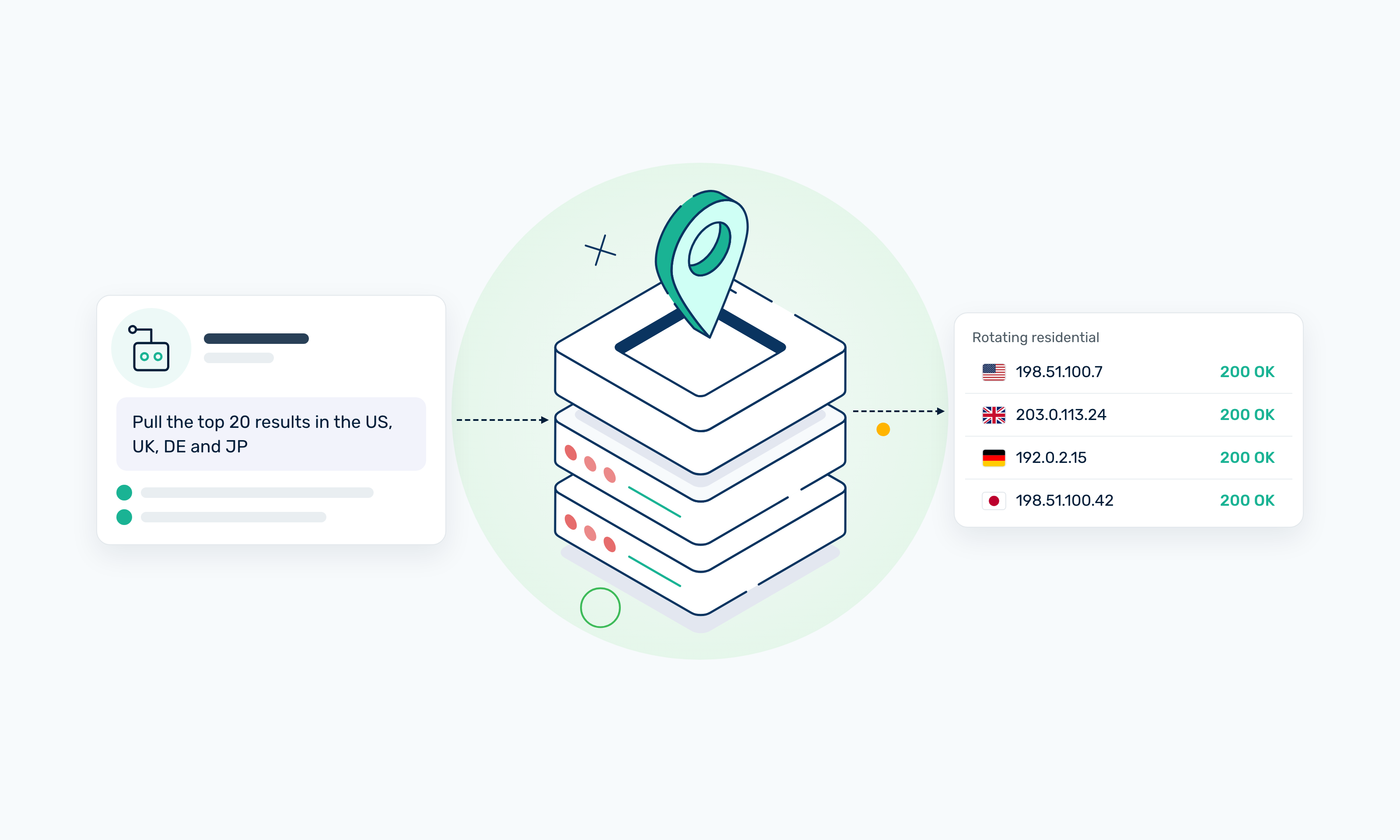
This guide focuses on web proxies for AI browser agents, IP routing services that let browsing and scraping agents make requests through rotating IPs without getting blocked.
If your AI agent is hitting 403 errors, getting rate-limited, or returning subtly broken results, it’s likely browsing the web with a naked IP. That’s the infrastructure problem we’re here to solve.
Key takeaways
• "Proxies for AI agents" has two meanings online. This guide covers web proxies — the IP routing layer that keeps browsing and scraping agents from getting blocked. Not MCP gateways.
• Without a proxy, AI agents trigger 403s, CAPTCHAs, and silent rate limits because their request patterns match exactly what bot detection is built to catch.
• Match the proxy type to the task: rotating residential for SERPs and ads, static residential for logins and streaming, datacenter for high-volume scraping of lightly defended targets.
• With Webshare, you can drop a proxy skill into Claude Code, Gemini, or Codex with a single npx command — or configure HTTP/SOCKS5 manually with any HTTP client.
• Free tier: 10 proxies and 1 GB monthly bandwidth, no credit card.
What Is a Web Proxy and Why Do AI Agents Need One?
A web proxy for AI agents is an intermediary server that routes requests between your agent and a target website. The target sees the proxy's IP, not the IP your agent is running on.
AI agents rely on proxies because they make automated, high-volume web requests, the exact pattern bot-detection systems are built to catch. By rotating IP addresses, proxies help these requests appear as normal human traffic, reducing blocks and failed data collection.
Without a proxy, your AI agent’s requests can trigger bot detection systems, which can see:
- The volume and frequency of requests
- The lack of browser context
- Unusual or missing headers
Without a proxy, your agent ends up with 403 errors, IP bans, CAPTCHA challenges, or geographically biased results that often go unnoticed until the data downstream is already wrong.
Scrapers vs. Proxies in Agentic AI
While both help your agent access web content, they work differently and serve different purposes.
With a scraper MCP or CLI tool, you connect an AI agent to a scraping service that fetches pages and handles IP rotation and anti-bot mitigation for you. Scraping APIs are fast and convenient for low-volume tasks, but the per-request pricing model adds up quickly. Typical scraping APIs cost roughly $1–$3 per 1,000 successful requests. A residential proxy pool, by contrast, prices in bandwidth — usually $0.10–$0.50 per GB, which works out to roughly $0.001–$0.005 per request once you handle parsing yourself.
With a proxy MCP or CLI tool, you're only giving your agent access to IP routing, not a full scraping service. To fetch web content, you still need a script that makes HTTP requests through the proxy.
The scraper vs proxy AI agent decision depends on your goal. Scraper MCPs suit quick, low-volume tasks with instant results. Proxies, like an agent-written script routed through Webshare, are better for repeatable workflows or high-volume data collection where per-request costs matter.
How AI Agents Trigger IP Bans (and Why It’s Getting Worse)
The same behaviors that make agents useful are exactly what anti-bot systems are built to detect. Below are the main triggers you should know:
- Speed: A human browses 3–8 pages per minute. A SERP-monitoring agent typically issues 50–200 requests per minute. That is the exact band where rate-limit rules in Cloudflare Bot Management, DataDome, and similar tools begin to trigger.
- Repetition: Agents often revisit the same URLs from the same IP to check for updates or retry failed requests. This repetition is what stands out to detection systems.
- Missing browser fingerprinting: A plain Python requests call sends no cookies, no JavaScript-rendered headers, and a TLS fingerprint that does not match any real browser. Detection systems flag the request before it even reaches application logic.
- Scale: Detection vendors report that automated traffic now makes up a majority of requests to many high-value sites, and they are investing accordingly. A proxy setup that worked six months ago may already be degraded today.
When rate limits hit and agent IPs are banned, data pipelines fail, results degrade, and workflows stall mid-run with no obvious indication that something went wrong.
Types of Proxies for AI Agent Use Cases
The right proxy type depends on your intended use case. Getting this wrong is costly because a mismatch means you’ll get blocked or receive bad data.
Two practical notes on picking between these. First, residential trust signals matter more than raw IP count: 100 well-distributed residential IPs typically outperform 10,000 cycled datacenter IPs against targets like Google, Instagram, or LinkedIn. Second, the cost gap between datacenter and residential is real (often 5–10x per GB), so default to datacenter wherever the target tolerates it, and reserve residential for endpoints that actually filter by IP reputation.
The residential proxy vs datacenter proxy choice depends on how strict a site filters IP types. Rotating proxies for AI agents spreads requests across many IPs for scale, while static proxies use one consistent IP to maintain identity.
What AI Agents Can Do With Webshare Proxies (Real Examples)
Here's what becomes possible once an agent has access to a proxy layer. These are real, production-ready agent prompts, not theoretical scenarios.
SEO monitoring across markets
“Pull the top 20 Google SERPs from the US, UK, Germany, Brazil, and India for my 5 target keywords. Diff today against last week, flag SERP feature changes (AI Overviews, Featured Snippets, Shopping), and rank my top 3 competitors by movement.”
Without a proxy for SEO monitoring, this prompt returns results from a single location. With rotating residential proxies, the agent queries each country using IPs tied to local ISPs and returns data that actually reflects what users in those markets see.
Ad verification across regions and device types
“Load my 10 campaign landing pages from the US, Germany, and Japan (mobile and desktop), screenshot the rendered ad slot, and verify the attribution pixels (GA4, Meta CAPI, TikTok) fire with the correct campaign IDs. Flag any geo-mismatches or missing tags.”
Residential IPs make your agent look like an organic user in each market, so the ad verification captures exactly what is being served to real users.
Streaming catalog QA
“Check whether these 12 titles appear in each region's catalog across the UK, Brazil, India, Australia, and Canada, and fetch the HLS manifest. Flag anything blocked, degraded, or DRM-restricted.”
This replaces maintaining a VPN farm across five regions. Static Residential proxies give the agent a persistent, location-specific identity per region. Streaming platforms use that identity to determine catalog access.
Social monitoring
“From the US, UK, Brazil, India, and the Philippines: collect public posts and top comments about my brand on X, TikTok, Instagram, and Reddit over the last seven days. Dedupe, classify sentiment, extract top themes per region, and flag any post over 10k engagements or showing a crisis-risk pattern.”
Rotating residential proxies lets the agent sample public posts where available as a local user in each market, reducing the risk of rate limits and geo-restricted results. X (Twitter) and Instagram have aggressive API restrictions, so results will vary by platform. On platforms that permit it, you get regional sentiment breakdowns and crisis-risk flags without burning through API quotas on every run.
Try it on your own agent.
Get 10 proxies and 1 GB of monthly bandwidth, free, with no credit card and no sales call.
Setting Up Webshare Proxies for Your AI Agent
Let's take a closer look at the different ways to get started with Webshare proxies, depending on your agent framework and setup.
Option 1: One-Command Skill Install (for agent frameworks)
If you're running Claude Code, Gemini, Codex, or any of the 40+ compatible agent frameworks, the fastest setup is the Webshare proxy skill. Run the following in your project root:
npx skills add webshare-proxy/skills/proxy-managerThe skill drops into your agent and gives it access to Webshare's 80M+ IP network across 195 countries. No dashboard setup required to start.
Start free: Get 10 proxies at no cost, no credit card required.
Option 2: Direct HTTP/SOCKS5 integration
If you're working with a custom framework or want to configure the proxy manually, Webshare uses standard username/password auth embedded in the proxy URL. It supports both HTTP and SOCKS5 protocols and works with any HTTP client.
1. Python (requests):
import requests

proxies = {
    "http": "http://username:password@p.webshare.io:80",
    "https": "http://username:password@p.webshare.io:80"
}

response = requests.get("https://target.com", proxies=proxies)
print(response.status_code)
2. LangChain:
import os

os.environ["HTTP_PROXY"]  = "http://username:password@p.webshare.io:80"
os.environ["HTTPS_PROXY"] = "http://username:password@p.webshare.io:80"
3. Playwright (for browser-based agents):
For Playwright, you can configure proxies via the proxy option when creating a new browser context, passing the server URL with credentials.
from playwright.sync_api import sync_playwright

with sync_playwright() as p:
    browser = p.chromium.launch(
        proxy={
            "server": "http://p.webshare.io:80",
            "username": "username",
            "password": "password",
        }
    )
    page = browser.new_page()
    page.goto("https://target.com")
    browser.close()
4. n8n (HTTP Request node):
In the n8n HTTP Request node, open the Options section and set “Proxy: http://username:password@p.webshare.io:80.” This applies the proxy to that request without touching the rest of your workflow.
5. Make HTTP module:
In the Make HTTP module, configure the proxy by entering the following details:
- Proxy URL: http://p.webshare.io:80
- Username and password from your Webshare dashboard
IP Rotation Strategies for AI Agents
How you rotate proxy IP addresses matters as much as whether you rotate at all. The wrong IP rotation strategy for AI agents can introduce inconsistencies that affect your pipeline.
Here are the main rotation strategies and when to use them.
- Per-request rotation assigns a new IP to every request. It’s good for SERP scraping, ad verification, and tasks where each request is independent.
- Session-based rotation keeps the same IP for the duration of a session, then rotates between sessions. This works well for stateful agents that need continuity while tasks are ongoing, but a fresh identity afterward.
- Sticky sessions hold one IP for a defined time window, making them suitable for logins, multi-step workflows, and page-to-page navigation without locking you to a permanent IP.
Webshare supports per-request rotation, configurable sticky sessions with TTLs, and manual programmatic control via its API.
Common AI Agent Proxy Mistakes to Avoid
Most proxy failures in agent workflows come down to a handful of recurring errors:
- Using a free or shared proxy: Free proxy pools are shared by thousands of users, often for scraping, so many IPs already have a high detection rate and are flagged before your agent even starts.
- No rotation at all: A single IP making hundreds of requests will be blocked, often silently, via CAPTCHA redirects or HTML pages that return no usable data.
- Wrong proxy type for the target: Datacenter proxies struggle on heavily-guarded sites such as social media platforms. A residential proxy pool with an IP range that carries a real trust signal works well here.
- Ignoring headers: A proxy only changes your IP, not your fingerprint, so a default Python requests call still looks automated. Pair your proxy setup with appropriate User-Agent headers. If you're running a browser agent, make sure Playwright or Puppeteer is correctly handling cookies and browser fingerprints.
- No error handling: A rate-limited IP will keep returning 429 (or 403, or a silent 200 with a CAPTCHA page) until it cools down. Build retry logic that swaps to a new proxy on those responses and backs off briefly before retrying. A minimal example in Python:
from time import sleep
import requests

def fetch(url, proxy_pool, max_tries=3):
    for attempt in range(max_tries):
        proxy = next(proxy_pool)
        r = requests.get(url, proxies=proxy, timeout=15)
        if r.status_code not in (403, 429):
            return r
        sleep(2 ** attempt)  # 1s, 2s, 4s
    return None
Why Webshare for AI Agent Workflows
Webshare is built specifically for high-volume, automated web access that AI agent workflows demand. It’s a practical choice when you need reliable proxy infrastructure without heavy setup.
- One-command install:
npx skills add webshare-proxy/skills/proxy-managerdrops Webshare into Claude Code, Gemini, Codex, and 40+ other agents without any dashboard setup. - Scale-ready pools: With a pool depth of 80M+ residential IPs across 195 countries, high-frequency agent tasks won’t exhaust the same IPs and trigger blocks.
- Credential-based auth: Username/password embedded in the proxy URL works with any HTTP client or automation tool; no SDK is required. If your tool supports HTTP proxies, it works.
- API-managed rotation: Our REST API exposes proxy lists, usage statistics (bandwidth, success/fail counts), and pool refresh, so you can build rotation logic directly into your agent's retry handler.
- Free tier to start: Get 10 proxies permanently free and 1GB monthly bandwidth, with no credit card required. Enough to validate your setup before committing.
- Chrome extension: For browser-based agent testing or manual verification, our free Chrome extension connects directly to your Webshare proxy list across 195 countries. No separate configuration needed.
Conclusion
AI agents face the same IP blocking issues as traditional scrapers, only at greater speed and scale.
Match the proxy type to the work. Use rotating residential proxies for SERP monitoring, ad verification, and social monitoring. Use static residential proxies for authenticated sessions and streaming QA. Use datacenter proxies for high-volume targets that do not filter aggressively by IP type.
Then pair that choice with a sensible rotation strategy, realistic headers, and retry logic on 403 and 429 responses. That is what keeps proxies for AI agents reliable in production.
Get 10 Free Proxies → Start your AI agent with Webshare. No credit card required.