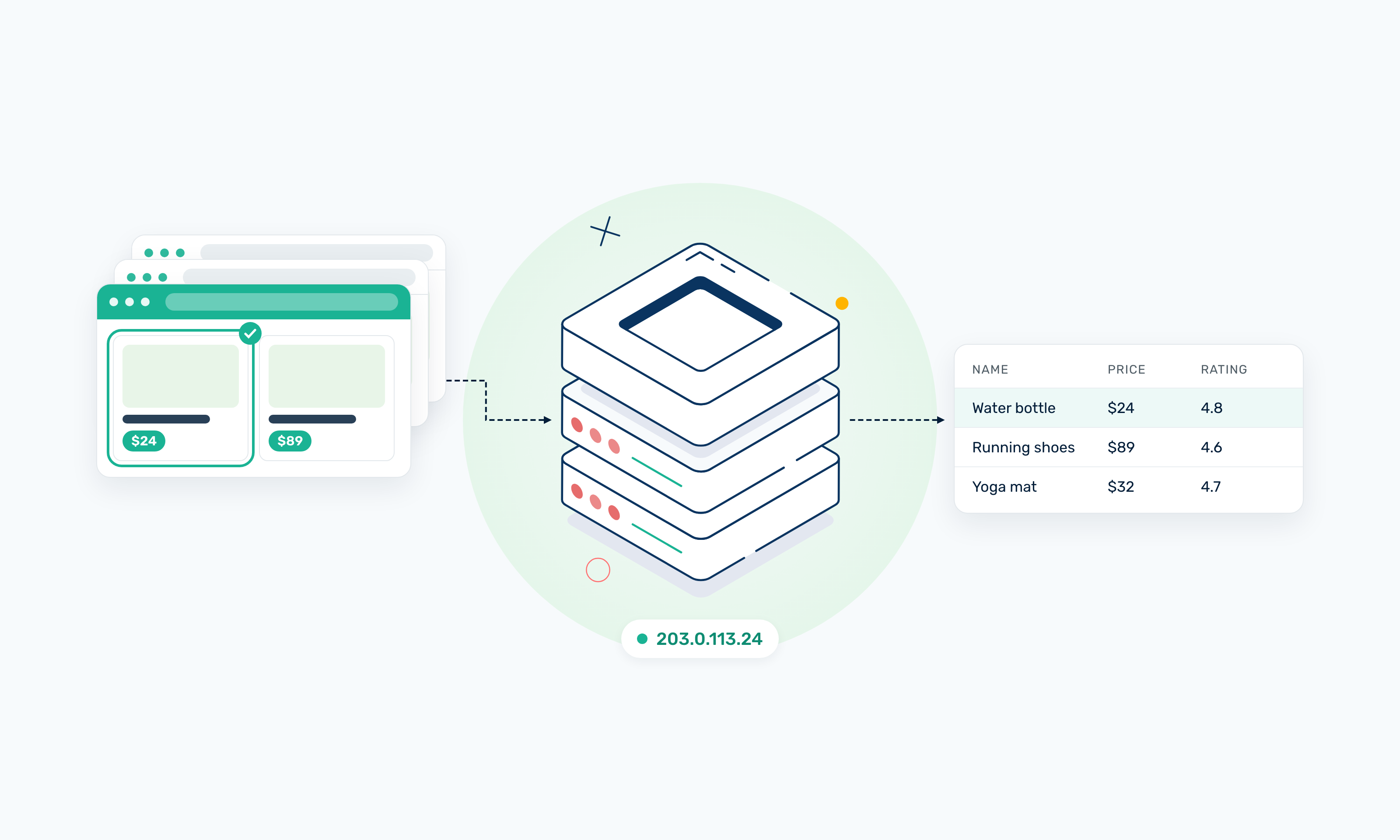
Web scraping is the automated process of extracting information from websites and converting it into structured data you can analyze, store, or use in another application. A web scraper can collect publicly accessible webpage content such as prices, product details, search results, and reviews.
For a small project, scraping can be as simple as fetching a webpage and pulling out a few fields. Larger workflows add more moving parts, like browser automation, scheduling, data processing, and a way to manage requests across different locations.
This guide covers how web scraping works, whether it's legal, the main types of web scrapers, and what they're used for. You'll also see the benefits and common challenges of scraping, including where proxies fit as your scraping workflows grow.
TL;DR
- Web scraping automatically collects information from webpages and converts it into structured data.
- A web scraper can request or render a page, identify the needed information, extract it, and store the results.
- Scrapers range from simple scripts and browser-based tools to APIs and distributed systems.
- Common uses include price monitoring, market research, SEO monitoring, AI/ML data collection, and ecommerce analysis.
- Larger scraping projects require careful request management and supporting infrastructure.
- Proxy infrastructure can help distribute requests and collect data from different geographic locations.
- Whether web scraping is lawful depends on factors such as the data, website, jurisdiction, access method, and intended use.
What Is Web Scraping?
Web scraping is a method of automatically collecting information from webpages using software instead of copying the data by hand. A scraper loads a page, finds the specific information you need, and outputs it in a structured format such as a spreadsheet, JSON file, or database.
Scraping is one of several ways to collect data from the web. Let’s compare it with other methods.
Web scraping vs. manual data collection
Manual data collection means visiting webpages yourself and copying information into a spreadsheet or document. It works for small, one-off tasks, but becomes impractical at scale, like when you need to collect thousands of records repeatedly.
Web scraping automates that process. You define the pages and fields you need, and the scraper executes the task across as many pages as required. The tradeoff is that you need to build and maintain the scraper when the target website changes.
Web scraping vs. web crawling
Web crawling focuses on discovering and navigating URLs. A crawler can start with one or more pages, follow links, and build a list of pages to visit.
Web scraping focuses on extracting specific information from those pages, such as product names, prices, or ratings. The two often work together, with a crawler finding pages and a scraper extracting data from them.
Web scraping vs. APIs
An API is an interface a website or service provides so applications can request data in a structured format, often JSON. The provider determines what data the API exposes and what rules apply to accessing it.
Web scraping extracts information from website content instead. An API is often more stable when it provides the data you need, while scraping can be useful when the information you need isn't available through an API.
Is Web Scraping Legal?
Web scraping isn't universally legal or illegal. The same scraper can be perfectly acceptable on one website and problematic on another, depending on what data you collect, how you access it, where the scraping takes place, and how you use the resulting data.
Below are some of the factors that could determine whether a scraping project is lawful.
- Public accessibility: Data being visible on a public webpage does not automatically mean you can reuse it without restrictions.
- Jurisdiction: Countries and regions have different laws governing data collection and use. These rules apply based on where you operate, where the website is hosted, or where the people the data is related to live.
- Privacy and data protection: Collecting personal data means you must deal with data-protection laws, even when that information is publicly visible.
- Intellectual property and database rights: Some content may be protected by copyright or database rights that limit how you reuse it.
- Terms of service: A website's terms may set rules around automated access and data use, and ignoring them can create legal or contractual risk.
- Access controls: Avoid bypassing authentication, paywalls, or technical measures that restrict access.
- Intended use: Commercial, research, internal, or other uses have different legal considerations.
Disclaimer: Teams should review the applicable laws and the target website's terms before scraping at scale.
How Do Web Scrapers Work?
Most web scrapers follow the same basic process, whether they're a 20-line script or a system handling millions of pages.
Here's a breakdown of how web scraping works:
1. Send a request or load the page
The scraper starts by retrieving the target webpage. There are three common ways to do this:
- An HTTP request, sent with a library like Python's requests, asks the server for the page and returns its raw HTML.
- Browser automation, with a tool like Playwright or Puppeteer, opens the page in a real browser, loads it, and interacts with it.
- A scraping API takes the URL you send it and handles the retrieval for you.
A well-built scraper checks the response status code. A 200 means the page loaded, while codes like 403, 404, or 429 mean something went wrong.
2. Receive the HTML or rendered content
What the scraper gets back depends on how the site builds its pages.
- Server-returned HTML already contains the content when it arrives, so a simple HTTP request gets everything you need.
- JavaScript-rendered content only appears after the page's scripts run in a browser. In this case, you'll need a browser automation tool to load the full page.
3. Identify the data
Next, the scraper needs to find where the data is located on the page. Common ways to do this include:
- CSS selectors target elements by tag, class, or ID, such as
.product-priceorh1.title. - XPath expressions that navigate the document tree and match elements by position or text content.
- HTML attributes, like
data-priceorhref. - Structured data, such as JSON-LD or schema.org markup.
4. Extract the information
Once the scraper has located the right elements, it pulls out their values. Depending on the project, that could be a:
- Product name
- Price
- Review
- Link
- Location, or
- Search result
5. Clean and normalize the data
Raw webpage data often needs processing before it can be used. Cleaning turns it into consistent records you can analyze, which can include:
- Leftover HTML tags, extra whitespace, and special characters in text fields.
- Dates written in different formats, like "Sep 27, 2026" and "27/09/2026," which need converting into one standard format.
- Prices with different currency symbols or separators, which need standardizing into a single numeric format.
- Duplicate records, such as the same product appearing on two category pages.
- Missing values, which need flagging or filling in so gaps don't break later analysis.
6. Store or send the data
The cleaned data then goes wherever you need it. Common destinations include:
- A CSV or JSON file, which works well for smaller or one-off projects.
- A database or data warehouse, which lets you query and compare data over time.
- An internal application or API, where another system can use the data right away.
7. Repeat across multiple pages
A scraper rarely stops at one page. To build a full dataset, it has to work through many URLs, with steps usually involving:
- Crawling finds the pages you want to scrape.
- Pagination, which moves the scraper through multi-page results, like category listings or search results.
- Retry logic waits and tries again when a request fails with a 429 response or a timeout.
- Scheduling reruns the job at set intervals to keep your data current.
As your request volume grows, sending everything from one IP address becomes a bottleneck. That's usually when web scraping proxies come in to spread requests across multiple IPs and collect data from different locations.
Benefits of Web Scraping
A few web scraping benefits include:
- Scale: A scraper can collect information from hundreds or thousands of pages in the time it would take you to manually extract data from just a few. That makes projects like tracking an entire product category or monitoring every listing in a marketplace realistic.
- Automation: Once you've defined which pages to visit and which fields to extract, the scraper runs the same steps every time. A task you'd otherwise repeat each week becomes a workflow you set up once and then maintain.
- Structured data: Webpages have different layouts and designs, but scraping pulls the data you need into a spreadsheet, database, or analytics tool that’s ready for use and easy to analyze.
- Market visibility: Scraping lets you follow how websites change over time. You can track price drops, new product listings, stock availability, or shifts in search results, and spot patterns that are hard to notice when you only check pages occasionally.
- Geographic research: Many websites show different data depending on a visitor’s location. With scraping, you can collect location-specific versions of a page and compare them side by side.
- Timeliness: You can schedule a scraper to refresh on a defined schedule (hourly, daily, or weekly), depending on how fast the data changes. That keeps your analysis based on current information.
Keep in mind that scraping doesn't automatically give you accurate or complete data. The quality of what you end up with still depends on how well your scraper collects the information and how carefully you clean and validate it afterward.
What Kind of Web Scrapers Are There?
Web scrapers come in several forms, from a few lines of Python to systems spread across many machines. Here are the main types of web scrapers.
Code-based scrapers
Code-based scrapers are programs you write yourself to fetch pages and extract data. In Python, a common setup uses the requests library to download a page's HTML and BeautifulSoup to parse it and pull out specific elements.
For larger projects, you can use Scrapy, a web scraping framework that handles crawling, concurrent requests, retries, and data export.
This approach gives you the most control over how your scraper behaves, which makes it a strong fit for custom workflows.
Browser automation scrapers
Browser automation scrapers control a real browser, usually in headless mode, to load pages the same way a visitor would. Playwright, Puppeteer, and Selenium are common tools for this.
Because the browser runs the page's JavaScript, you get the fully rendered content, and you can click buttons, scroll, fill in forms, or wait for elements to appear before extracting data.
Webshare's guides on using a Playwright proxy and a Puppeteer proxy walk you through this type of setup.
No-code and visual scrapers
No-code scrapers are tools where you select the elements you want on a page by clicking on them, instead of writing scripts. They record your selections and repeat them across similar pages.
They're a good fit for simpler workflows and for non-coders. However, they can struggle with complex site structures or unusual page behavior, where you'd need more control than a visual interface allows.
Scraping APIs
Scraping APIs let you request a webpage or structured data through an API call. You send a URL, and the service returns the page's HTML, rendered content, or extracted fields, depending on what it offers. This saves you from building and maintaining the retrieval side of the scraper, though you have less control over how each request is handled.
Cloud and distributed scrapers
Cloud and distributed scrapers are larger systems designed to run scraping jobs across many pages or machines at once. They combine a queue of URLs, multiple worker processes pulling from that queue, scheduling, retry handling, and storage.
Teams usually build these on top of code-based or browser automation tools once a single machine can't keep up with the volume.
Other ways to classify web scrapers
Beyond the above, web scrapers can also be classified by what they do and how they run:
- A single-page scraper extracts data from one specific page.
- A site-wide scraper works through many pages across an entire website.
- A scheduled scraper runs at set intervals, such as hourly or daily.
- A real-time scraper collects data on demand or continuously as changes happen.
- A general-purpose scraper is designed to work across many different websites.
- Website-specific scrapers are built around the structure and requirements of a particular website.
What Are Web Scrapers Used For?
Web scrapers can collect information from many types of websites and turn it into data that teams can analyze or use in other workflows. Common use cases include:
Ecommerce and price monitoring
Ecommerce teams use scrapers to collect publicly visible prices, product details, stock availability, and marketplace listings. A retailer might scrape competitor product pages every morning to see who dropped their price overnight, or track how many sellers list the same item on a marketplace.
That data feeds pricing decisions, catalog gaps, and stock planning. Because prices can change several times a day, scheduled scraping gives you a running history that a one-time check can't.
Competitive research
Scrapers let you monitor publicly accessible competitor websites and offerings over time. You can track new product launches, changes to pricing pages, updated feature lists, or new locations added to a store finder.
Seeing these changes as they happen helps you respond faster than you would from occasional manual checks, and a stored history lets you spot patterns in how competitors adjust their offerings.
Market research
Market research often depends on large datasets that no single source provides. Scraping lets you collect information from relevant public sources, like product catalogs, job listings, public directories, or review pages, and combine it into one dataset.
SEO monitoring
SEO teams scrape search results to track rankings, featured snippets, and which competitors appear for target keywords. Since search results vary by location and change often, scrapers are commonly scheduled to check the same queries across several cities or countries.
Scrapers also help you monitor websites for SEO-relevant changes, like updated title tags, missing meta descriptions, or pages that suddenly return 404 errors.
AI and machine learning data collection
AI and machine learning projects need large volumes of text, images, or structured records to train and evaluate models. Scraping is one way to gather publicly accessible datasets for research or model-related workflows.
This use case needs extra care. Copyright, privacy rules, and website terms still apply to training data, so check what rights you have to the content before you collect and use it.
Real estate research
Real estate investors, agencies, and analysts scrape property listings to collect prices, locations, property features, and inventory levels. Tracking these across listing sites shows you how prices move in a neighborhood, how long properties stay on the market, and where inventory is growing or shrinking.
Travel data
Travel companies and aggregators monitor publicly available fares, room rates, availability, destinations, and listings. Fares and availability can change by the hour and often differ by the searcher's location, so travel scraping usually runs frequently and from several regions.
Brand monitoring
Brands use scrapers to track where they're mentioned or listed online. That can include reviews, marketplace listings using the brand's name, reseller pages, or publicly accessible forums and news sites.
This helps you spot unauthorized sellers, pricing that breaks reseller agreements, or shifts in customer sentiment before they grow into bigger problems.
Ad verification workflows
Ad verification is the process of checking that ads display correctly, in the right placements, and to the right audiences. Ads often change based on the viewer's location, so proxy infrastructure can support ad-verification teams who need to see pages the way users in each target market see them.
Common Challenges With Web Scraping
The most common challenges you can face with web scraping include:
Dynamic websites
Many sites load their main content with JavaScript after the initial page arrives. If your scraper only reads the raw HTML the server returns, it may find an empty container where the product list or search results should be.
Handling these pages usually means switching to a browser automation tool that renders the page first, which uses more memory and runs slower than plain HTTP requests.
Changing page structures
Your scraper finds data using CSS selectors, XPath expressions, or other parsing rules tied to a page's HTML. When a site redesigns its layout or renames a class, those rules can stop matching. Sometimes the scraper fails loudly, and sometimes it quietly returns empty fields, which is harder to catch without monitoring.
Rate limits
Websites often cap how many requests a single client can make in a given time window. Once you cross that threshold, you'll start seeing 429 (Too Many Requests) responses, slower replies, or timeouts. Spacing out requests, adding retry logic with backoff, and controlling concurrency all help keep your scraper within those limits.
IP-based restrictions
When every request comes from the same IP address, a site can easily link that traffic together. A high volume of requests from one IP can lead to throttling, 403 (Forbidden) responses, or temporary blocks, which makes that single IP an unreliable foundation for larger scraping jobs.
Geographic variation
Prices, product availability, search results, and even page layouts can change depending on the visitor's country or region. If your scraper runs from one location, you only see that location's version of the page, which can skew your data when your project needs results from several markets.
Data quality
Webpages aren't always consistent. One listing might show a price with a currency symbol, another in a different format, and a third might leave the field out entirely. Without cleaning and validation, those inconsistencies turn into incomplete or irregular datasets that are hard to trust.
CAPTCHAs and anti-automation systems
Many websites use CAPTCHAs and other anti-automation systems to limit or challenge automated traffic. These systems can interrupt your scraper, return challenge pages instead of the content you expected, or stop a job partway through.
If a site actively restricts automated access, treat that as a signal to review its terms and whether scraping it is appropriate for your project.
What Role Do Proxies Play in Web Scraping?
A proxy acts as an intermediary between your scraper and the target website. Instead of every request coming directly from your own IP address, you route requests through proxy IPs, and the website sees the proxy's IP as the source of the traffic.
This matters more as your scraping grows. Proxy infrastructure can help you:
- Distribute requests across a pool of IPs so no single address carries your entire workload.
- Route requests through IPs in specific countries to collect the location-specific versions of a page.
- Run multiple scraping jobs concurrently, with each job using its own set of IPs.
- Reduce your dependence on one source IP, so throttling on a single address doesn't stall the whole job.
- Add capacity by expanding your proxy pool instead of rebuilding your scraping setup.
Proxies don't guarantee your scraper will succeed or never get blocked. Request pacing, retry logic, parsing, the target site's terms, and other controls still matter.
Proxy types for web scraping
Different proxy types suit different scraping workloads.
The best fit depends on the website you're scraping, your request volume, the locations you need, whether your workflow needs a consistent IP, and your budget.
Proxy Server (datacenter proxies)
Webshare's proxy servers are datacenter IPs hosted on servers in data centers and registered to hosting providers. They're fast and cost less per IP than residential options, which makes them a practical fit for cost-sensitive scraping and large-volume workloads.
The tradeoff is that datacenter IP ranges are easier for websites to identify as non-residential traffic. They work best on targets where residential IP characteristics aren't necessary, like sites that don't filter traffic by IP type. If that describes your workload, you can get started with Webshare's proxy servers.
Residential proxies
Residential proxies route your requests through IPs that ISPs assign to real household devices, so your traffic carries the same IP characteristics as a regular home user. They're useful when a target site treats datacenter traffic differently or when you need coverage across many countries and regions.
A residential proxy from Webshare's Rotating Residential pool can assign a fresh IP to each request or hold the same IP for a set time window through sticky sessions. Residential proxies are priced by bandwidth, so they usually cost more per request than datacenter IPs.
Static residential proxies
Static residential proxies are ISP-issued IPs that stay assigned to you over time instead of rotating. They're relevant when your scraping workflow needs a consistent IP, such as multi-step flows or repeated checks of the same page from the same location, where a changing IP would break the session or skew your comparison.
For those workflows, Webshare's static residential proxies give you residential IP characteristics with a fixed address.
How to Build a Simple Web Scraper
Let's see what a simple web scraper looks like in practice and how to build one.
For this basic tutorial, we'll use Python, requests, and BeautifulSoup. Start by installing the necessary libraries with pip.
pip install requests beautifulsoup41. Choose a webpage to scrape
We'll use Books to Scrape, a practice site built for testing scrapers. It lists 1,000 books across 50 pages, and each book shows a title, price, star rating, and stock availability. This example collects the title and price of every book on the first page.
Start your script by importing the libraries and setting the target URL.
import csv
import requests
from bs4 import BeautifulSoup

url = "https://books.toscrape.com/"
2. Send a request
Next, download the page with requests. The raise_for_status() call stops the script if the server returns an error code like 404 or 500, so you don't end up parsing an error page by mistake.
response = requests.get(url, timeout=10)
response.raise_for_status()
3. Parse the HTML
Pass the page content to BeautifulSoup, which turns the raw HTML into an object you can search through.
soup = BeautifulSoup(response.content, "html.parser")4. Select the elements
On this site, each book sits inside an <article> tag with the class product_pod. You can fetch all of them with a CSS selector.
books = soup.select("article.product_pod")
print(len(books))  # 20 books on the first page
5. Extract the values
Inside each book element, the full title is stored in the title attribute of the link, and the price sits in a paragraph with the class price_color. Loop through the books and pull out both values.
rows = []
for book in books:
    title = book.select_one("h3 a")["title"]
    price = book.select_one("p.price_color").get_text(strip=True)
    rows.append({"title": title, "price": price})
6. Print and save the results
Finally, print each result to check the output and write everything to a CSV file.
for row in rows:
    print(row["title"], row["price"])

with open("books.csv", "w", newline="", encoding="utf-8") as f:
    writer = csv.DictWriter(f, fieldnames=["title", "price"])
    writer.writeheader()
    writer.writerows(rows)
Here's the final complete code.
import csv
import requests
from bs4 import BeautifulSoup

# Step 1: Choose the webpage to scrape
url = "https://books.toscrape.com/"

# Step 2: Send a request and stop if the server returns an error
response = requests.get(url, timeout=10)
response.raise_for_status()

# Step 3: Parse the HTML
soup = BeautifulSoup(response.content, "html.parser")

# Step 4: Select every book on the page
books = soup.select("article.product_pod")

# Step 5: Extract the title and price from each book
rows = []
for book in books:
    title = book.select_one("h3 a")["title"]
    price = book.select_one("p.price_color").get_text(strip=True)
    rows.append({"title": title, "price": price})

# Step 6: Print the results and save them to a CSV file
for row in rows:
    print(row["title"], row["price"])

with open("books.csv", "w", newline="", encoding="utf-8") as f:
    writer = csv.DictWriter(f, fieldnames=["title", "price"])
    writer.writeheader()
    writer.writerows(rows)
On a real project, you'd also add pagination, retries, and data cleaning, following the steps covered earlier. If you want to go further, Webshare's Academy has deeper implementation guides, including how to use a Playwright proxy and a Puppeteer proxy for JavaScript-heavy sites, and how to scrape eBay step by step.