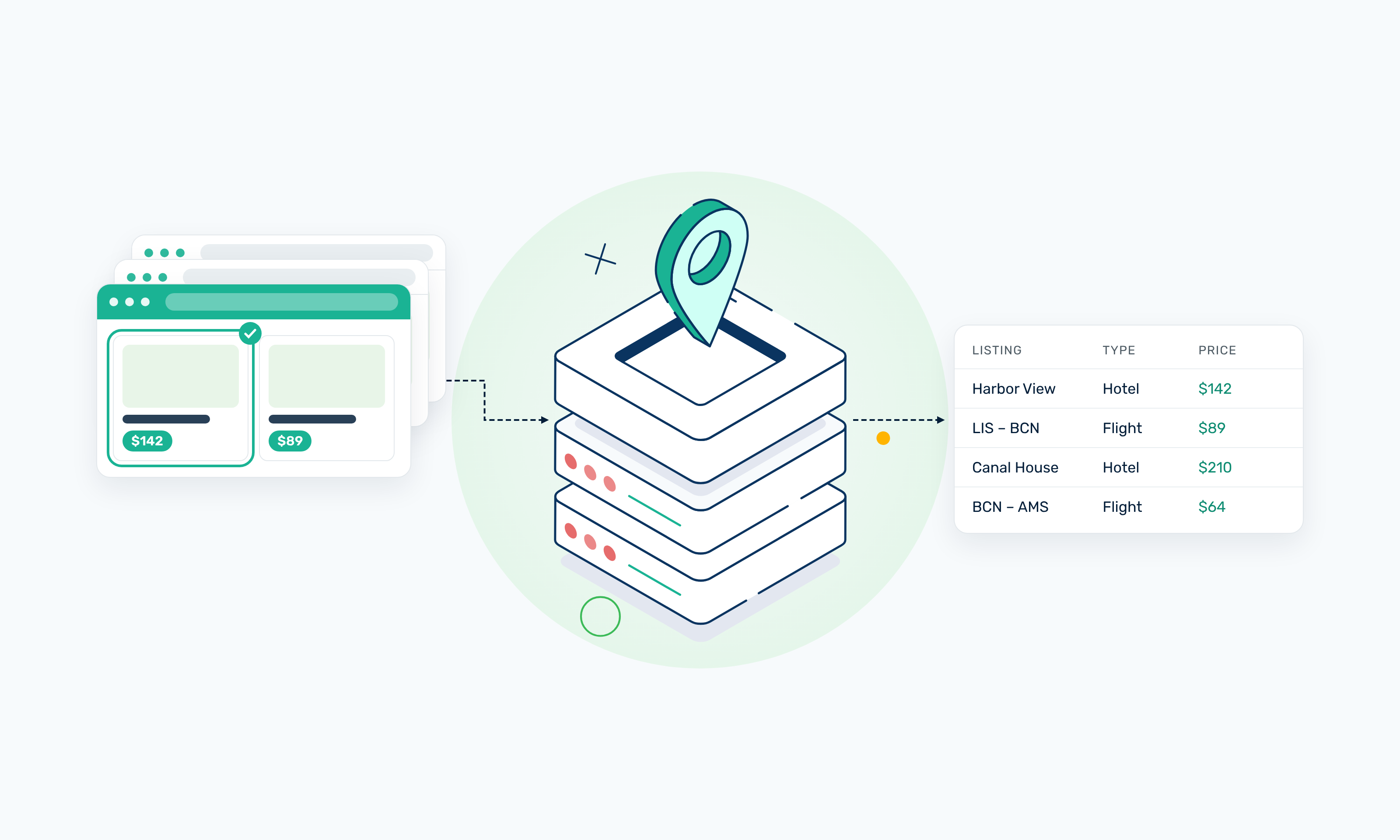
Travel data scraping is the automated collection of publicly accessible information from travel websites and platforms, including hotel prices, flight fares, availability, ratings, routes, and schedules. Teams use this data for research, pricing intelligence, and analytics.
This guide covers the types and sources of travel data, common use cases, the typical scraping workflow, technical challenges, legal considerations, and the role of proxy infrastructure as your data collection scales.
Disclaimer: This guide is informational and not legal advice. Review each site’s current terms, robots directives, and the laws that apply to your project before you start collecting data.
TL;DR
- Travel data comes from many types of sources, including online travel agencies, hotel and airline websites, fare aggregators, and review platforms.
- Prices and availability change often, sometimes several times a day, so a single capture only shows one moment.
- Search details such as dates, guest count, and location shape the results, so keep them consistent across requests and save them with your data.
- Many travel sites load prices and results with JavaScript. You may need a browser automation tool rather than a plain HTTP request.
- Normalize currencies, dates, time zones, and locations before you compare or analyze your data.
- Where an official API covers the data you need, it’s often a more reliable and lower-risk option than scraping.
- As your collection grows or you need results from different countries, proxies can support the workflow by distributing requests across multiple IPs.
- Review each site’s current terms and the laws that apply to your project before you start.
What Is Travel Data Scraping?
Travel data scraping uses software to collect information from travel websites and organize it into structured data for analysis. Instead of manually copying hotel prices or flight times, a scraper extracts the details you need and saves them in a consistent format.
Most travel scraping workflows go through the same stages:
- Automated retrieval. A script or browser tool requests the pages that hold the data, such as a hotel search page or a flight results page.
- Parsing. The scraper reads the page’s HTML or the data it loads, so it can find specific elements on the page.
- Structured extraction. It pulls out only the fields you need, such as a hotel’s name and price or a flight’s departure time, and saves each one as a separate value.
- Normalization. It converts values into consistent formats, such as one currency for all prices or one time zone for all departure times for a like-for-like comparison.
- Storage. It saves the results as a CSV or JSON file, or a database for analysis.
Scraping vs Official APIs vs Third-Party Data
Scraping travel data yourself is only one way to get it. Depending on your project, one of these options may suit you better:
- Scraping websites gives you the most control over which sources and fields you collect. In return, you build and maintain the scraper yourself, deal with page changes and blocked requests, and take responsibility for following each site’s terms.
- Official APIs give you structured data directly from the source, with documented fields and fewer breakages when a site changes its design. Access is often limited, though. Many travel APIs require partner approval or a commercial agreement, and they may not include every field you need.
- Travel data scraping services and third-party datasets hand off the collection work to another company. They’re a faster route when you need standard data without building anything, but you have less control over the sources, how fresh the data is, and how it was collected.
Many teams working on travel industry data scraping combine these approaches. For example, a team might use an official API where one exists and scrape the sources it doesn’t cover.
What Travel Data Can You Scrape?
The data you can collect through travel data scraping depends on the source and the page type. The table below lists the main categories and examples of each.
The available fields vary by site and page. A hotel search page might show prices and ratings, while room types and facilities appear only on the hotel’s own page. When scraping travel data, check which page holds each field before you build your scraper.
Where Does Travel Data Come From?
Travel data is scattered across many types of sites, and each one structures its data differently. Knowing which source holds the data you need is the first step in scraping travel data efficiently.
Online Travel Agencies
Online travel agencies (OTAs) like Expedia are marketplaces that list hotels, rentals, and other stays from many providers in one place.
These platforms are often the richest single source for travel industry data scraping, since one search page can return prices, ratings, and availability for hundreds of properties. Their results also depend heavily on your search dates, guest count, and location.
Hotel Websites
Hotel websites show a property’s own room types, rates, and availability. They’re useful when you need data straight from the hotel, such as rates that differ from those listed on OTAs. Every hotel or hotel chain builds its site differently, though, so each one usually needs its own scraper.
Airline Websites
Airline websites hold routes, schedules, fares, and seat availability for that airline’s flights. Fares often appear only after you enter a route and travel dates, and many airline sites load results with JavaScript after the search runs. That makes them harder to collect from than pages that show data in the initial HTML.
Fare Aggregators
Fare aggregators and metasearch sites compare prices from many airlines, hotels, or booking sites side by side. They’re useful for seeing how prices compare across providers for the same trip. Since they pull their data from other sources, the prices they show can lag behind the original provider’s site.
Google Flights is a popular flight metasearch site with JavaScript-rendered results that require browser automation tools like Playwright to scrape. Our guide on how to scrape Google Flights explains the process using Python, Playwright, and Webshare rotating residential proxies.
Travel Review Platforms
Travel review sites collect guest ratings, written reviews, and destination information. They’re a common source for review analysis and destination research.
Reviews often load in pages or panels that need a browser to reach, and they can include personal details about reviewers, which may raise privacy questions.
Official APIs
Some travel companies offer official APIs that return their data in a structured format. Where one covers the data you need, it’s often a better option than web scraping travel data, because the fields are documented and you’re accessing the data with the provider’s approval.
Booking.com’s Demand API, for example, provides accommodation, car rental, and flight data, but it’s only open to approved Managed Affiliate Partners. Most travel APIs work this way, so check whether you qualify before you build your workflow around one.
Why Scrape Travel Data?
Here are some of the most common reasons to scrape travel data:
- Price intelligence: Track how hotel rates and flight fares change by date, destination, and booking window, so you can spot pricing patterns and react to market changes.
- Competitive research: Compare properties, routes, pricing, and market positioning to see how competitors present their offers and where your own offer stands.
- Availability monitoring: Follow how rooms and seats sell out over time for specific dates, helping with demand forecasting and inventory planning.
- Market research: Study destinations, travel demand, and the supply of hotels or flights in a region to understand how a market performs.
- Review analysis: Analyze publicly available ratings and feedback to find recurring complaints, strengths, and changes in guest sentiment.
- AI and ML data collection: Build travel datasets for legitimate analytics or model-development work, such as price forecasting or demand prediction. Check each source’s terms first, since some specifically restrict using their data to train models.
As your collection grows, Webshare proxies can support these travel data scraping workflows by distributing requests across multiple IPs and helping you collect results from different locations.
Travel Data Scraping Challenges
Most travel data scraping problems don’t show up as errors. A scraper can get a 200 response, parse every field, and still save a price that’s wrong for the market, dates, or guest count you meant to track.
The challenges below cover what makes travel sites hard to collect from and what makes the collected data hard to trust.
Dynamic Pricing
Travel prices aren’t fixed values attached to a hotel or route. They’re calculated for each search, so the same room or seat can show a different price depending on the request’s details.
The price you collect can depend on:
- Date: The check-in or departure date, and how far ahead of it you search.
- Location: Where the request comes from, which can change the price, currency, or offers shown.
- Availability: How much inventory is left, since prices often rise as rooms or seats sell out.
- Occupancy: The number of adults, children, and rooms in the search.
- Currency: The currency the visitor selects or the site assigns to them.
- Search context: Other inputs like trip type, length of stay, or applied filters.
A single price tells you very little on its own. When scraping travel data for price tracking, store the full set of search inputs and a timestamp with every price. That way, you compare the same search across different collection dates.
Dynamic Websites
Many travel sites build their pages in the browser with JavaScript, so the HTML your scraper downloads may not contain everything a visitor sees. On Booking.com, for example, a search page’s raw HTML includes only the first 15 results. The rest load as you scroll and then behind a “Load more results” button.
Google Flights also relies on JavaScript to load its flight results. Pages like these need a browser automation tool like Playwright to render the content and click through controls. Browser automation is slower and uses more bandwidth than plain HTTP requests, so check whether a page embeds its data as JSON before you commit to rendering it. Booking.com’s search page, for instance, includes its first batch of results in an embedded JSON store.
Geographic Differences
Travel sites often tailor results to a visitor’s region. Depending on the country a request comes from, the same search can return a different currency, price, or set of properties. How taxes and fees are displayed can vary too, so save the label that appears next to each price.
Location can also affect whether you get results at all. The same search can return a normal page through one IP and a challenge page or empty response through another. For travel industry data scraping across several markets, you need requests that come from IPs in each market you track, plus a check that every response actually contains results.
Session and Search Context
Travel results depend on what the visitor searched for, not just which page they opened. Change the dates or guest count, and the same hotel page can show different rooms, different rates, or no availability at all. The inputs that shape results include:
- Dates: Check-in and check-out, or departure and return.
- Number of guests: Adults, children, and rooms, which decide which room types and rates appear.
- Selected destination: Whether the search targets a city, a district, or a specific property.
- Language: The language version of the site, which changes the text your parser reads.
- Currency: The currency the site uses to display prices.
Some platforms carry these choices from page to page through URL parameters or cookies. If your scraper drops a parameter or reuses an old session, it can collect results for a different search than the one you intended. Multi-step flows, like moving from search results to a property page and then to its room list, may also need the same IP across every step, because a site can treat an IP change mid-session as a new visitor.
Changing Page Structures
Travel sites update their front ends, and any change can break a selector. Many large OTAs build their front ends with tools that generate class names automatically, so they look like random strings and can change with every release. Selectors built on them are fragile. Attributes like data-testid, JSON-LD structured data, and embedded JSON tend to hold up better.
Even stable selectors need maintenance. The bigger risk is a parser that keeps working but starts returning empty or wrong fields. Track how many records each scrape returns and how often key fields like price or rating come back empty, so a layout change shows up as an alert rather than a gap in your dataset. This ongoing upkeep is one reason some teams choose travel data scraping services or official APIs over building their own scraper.
Request Volume
Travel datasets grow quickly because every search input multiplies the number of requests. Tracking 50 destinations across 30 check-in dates, three occupancy options, and four markets adds up to 18,000 searches per pass. That’s before you load extra results or open individual property pages.
At that volume, how you send requests matters as much as how you parse them. Too many requests from one IP in a short window can lead to 429 responses or challenge pages. Cap concurrency per IP, add delays between requests, and retry failed requests with backoff instead of immediately. Validate every response too, since some sites return a 2xx status with a challenge page instead of results.
Data Normalization
Travel data from different sources rarely lines up on its own. Each site formats values its own way, and the same hotel or flight can be described differently from one platform to the next.
Before you can compare results, you’ll usually need to normalize:
- Currencies: Convert prices to one currency using a dated exchange rate, and keep the original amount and currency alongside it.
- Dates: Store dates in one format, such as ISO 8601 (2026-11-14), instead of mixing “Nov 14” and “14/11/2026.”
- Time zones: Flight times are usually shown in each airport’s local time, so convert them to UTC before calculating durations or comparing schedules.
- Hotel names: Match properties across sites using IDs, addresses, or coordinates, since names can vary slightly between platforms.
- Room names: Map labels like “Double Room” and “Standard Double” to your own room categories.
- Airport codes: Use IATA codes, and decide how to handle city codes like LON that cover several airports.
Normalization is what makes web scraping travel data useful for analysis. Without it, a price gap between two sites might come from a currency mismatch or a different room type rather than a real difference.
Legal and Terms Considerations
Beyond technical access, many travel platforms restrict automated access in their terms of service, and some, like Booking.com, prohibit it without prior written permission. Reviews and other user-generated content can also include personal information covered by privacy laws like the GDPR.
Is Travel Data Scraping Legal?
There's no universal yes or no answer. Whether travel data scraping is legal depends on what data you collect, how you access it, where you and the website operate, and what you do with the data afterward. The same scraper can be fine for one project and a problem for another.
Below are the main legal points to check before web scraping travel data:
Public Data Isn't Automatically Free to Reuse
A page anyone can open without logging in is publicly accessible. However, that doesn't give you unrestricted rights to copy or republish its content. Hotel descriptions and review text can be protected by copyright.
In some regions, a site's collection of listings and prices can also be protected as a database. A site's terms can limit how you use its data even when no copyright or database right applies.
Terms of Service and Jurisdiction Matter
Different platforms set different rules for automated access, and those rules affect what you can collect and how.
As of October 2026, major travel platforms like Booking.com, Expedia, Airbnb, Ryanair, and Skyscanner all restrict scraping and automated access in their terms of service, though the wording and scope differ. Some ban it unless you have written permission, and others focus on commercial use or on bypassing technical controls.
Scraping and data protection laws vary by country, so consider where you operate, where the website is based, and where the people whose data you collect are located.
Privacy Rights May Apply
Privacy laws like GDPR come into play when travel data includes information about people.
If you’re scraping review sites, you’ll often see reviewer names, profile photos, and home countries next to each review. In such cases, it’s safer to collect only the review score, date, and text, and leave reviewer details out.
Avoid Restricted Data and Access-Control Circumvention
Limit your collection to pages any visitor can reach without logging in. Booking confirmations, payment pages, and anything behind a login are a different category. Accessing them with automated tools, especially with credentials you aren’t authorized to use, carries far more legal risk.
Also, don’t bypass any technical controls a site sets up to limit access. Platforms like Expedia and Airbnb, for example, prohibit bypassing their robot-exclusion rules in their terms. If your requests are being blocked, that’s a sign to review your approach.
Use Official APIs Where Appropriate
Many travel platforms offer APIs, partner programs, or licenses that give access to data under clear terms.
To use Booking.com's Demand API, for example, you first need to register as a Booking.com Managed Affiliate Partner. Price comparison sites can apply to Ryanair for a written license to access its price, flight, and timetable information for price comparison only.
If an official route covers the data you need, use it. The provider has already set out what you can access and how you can use the data.
How to Scrape Travel Data Step by Step
Here are the steps for scraping travel data from any source, whether it’s an OTA, a hotel website, or a fare aggregator:
1. Define Your Data Requirements
Start by deciding exactly what you need and how you’ll use it. Common targets include:
- Hotel prices
- Flight fares
- Availability
- Ratings
- Routes
Be specific because “Hotel prices” could mean nightly rates, total stay prices, or prices by room type, and each one changes which pages you collect from and which fields you extract.
2. Choose the Source
Pick where the data will come from. Each source type gives you a different view of the market:
- OTAs: Broad coverage of many properties in one place, like Expedia.
- Hotel websites: Direct rates and room details from a single property or brand.
- Airline websites: Fares, schedules, and availability straight from the carrier.
- Aggregators: Prices from many providers compared side by side, like Google Flights.
- APIs: Structured data from an official or third-party API, where one covers your needs.
Remember to check each source’s terms before you start.
3. Define Search Context
Travel results depend on the search behind them, so fix your inputs before collecting anything. Capture these with every request:
- Dates: Check-in and check-out, or departure and return.
- Destination: The city, property, or route you’re searching.
- Guests: The number of adults, children, and rooms.
- Currency: The currency prices should display in.
- Locale: The language and regional version of the site.
Many sites take these inputs as URL parameters, making them easy to set and record. A Booking.com search URL, for example, includes checkin, checkout, group_adults, and selected_currency. In our Google Flights guide, the search URLs are built the same way, from the route, dates, and a currency parameter.
4. Inspect the Page or API Structure
Before writing any code, find out where the data actually lives on the page. It’s usually in one or more of these places:
- HTML fields: Visible elements like price tags and titles, ideally with stable attributes such as
data-testid. - Structured data: JSON-LD or embedded JSON in the page source.
- Network requests: API calls the page makes in the background, visible in your browser’s DevTools Network tab.
- Rendered content: Elements that only appear after JavaScript runs.
Check the page source first, since structured data tends to be more stable than visible HTML. Booking.com, for example, embeds search results as JSON and includes JSON-LD on property pages.
5. Retrieve the Data
How you fetch a page depends on where the data lives. If it’s in the served HTML, an HTTP client like requests or httpx is the fastest option. If it only appears after JavaScript runs, you’ll need browser automation with Playwright or Puppeteer.
Some pages need both. Booking.com’s served HTML, for instance, includes only the first 15 search results, and the rest load as you scroll and after you click a “Load more results” button. Google Flights loads its results with JavaScript, so the Google Flights guide uses Playwright and waits for the results to appear before parsing. Where an official API covers the data you need, use it instead of scraping.
6. Parse the Results
Parse the HTML with BeautifulSoup, using the lxml parser for speed. Embedded JSON and API responses can go straight through Python’s json module, which saves you from writing selectors for those fields at all.
7. Normalize the Data
Before analysis, standardize:
- Currencies: Convert to one currency using a dated exchange rate, and keep the original amount.
- Dates: Use one format, such as ISO 8601.
- Time zones: Convert local flight times to UTC.
- Property names: Match the same hotel across sites using IDs, addresses, or coordinates.
- Routes: Use IATA airport codes, and decide how to handle city codes that cover several airports.
8. Store the Results
For small or one-off projects, CSV or JSON files work fine. Use JSON when records are nested, like a hotel with several room types. For repeated collection, a database makes it easier to query price changes across passes.
Whichever format you choose, store the search inputs and a capture timestamp with every record. It’s also worth keeping the raw HTML or JSON for a while, so you can re-parse it if a field turns out to be wrong.
9. Add Monitoring and Request Management
A scraper that works today can fail silently next week. Build in checks for:
- Retries: Retry failed requests with backoff instead of immediately, especially after 429 or 5xx responses.
- Rate control: Cap concurrency and add delays between requests.
- Failed responses: Validate the content, not just the status code, since some sites return a 2xx response with a challenge page or an empty body.
- Selector health: Track how often key fields like price or rating come back empty.
- Freshness: Record how old each data point is, and schedule collection to match how fast the data changes.
For response validation, check for the elements you expect. For example, on a Booking.com search page, that means confirming the page contains property cards:
from bs4 import BeautifulSoup

def has_results(html):
    soup = BeautifulSoup(html, "lxml")
    return len(soup.select('[data-testid="property-card"]')) > 0
If the check fails, log the response and retry later rather than saving an empty result.
10. Add Proxy Infrastructure for Larger Workloads
Once your collection grows, sending every request from one IP becomes a bottleneck. Routing your scraper through web scraping proxies lets you distribute requests across many IPs and run several collection jobs concurrently. It also reduces your dependence on a single source IP.
Proxies also make geographic collection possible. You can send requests from IPs in each market you track, which matters when prices and results vary by location. No proxy setup guarantees access to a site, though, so keep monitoring from Step 9 in place.
If you route requests through Webshare proxies, you can manage them from your code or terminal instead of the dashboard. The Webshare CLI gives you proxy URLs and usage stats from the terminal. The official SDKs for Python, Node.js, and Go let your scraper pull its proxy list directly, so a refreshed or replaced proxy doesn’t mean updating your setup by hand. Both are open source on GitHub.
If you work with an AI agent like Claude Code or Cursor, the Webshare MCP server lets the agent handle proxy upkeep for you. You can ask it to list your proxies, check bandwidth and errors, or replace proxies that keep failing, without leaving your editor.
How to Scrape Hotel Data
Most hotel data scraping follows the same pattern, whatever the platform. You collect a list of properties from search results, then visit each hotel page for the details.
You can use the steps below to scrape OTAs, metasearch sites, and hotel websites alike.
Collect Properties From Search Results
Start with a search results page for your destination and dates. Each result card usually gives you a property’s name, page URL, headline price, rating, and location. Save the property ID or URL from every card, since that’s what you’ll use to visit each hotel page in the next steps.
Look for stable attributes to target, like data-testid or other data attributes, rather than generated class names. Booking.com, for example, labels its card fields this way:
Booking.com data keys tested on October 10, 2026. The platform can rename or move them without notice. Always confirm against the live page source.
Keep your card selector exact. On [Booking.com], a looser match like [data-testid*="property-card"] also picks up cards from a “Popular homes” carousel below the results.
Also check how the results load. Many sites show only the first batch in the served HTML and load the rest as you scroll or click a button.
Visit Each Hotel Page
Hotel pages hold the details search cards leave out. Check the page source for structured data first. Many hotel pages include JSON-LD using the schema.org Hotel type, which gives you the name, address, overall rating, and review count in a clean format.
Fields that aren’t in the structured data come from the page’s HTML. Save the property ID with every record, so records from different pages and collection runs all link back to the same hotel.
Extract Room Types and Prices
Room types and rates usually appear in tables or lists on the hotel pages, with multiple rate options for the same room, such as with or without breakfast. When web scraping hotel prices, account for grouped rows: on sites like Booking.com, the room type may appear only in the first row, so carry it forward to subsequent rows. Match each price to its room type, dates, occupancy, and location
Collect Amenities
Amenities usually appear as a list of facilities, such as free Wi-Fi, parking, or a pool. Extract them as individual items rather than one block of text. Check for duplicates too, since some pages show the same list in more than one place. Booking.com’s popular facilities list, for example, appears twice in the page source.
Amenity names also vary between sites. If you’re comparing properties across platforms, map labels like “Free WiFi” and “Wi-Fi in all areas” to one category.
Track Availability
Availability shows up in two ways. A property can be sold out for your dates, or a specific room type can disappear from the room table. Record both explicitly. A missing price might mean the hotel is sold out, but it might also mean your parser broke.
Some sites expose availability as data. Booking.com’s search page JSON includes a sold-out flag for each property, which is easier to track over time than inferring availability from a missing price.
Collect Ratings and Reviews
Overall ratings are usually easy to get from search cards or structured data. Individual reviews take more work, because many sites load them in a panel or a separate view after the main page loads.
Reviews on Booking.com, for example, open in a panel that shows 10 at a time, with buttons instead of URLs for moving between pages.
Before collecting, check two things:
- Sort order: The default sort is often “Most relevant,” not chronological. Switch to newest first if you’re tracking new reviews.
- Review IDs: If reviews don’t carry a unique ID, build a deduplication key from the hotel ID, review date, title, and text.
Collect the score, date, title, and review text, and leave out reviewer names and countries. This is because they’re personal data, and most review analysis doesn’t need them.
How to Scrape Travel Pricing Data
Here are the steps for scraping hotel prices that you can compare across searches, dates, and markets:
Step 1: Keep the Search Context Fixed
Decide on your destination and search settings, and reuse them on every collection pass. A different search returns different prices, so even a small change, like a different destination ID or an added filter, breaks the comparison.
Save the full set of inputs with each price. That way, anyone reading the data later knows exactly which search produced it.
Step 2: Keep Dates Consistent
Track the same check-in dates and length of stay across passes. Hotels price each night differently, and a two-night weekend stay won't match a two-night midweek stay at the same property. If you're tracking how prices move as a date gets closer, keep the stay dates fixed and change only the collection date.
Step 3: Keep Occupancy Consistent
Use the same number of adults, children, and rooms in every search. Occupancy decides which room types appear and what they cost. A search for two adults can return a different cheapest room than a search for one.
On Booking.com, these inputs are URL parameters, which makes them easy to lock in:
group_adultsfor the number of adultsgroup_childrenfor the number of childrenno_roomsfor the number of rooms
Step 4: Keep the Location Context Consistent
Send requests from the same market each time you collect a given price. Travel sites can show a different currency, price, or set of results depending on where the visitor is, so switching locations between passes makes prices look like they changed when they didn't.
If you track several markets, keep a fixed IP location per market and tag each record with the country it came from. The Google Flights guide does this with flight fares by saving the proxy country on every result.
Step 5: Extract Prices From the Most Stable Source
Before writing selectors for visible prices, check whether the page embeds them as data. Booking.com's search pages, for example, include a JSON store in script[data-capla-store-data="apollo"] with each hotel's price, currency, and taxes label.
Here’s what the code snippet looks like:
import json
from bs4 import BeautifulSoup

def extract_prices(html):
    soup = BeautifulSoup(html, "lxml")
    store = json.loads(soup.select_one('script[data-capla-store-data="apollo"]').string)
    queries = store["ROOT_QUERY"]["searchQueries"]
    search = next(v for k, v in queries.items() if k.startswith("search("))
    rows = []
    for result in search["results"]:
        info = result["priceDisplayInfoIrene"]
        rows.append({
            "hotel_id": result["basicPropertyData"]["id"],
            "price": info["displayPrice"]["amountPerStay"]["amountUnformatted"],
            "currency": info["displayPrice"]["amountPerStay"]["currency"],
            "taxes_label": info["chargesInfo"]["translation"],
        })
    return rows
Embedded data like this tends to hold up better than visible HTML, but it can still change.
Step 6: Separate Base Price From Taxes and Fees
Where a site shows the base price and the taxes and fees separately, save them as separate fields. Some markets display prices with taxes included, and others add them on top, so a single total can hide the difference. If the site only shows a total, save the label next to it, such as "Includes taxes and fees," so you know what the number contains.
Step 7: Normalize Currencies
Convert prices to one currency for analysis, using an exchange rate from the day you collected the price. Keep the original amount and currency in their own fields so you can recheck the conversion later.
Some sites give you more to work with. Booking.com's JSON includes each price in both the visitor's currency (amountPerStay) and the hotel's own currency (amountPerStayHotelCurr). The hotel-currency price gives you a common base for comparing the same hotel across markets.
Step 8: Record When Each Price Was Captured
Timestamp every price at the moment you collect it, ideally in UTC. Prices change throughout the day, and without a capture time you can't tell a real price change from two collections made hours apart. Store the timestamp alongside the search inputs and market, so each row in your dataset describes one specific price at one specific moment.
Travel Scraping APIs vs Building Your Own Scraper
Not every team needs to build a scraper. Travel data scraping services and third-party scraping APIs can collect data from travel websites and return it in a structured format. Which route fits depends on how specific your data needs are and how much maintenance you can take on.
When an API or Service Makes Sense
With an API or service, you send a request with your search inputs and get results back, without writing selectors or managing browsers. This route works well when:
- Faster implementation matters: You can start collecting data in days instead of building and testing a scraper first.
- You need standardized output: Results come in a consistent schema, which makes it easier to combine data from several platforms.
- Maintenance should be outsourced: The provider deals with layout changes, blocked requests, and broken selectors.
- Your sources are major platforms: Most ready-made tools focus on large OTAs and metasearch sites, so coverage tends to be strongest there.
The tradeoff is that you’re limited to the fields, sources, and update frequency the provider supports, and costs usually grow with request volume.
When a Custom Scraper Makes Sense
Building your own scraper takes longer, and you have to maintain it. It’s the better option when:
- You need custom fields: For example, a specific taxes and fees label, a room type detail, or a field the provider’s schema leaves out.
- Workflow control matters: You set the search context, including which market requests come from, along with collection frequency and validation rules.
- Your sources aren’t covered: Ready-made tools rarely support individual hotel or airline websites, and official APIs only return their own platform’s data.
- You want to keep the raw data: You can store full pages or embedded JSON and re-parse them later if your requirements change.
At scale, a custom scraper also needs supporting infrastructure, such as browser automation for JavaScript-heavy pages, request management, and proxies.
Webshare’s proxies can support this kind of travel data scraping workflow. Webshare isn’t a scraping API, though. It provides the proxy infrastructure your scraper sends its requests through.
Combining Both Approaches
You can also use both. For example, you might collect data from major OTAs through an API or service and build a custom scraper for everything else. Start by listing the fields and sources you need, then check which ones an existing API covers before deciding how much to build.
Using Proxies for Travel Data Scraping
While proxies don’t change what you’re allowed to collect, they let you send requests from the locations you need data for and distribute large workloads across more than one IP.
Which proxy type fits depends on how much you collect, whether location matters, and how long each session lasts.
Datacenter Proxy Servers
Datacenter proxies are IPs hosted in data centers. They’re Webshare’s most affordable option and handle high request volumes well. That makes them a good fit for cost-sensitive collection, for sources that don’t filter traffic heavily, and for building and testing a scraper before you scale it.
Webshare’s proxy servers support HTTP and SOCKS5 in 50+ countries, and the free plan includes 10 proxies and 1GB of bandwidth with no credit card required. Before scaling, check how your target responds. Stricter travel platforms may return a challenge page to datacenter traffic, sometimes with a 2xx status code, so validate every response by checking for actual results.
Residential Proxies
Residential proxies route requests through IPs that internet providers assign to real households. They suit location-sensitive collection, such as comparing hotel rates or fares across markets, and sources that treat residential traffic differently from datacenter traffic.
Webshare’s residential proxy pool includes 80M+ IPs across 195 countries, with targeting by country, city, state, ZIP code, or ASN. That level of targeting lets you match each request to the market you’re tracking. Rotating residential plans are priced by bandwidth, so block images, fonts, and stylesheets in your browser automation when you don’t need them.
Static Residential Proxies
Static residential proxies are ISP-issued IPs that stay assigned to you instead of changing between requests. Use them when one IP needs to last through a multi-step flow, like going from a search to its results, then to a property page and its price breakdown.
In flows like this, the currency and locale have to stay the same at every step. If the IP changes partway, a site may treat the next request as a new visitor and show prices in a different currency or for a different market.
Static IPs also help with longer sessions, such as tracking how a property’s rates change across several date searches in the same session.
Webshare’s static residential proxies come from ISPs including AT&T, Sprint, and Cox Communications, with speeds up to 1 Gbps and sticky sessions that don’t time out.
Rotating Proxies
Rotating proxies assign a different IP per request or on a set schedule. This distributes your request volume across many IPs instead of sending everything through one, which lowers the number of requests any single IP makes to a site. That matters in travel data scraping, where one tracking pass across destinations, dates, and markets can mean thousands of searches.
Webshare’s rotating proxies cycle through proxies already in your account and work with Proxy Server, Static Residential, and Rotating Residential plans. To swap the list itself for new IPs, Auto-Refresh replaces it on a schedule from every five minutes up to once a month.
What Proxies Won’t Do
Proxies solve IP-level problems, not every problem in a travel scraping project. They don’t guarantee access to a site, and they can’t make automated traffic undetectable.
A local IP also doesn’t guarantee local pricing, since sites can use other signals like cookies, language settings, or a currency parameter in the URL.
Travel Data Scraping FAQs
What is travel data scraping?
Travel data scraping is the automated collection of publicly accessible information from travel websites and platforms, such as hotel sites, airline sites, OTAs, and fare aggregators.
A scraper retrieves the pages, parses the fields you need, and normalizes them into a consistent format for storage and analysis. Teams use it to track hotel prices, flight fares, availability, and reviews across sources and markets.
What travel data can be scraped?
Most travel data scraping projects focus on data that changes often or differs by source. The common categories are:
- Hotel data: Property names, locations, room types, amenities, and ratings.
- Flight data: Airlines, departure and arrival times, durations, and number of stops.
- Pricing data: Hotel rates and flight fares, including taxes and fees where the site shows them.
- Availability data: Rooms or seats left, sold-out dates, and changes in inventory over time.
- Review data: Review scores, review text, and review dates.
- Route data: Origin and destination pairs, schedules, and the airports served.
Is travel data scraping legal?
It depends on what you collect, how you access it, where you operate, and how you use the data. Public access to a page doesn’t automatically give you the right to scrape or reuse its content. Many travel platforms, including Booking.com, Expedia, and Airbnb, prohibit automated access in their terms.
Privacy laws like the GDPR can apply when the data includes personal information, and EU database rights can protect large collections of listings. Avoid logged-in areas and access controls, use official APIs where they cover your needs, and have a lawyer review commercial projects. This isn’t legal advice.
How do I scrape hotel prices?
Fix the search context first: use the same destination, check-in dates, length of stay, occupancy, and market on every collection pass, since changing any of them changes the price. Then extract prices from embedded JSON or structured data where the page has it, and save the base price and taxes as separate fields where the site shows both. Convert prices to one currency using a dated exchange rate, and timestamp every price so you can track real changes over time.
Can I scrape Booking.com?
Booking.com’s terms prohibit automated access to the platform, whether or not you have a commercial purpose. Review them and the laws that apply to your project before collecting any data.
On the technical side, Booking.com’s search and property pages are publicly accessible, and much of the data is in the page source as structured JSON. Webshare’s Booking.com scraping guide covers the pages, selectors, and legal points in detail.
Is it better to use a travel scraping API or build a scraper?
It depends on how much control you need and how much maintenance you can handle. Travel scraping APIs and travel data scraping services are faster to set up and return standardized output.
Building your own scraper takes longer and requires ongoing upkeep because travel sites change their layouts and anti-bot measures. In return, you control exactly which fields you collect, which sources you include, and how often you collect.
Do I need proxies for travel data scraping?
Not for small tests. A handful of requests to check selectors or validate a parser can work from your own IP.
Proxies become relevant when you collect prices or availability from several countries, or when your request volume grows enough that one IP starts getting 429 responses or challenge pages. Webshare proxies can support these larger and geographically distributed travel data scraping workflows, though no proxy guarantees access to a site.
What proxy type is best for travel scraping?
There’s no single best option. The right proxy type depends on your workload:
- Scale and cost: Datacenter proxy servers suit high-volume collection from sources that don’t filter traffic heavily.
- Geography: Residential proxies with country or city targeting suit collecting prices by market.
- Session requirements: Static residential proxies suit multi-step flows where the currency and locale must persist across pages.
- Request distribution: Rotating proxies suit large request volumes that shouldn’t go through one IP.
Many teams combine proxy types and can, for example, use datacenter IPs while testing a scraper, then switch to residential IPs when they start collecting prices from different countries.
Legal claims clauses and quote. Platform terms checked October 2026
- Booking.com: Customer Terms of Service, updated September 15, 2025
- A15.2: "Whether or not you have a commercial purpose, you're not allowed to access, monitor, copy, scrape/crawl, download, reproduce, or otherwise use anything on our Platform using any robot, spider, scraper, other automated means, or automated assistants (including, but not limited to, those that operate by interacting with or otherwise making use of your browser, such as AI-powered assistants) for any purpose without the prior, express written permission of Booking.com."
- A15.3: "We keep a close eye on every visit to our Platform, and we'll block anyone (and any automated system) we suspect of: conducting an unreasonable amount of searches; using any device or software to gather prices or other information; doing anything that places undue stress on our Platform…"
- Expedia: Terms of Service, Last revised: 08-10-2026
- Section 2 (Using our Service), "Our rules": "You also agree not to: … access, monitor or copy any content on our Service using any robot, spider, scraper or other automated means or any manual process; violate the restrictions in any robot exclusion headers on our Service or bypass or circumvent other measures employed to prevent or limit access to our Service; take any action that imposes, or may impose, an unreasonable or large load on our infrastructure…"
- Airbnb: Terms of Service, version for users outside the EEA, UK, and Australia, last updated February 5, 2026
- Section 11.1 (Airbnb Platform Rules): "Do not use bots, crawlers, scrapers, or other automated means to access or collect data or other content from or otherwise interact with the Airbnb Platform." and "Do not hack, avoid, remove, impair, or otherwise attempt to circumvent any security or technological measure used to protect the Airbnb Platform or Content."
- Ryanair: Terms of Use, no effective date shown
- Section 2 (Exclusive online distribution channel), licence claim: "Price comparison websites may apply to enter into a written Licence Agreement with Ryanair, which permits such websites to access Ryanair Group airlines' price, flight and timetable information for the sole purpose of price comparison."
- Section 3 (Permitted use): "Use of any automated system or software, whether operated by a third party or otherwise, to extract any data from this website for commercial purposes ("screen scraping") is strictly prohibited."
- Skyscanner: Terms of Service, no effective date shown
- "Using our Services": "You also agree not to use any unauthorised automated computer program, software agent, bot, spider or other software or application to scan, copy, index, sort or otherwise exploit our Services or Platforms or the data contained on them. Skyscanner has made a substantial investment in collecting, processing and presenting thousands of travel data suppliers, and offers access to travel data on a commercial API basis, so any breach of this provision is a material breach of these terms and Skyscanner reserves the right to take any technical or legal action to detect and restrict unauthorised automated access to our Services and Platforms."
- Note: The same clause also supports the database rights paragraph's mention of Skyscanner's "substantial investment."