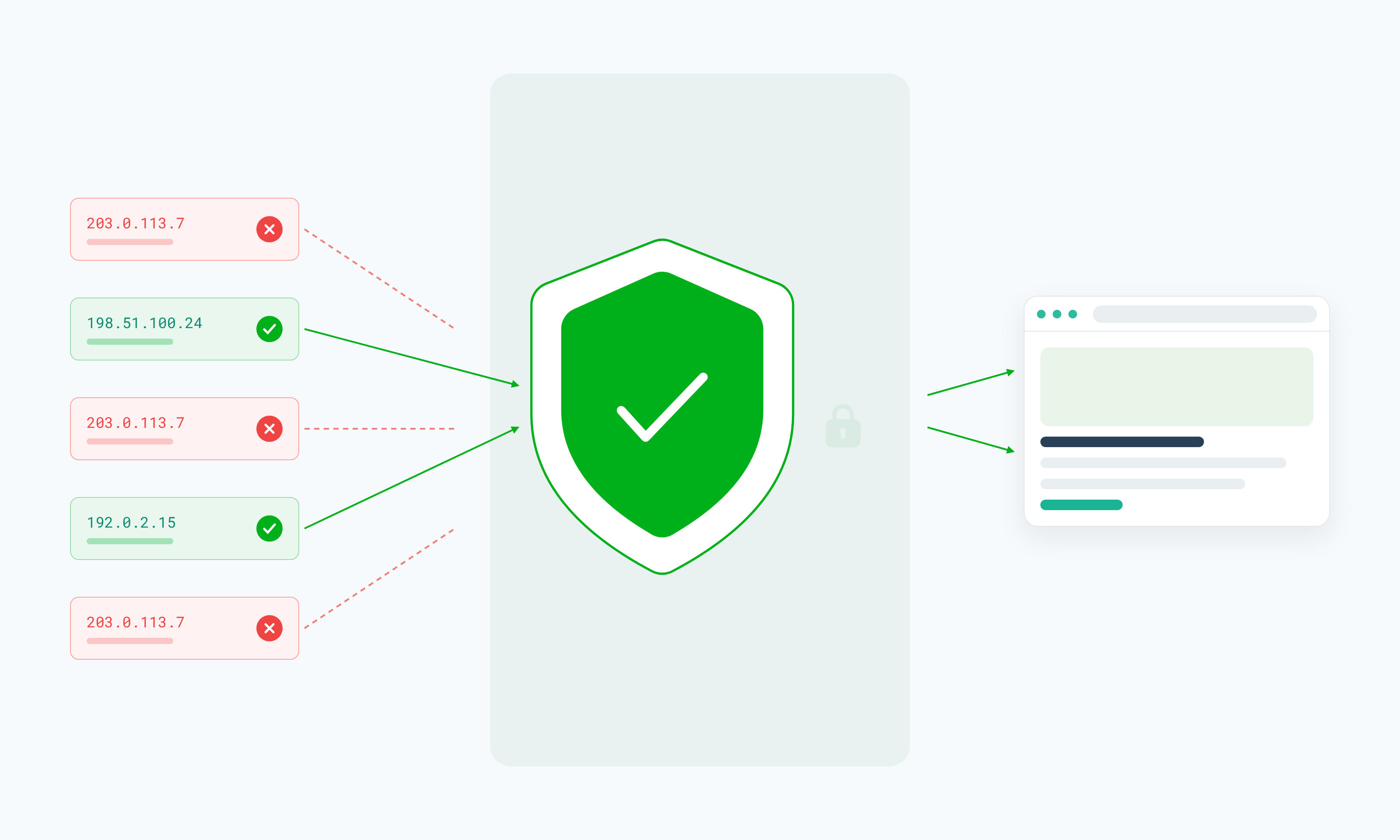
To avoid an IP ban, fix the behavior that triggers one: send fewer requests, slow down when a site returns 429 errors, follow its rules, and use appropriate infrastructure for legitimate high-volume work. High request volumes, suspicious automated traffic, and repeated failed attempts are just a few things that can lead a site to block an IP completely.
Some IP restrictions are temporary, while others can remain in place until the site owner removes them.
In this guide, you'll learn what an IP ban is, what causes one, and how to tell if your IP has been restricted. We'll also cover the different types, how to avoid them (with a Python example), how proxies and VPNs differ for IP-based restrictions, and best practices for keeping your IP in good standing.
TL;DR
- An IP ban restricts requests associated with a particular IP address.
- Common triggers include excessive traffic, automation patterns, policy violations, and repeated failed requests.
- A blocked IP is not always the same as an account ban.
- Before changing infrastructure, identify whether the problem is actually IP-based.
- Sensible pacing, retries with backoff, error monitoring, and following site policies reduce unnecessary blocking.
- Proxy infrastructure can help distribute legitimate workloads across IPs, but it does not guarantee access.
- VPNs and proxies serve different purposes and should not be treated as interchangeable.
What Is an IP Ban?
An IP ban is a restriction a website or service applies to traffic coming from a specific IP address or range of IP addresses. Once a block is in place, requests from that address are rejected, throttled, or challenged before they reach the content you asked for.
Not all IP bans are the same, though; they can be:
- Temporary
- Permanent
- Website-specific
- Service-wide
- Single IP or broader range
An IP ban isn't the same as an account ban. An account ban follows your login wherever you sign in, while an IP ban is tied to the network address your requests come from, so your account may still work from another network.
What Is an IP Address?
An IP address is a numerical label that identifies a device or network connection on the internet. When you visit a website or send a request to a service, the destination can see the source IP address associated with that request.
That's the address a website checks when it decides whether to serve, throttle, or block your request.
Multiple users or devices can sometimes share the same public IP address, such as when they connect through the same office network, mobile carrier network, or shared proxy pool.
Some connections also have changing IPs because many ISPs assign dynamic addresses that rotate periodically or when you reconnect.
Why Do Websites Use IP Bans?
Websites may restrict traffic from an IP address for several reasons, depending on how the service is configured and what it detects:
- Protecting infrastructure from excessive traffic. A sudden flood of requests from one IP can slow a site down or take it offline for everyone else, so servers cap how much traffic a single address can send.
- Limiting abusive automation. Bots that hammer checkout pages, scrape inventory, or submit forms in bulk can degrade the experience for real users.
- Enforcing service policies. Many platforms restrict IPs tied to activity their terms prohibit, such as harassment or unauthorized resale.
- Reducing credential attacks. Blocking IPs behind repeated failed logins slows down brute-force and credential-stuffing attempts against user accounts.
- Controlling spam. Comment sections, forums, and signup forms often block IPs that post or register in bulk.
- Responding to suspicious traffic patterns. Security systems may flag an IP that behaves unlike a typical visitor, such as one cycling through accounts or requesting unusual paths.
- Protecting rate-limited resources. APIs and search features are expensive to serve, so they often enforce per-IP limits to keep capacity available for all users.
These restrictions aren't necessarily aimed at scraping. The same systems apply to regular visitors, automated tools, and API clients alike, and they are triggered whenever activity exceeds a service's limits or raises security concerns.
What Causes an IP Ban?
Preventing IP bans starts with understanding the factors that trigger them in the first place. A few common reasons include:
Excessive request volume
Sending too many requests in a short window is a common trigger. Servers track how many requests each IP sends per second or per minute, and once your traffic crosses that threshold, the site may throttle your connection or block the IP outright. A scraper running dozens of concurrent threads against one domain can hit that limit quickly.
Repetitive automated patterns
Highly predictable traffic stands out from how real visitors browse. Requests fired at identical intervals, pages hit in the exact same order every run, or thousands of requests with no pauses between them all look automated to a website's monitoring systems. Even at moderate volume, bursts with no pauses can get an IP flagged, so pacing matters as much as total volume.
Ignoring rate limits
A 429 Too Many Requests response is the website telling you to slow down. Many services also send a Retry-After header saying how long to wait. If you keep sending requests after receiving 429s, a temporary throttle can escalate into a longer or permanent block.
Repeated failed login attempts
Login pages are closely watched because attackers often target them, either by guessing passwords repeatedly or by trying usernames and passwords stolen from other sites. A burst of failed logins from one IP can trigger a lockout or IP-level restriction, even if the failures come from a misconfigured script with outdated credentials.
Policy violations
Some platforms restrict IPs tied to activity their terms explicitly prohibit, such as spam, unauthorized resale, or bulk account creation. These blocks tend to last longer than rate-limit restrictions, since the platform is responding to a rules violation and may not lift the block automatically.
Suspicious traffic patterns
Security systems also look at behavior that doesn't match a typical visitor. Rapidly switching between accounts from the same IP, requesting unusual paths like admin panels or hidden endpoints, or sessions that jump between pages in ways a browser wouldn't can all trigger defensive systems.
Shared-IP reputation
You can inherit a bad reputation from other people on the same IP. When many users share an address, such as on a public network or a shared proxy pool, the website sees their combined traffic. If someone else on that IP triggers a block, your requests may get rejected too, even though your own activity stays well within limits.
Your risk depends on how many people share the IP, since shared proxies spread one address across many users, private proxies limit it to a few, and dedicated proxies give you an IP whose reputation reflects only your own traffic.
What Are the Consequences of an IP Ban?
The impact of an IP ban depends on how strict the restriction is and what you were doing when it kicked in. You may notice one or more of the following when requests from your IP are blocked:
- Requests fail. Connections from the blocked IP time out, get dropped, or never return the page you asked for.
- Access is denied. The site serves an access-denied page in place of the content, often with a reference ID from its security provider.
- CAPTCHAs increase. Pages that used to load normally now sit behind a challenge, sometimes on every request.
- Some content stops loading. The main page may render while images, scripts, or data from protected endpoints fail, leaving you with a partial or broken page.
- API or website requests return errors. You start receiving 403 or 429 responses where you used to get 200.
- Sessions get interrupted. A logged-in session or multi-step workflow can break halfway through once requests from your IP start getting rejected.
- Data-collection jobs come back incomplete. A scraping run may finish with gaps where blocked pages returned errors or challenge pages, and if your parser doesn't check responses, those gaps can end up in your dataset unnoticed.
These effects are typically tied to the IP address, so your account and your access from other networks may remain unaffected.
How Can You Tell If Your IP Has Been Banned?
Here are a few telltale signs that your IP has been banned:
- You're getting 403 Forbidden responses. If pages that used to load now return 403 across the whole site, the server is likely refusing requests from your IP.
- You keep seeing 429 Too Many Requests. One 429 means you should slow down. Repeated 429s likely mean your IP is being throttled for longer.
- You see an access-denied page. A block page from the site or its security provider usually means your traffic has been flagged.
- CAPTCHAs won't go away. If you get a challenge on every page, even after solving it, your IP has likely been flagged.
- The site works on another network. If a page loads on your phone's mobile data but not on your home or office connection, the block is probably tied to that network's IP.
- Requests work from another authorized IP. If the same request succeeds from a different server or proxy you're allowed to use, the problem is likely your IP and not your code.
- You're over the limit in the API docs. Many APIs list their rate limits in their documentation, so check whether your request volume goes beyond what's allowed.
Just because these things occur doesn't mean your IP has been banned. The same behavior can result from account restrictions, browser or session problems, DNS issues, geographic restrictions, expired authentication, or a service outage.
Before treating the problem as an IP ban, check whether the issue occurs across different browsers or sessions, whether other users can access the service, and whether the service has reported an outage or changed its access requirements. This can help you identify the actual cause before changing your network or request setup.
The response itself usually tells you what to do next:
What Kinds of IP Bans Are There?
Below are the main types of IP bans that can occur:
- Temporary IP ban: A temporary IP ban blocks your IP for a limited period, usually minutes to a few days, and then lifts on its own. These bans are often tied to rate limits or short-term abuse controls, like a burst of requests or a string of failed logins.
- Permanent IP ban: A permanent IP ban is a long-term block on a specific IP. It doesn't expire automatically and usually follows serious or repeated violations. In most cases, only the website can lift it, often through a support request or appeal.
- IP range ban: An IP range ban blocks a whole block of addresses at once instead of a single IP. Websites use range bans when abusive traffic comes from many IPs on the same network or hosting provider. This is why you can get blocked without doing anything wrong, since your IP may sit inside a range someone else caused trouble on.
- Rate-limit-based restriction: A rate-limit restriction slows you down instead of cutting you off. Once you go over the allowed number of requests, the site starts returning 429s until your usage drops back under the limit. Requests below the limit still go through, which is the main difference from a temporary ban.
- Account and IP restriction: Some restrictions look at both your account and your IP. For example, a platform might flag an account for suspicious activity and also block the IP it was used from. In this case, fixing only one side, like switching networks or logging into a different account, usually won't restore access.
- Geographic restriction: A geographic restriction limits access based on where your IP is located. Technically, this isn't always an IP ban, since the website isn't reacting to anything you did. It's blocking or changing content for every visitor from certain countries, often because of licensing, legal, or business rules.
How Do IP Bans Work?
IP bans typically rely on systems that monitor incoming requests and compare traffic against rules, rate limits, or security controls. The exact process varies between websites and services, but the basic flow looks like this:
- You send a request. Your browser, script, or app asks the website for a page or API resource.
- The website receives your source IP. Every request arrives with the IP address it came from, and the server logs it along with details like the time, the page requested, and the headers sent.
- Security and rate-limit systems evaluate the traffic. Before the request is served, it passes through tools like a web application firewall, a bot management service, or the site's own rate limiter.
- Your behavior is compared against rules or thresholds. These systems check things like how many requests your IP has sent recently, how fast they came in, and whether the activity matches known abuse patterns.
- Your IP may be flagged. If your traffic crosses a threshold or violates a rule, the system restricts your IP, sometimes for a few minutes and sometimes indefinitely.
- Your next requests are restricted. Depending on the site's setup, later requests from that IP may be rejected with a 403, throttled with a 429, sent to a CAPTCHA, or served with limited content.
How to Avoid an IP Ban: 7 Prevention Tips
The most reliable way to avoid an IP ban is to control how your traffic behaves before a website has a reason to restrict it. Here are seven ways to do just that:
1. Respect rate limits
Rate limits tell you how much traffic a website is willing to accept from one IP. Keep your request frequency low enough to stay under them, especially on smaller sites that can't absorb heavy traffic. If the site or API documents its limits, build your request pacing around those numbers instead of guessing.
When you do get a 429 Too Many Requests response, stop sending requests to that site for a while. If the response includes a Retry-After header, wait at least that long before trying again.
2. Add backoff and retry logic
When a request fails because of throttling or a temporary error, don't immediately send the same request again. Use exponential backoff to increase the delay between retries and give the service time to recover.
Exponential backoff doubles the wait time after each failed attempt, so your IP "backs off" quickly when a site pushes back. Add a small random delay (jitter) so parallel workers don't retry at the same moment, and cap the longest wait. AWS's write-up on exponential backoff and jitter explains why the randomness matters.
3. Avoid unnecessary requests
Only fetch the pages and data you need. Skip assets like images and fonts when you're only after text, and cache responses you've already collected. If a site offers a sitemap, an RSS feed, or an API, use those to find what you need without crawling every page.
4. Maintain consistent sessions where appropriate
For multi-step workflows, keep the same IP, cookies, and headers from start to finish. That way, the site sees one steady visitor through the whole process and is less likely to flag your activity as a session hijack or suspicious behavior.
Sticky sessions help with this. They're a proxy rotation mode that keeps the same IP address for a set period. Webshare's rotating residential proxies support sticky sessions, and you set how long each session lasts in the dashboard, from 1 minute to 24 hours.
Some workflows need the same IP for much longer, such as staying logged into a dashboard over days or weeks. For those, Webshare's static residential proxies give you a fixed IP that stays the same unless you replace it.
5. Monitor response codes
Track the responses your requests receive so you can identify problems before they affect an entire job.
- 200: the request went through, but check the body, because some sites return a CAPTCHA or block page with a 200.
- 403: the server is refusing the request.
- 429: you've hit a rate limit; check for a Retry-After header.
- 5xx: a server error; back off before retrying.
With these signals, you know when to slow down, pause, or stop a job.
Here's how tips 2 and 5 fit together in Python, using the requests library. The script retries throttled requests with backoff, checks every response for block pages, and stops the job when blocks start to climb:
import time
import requests
from requests.adapters import HTTPAdapter
from urllib3.util.retry import Retry

PROXY_URL = None  # e.g. "http://USERNAME:PASSWORD@HOST:PORT" from your Webshare dashboard

retry = Retry(
    total=5,
    backoff_factor=1,                  # wait roughly doubles after each failed attempt
    backoff_jitter=0.5,                # random jitter so parallel workers don't retry in sync
    status_forcelist=[429, 500, 502, 503, 504],
    respect_retry_after_header=True,   # honor the site's Retry-After value
    allowed_methods=["GET"],
    raise_on_status=False,             # return the last response instead of raising
)

session = requests.Session()
adapter = HTTPAdapter(max_retries=retry)
session.mount("http://", adapter)
session.mount("https://", adapter)
if PROXY_URL:
    session.proxies = {"http": PROXY_URL, "https": PROXY_URL}

BLOCK_MARKERS = ("captcha", "access denied", "unusual traffic")

def looks_blocked(resp):
    # A 200 can still be a block page, so check the body too
    return resp.status_code in (403, 429) or any(m in resp.text.lower() for m in BLOCK_MARKERS)

def crawl(urls, delay=2.0, min_sample=20, max_block_rate=0.05):
    pages, blocked = {}, 0
    for i, url in enumerate(urls, start=1):
        resp = session.get(url, timeout=30)
        if looks_blocked(resp):
            blocked += 1
        else:
            pages[url] = resp.text
        if i >= min_sample and blocked / i > max_block_rate:
            raise RuntimeError(
                f"Stopped after {i} requests: {blocked} looked blocked. "
                "Review pacing and the site's rules before resuming."
            )
        time.sleep(delay)  # fixed pause between requests
    return pages
What the script does:
- Retries 429 and 5xx responses up to five times, waiting longer after each attempt and honoring Retry-After when the site sends it.
- Adds jitter so parallel workers don't retry in sync.
- Counts 403s, 429s, and pages containing block or CAPTCHA text as blocked, even when the status code is 200.
- Stops the job once more than 5% of requests look blocked (after a 20-request sample), instead of switching IPs and carrying on.
Adjust BLOCK_MARKERS to the block page text you actually see, and tune delay and max_block_rate to the site's documented limits. The backoff_jitter option needs urllib3 2.0 or later.
6. Use appropriate proxy infrastructure for legitimate distributed workloads
For larger authorized workloads, proxy infrastructure can distribute requests across multiple IPs rather than relying entirely on one source IP. This can help teams manage legitimate distributed data-collection workflows where using multiple source IPs is appropriate. If you work in Python, our guide to rotating proxies with Python Requests shows how to spread requests across a proxy list.
However, proxy infrastructure does not guarantee that requests will be accepted or prevent an IP from being restricted.
Pacing, backoff, and response monitoring still apply to every IP in your pool, and a site can still restrict traffic that breaks its rules, no matter how many IPs it comes from.
7. Follow the target website's policies
Check the rules that apply to your workflow before sending repeated or automated requests. This means:
- Reviewing the website's terms.
- Checking whether an official API is available.
- Following documented rate limits.
- Reviewing robots.txt directives where relevant. The Robots Exclusion Protocol asks crawlers to honor them, even though they aren't a form of access control.
- Confirming that your access is authorized.
When Are IP Restrictions Relevant to Real-World Workflows?
Here are some major workflows where you're likely to run into IP restrictions:
Web scraping and data collection
Scraping jobs often send thousands of requests to one domain in a short time. If you don't manage pacing, concurrency, and retries, that volume can trigger rate limits quickly and leave you with an incomplete dataset.
Price monitoring
Tracking prices means checking the same product pages repeatedly, sometimes several times a day. Without sensible pacing, those repeat visits add up fast, and a retailer may start throttling or blocking your IP. Spreading checks out over time, and across multiple IPs where appropriate, reduces the load any single address carries.
Market research
Large-scale market research often involves collecting data across many pages, categories, or regions at once. Sending all of that from one IP puts the whole load on a single address, so distributed request handling can spread that load across more than one address.
SEO monitoring
SEO monitoring involves repeating the same searches or page checks on a regular schedule. Because the requests keep coming back over weeks or months, your pacing must be sustained over time, and a single IP can hit its limit long before the job is done.
Ad verification workflows
Ad verification means checking how ads appear to people in different places. Proxy infrastructure enables you to run ad verification workflows from different locations, so you can see how placements, creatives, and landing pages show up in each market.
Proxies vs. VPNs for IP-Based Restrictions
Proxies and VPNs can both route traffic through another IP address, but they are designed for different types of traffic and workflows. The table below highlights the key differences.
For automated or distributed workflows, proxies generally give you more control over how requests are routed. You can assign IPs per request, per session, or per script, and send different jobs through different locations.
VPNs are designed around device-level or network-level traffic, which suits personal browsing and remote access better than high-volume automation.
Neither proxies nor VPNs are a guaranteed way to avoid an IP restriction because the underlying request behavior, service rules, and access requirements still apply. For a broader comparison, see VPN vs. proxy: what's the difference?
Which Proxy Type Fits Different Workloads?
The right proxy type depends on what you're collecting and how strictly the target site filters traffic.
Proxy server (datacenter proxies)
Proxy servers use IPs hosted in data centers instead of on home internet connections. They're fast and cost less per IP, which makes them a good fit for cost-sensitive workloads, large-scale scraping, and sites with lighter protection. The tradeoff is that datacenter IP ranges are easier for websites to identify, so they're a weaker choice for targets that filter heavily by IP type.
Datacenter proxies usually come in shared, private, or dedicated plans. Private and dedicated IPs limit or remove sharing, which lowers the risk of inheriting a bad reputation from other users.
Residential proxies
Residential proxies route your requests through IPs tied to real devices on consumer ISPs. Use them when residential-origin IPs or location coverage matter, such as collecting localized search results or checking content across many countries.
Rotating residential setups can assign a new IP per request or hold one IP for a sticky session, spreading high-volume jobs across a large pool.
Static residential proxies
Static residential proxies, also known as ISP proxies, give you a residential IP that stays the same over time. They're useful for longer-running sessions, protected websites, and workflows where IP reputation matters, since the same address carries through every request.
Webshare offers static residential proxies in shared, private, and dedicated plans. With a dedicated plan, the IP is assigned only to you, so its reputation reflects your own traffic.
Want to test your setup first? Webshare's free plan includes 10 datacenter proxies and 1 GB of bandwidth a month, with no credit card. When you need longer sessions or IPs only you use, compare plans on the pricing page.
Common Mistakes That Increase the Risk of Getting IP-Banned
Here are the most common mistakes that raise your risk of an IP ban:
- Sending requests too quickly. Firing requests as fast as your code allows is the fastest way to cross a site's rate limit, even when the site seems to handle the load fine at first.
- Ignoring 429 responses. If your script treats a 429 like any other failure and keeps going, a short throttle can turn into a longer block.
- Retrying errors immediately. Instant retries send more traffic at the exact moment the site is under strain or pushing back.
- Running unnecessary parallel requests. Heavy concurrency against one domain looks like a traffic spike, so only run as many parallel requests as the job needs.
- Failing to monitor response codes. If you only check whether a script finished, you'll miss the rising 403s and 429s that signal trouble.
- Using one IP for very large workloads. Pushing an entire high-volume job through a single address concentrates all the traffic in one place, which makes that IP far more likely to hit a limit.
- Treating every access problem as an IP ban. Expired credentials, DNS issues, and outages can all look like a block. Changing your setup before you've diagnosed the problem wastes time and can hide the real cause.
- Ignoring website policies. Skipping the terms, API options, and documented limits means you're guessing at what the site allows. Policy violations also tend to bring longer restrictions than rate-limit issues.
- Assuming proxy rotation guarantees access. Rotating IPs spreads your load, but it doesn't change how your traffic behaves. A site can still restrict requests that break its limits or rules, whatever IP they come from.
- Continuing a job after clear signs of throttling. Slower responses, more CAPTCHAs, and partial pages are warnings that a site is pushing back. Pause the job and review your setup before those warnings become a ban.
Best Practices for Reducing IP Ban Risk
Before you launch a high-volume or recurring job, run through this checklist. Each row is a setting you can configure or a number you can log, plus the signal that should make you pause and review.
Also confirm the site's terms and documented limits before you start, and use an official API when one covers the data you need. It gives you clear limits and more stable access than scraping the same data.