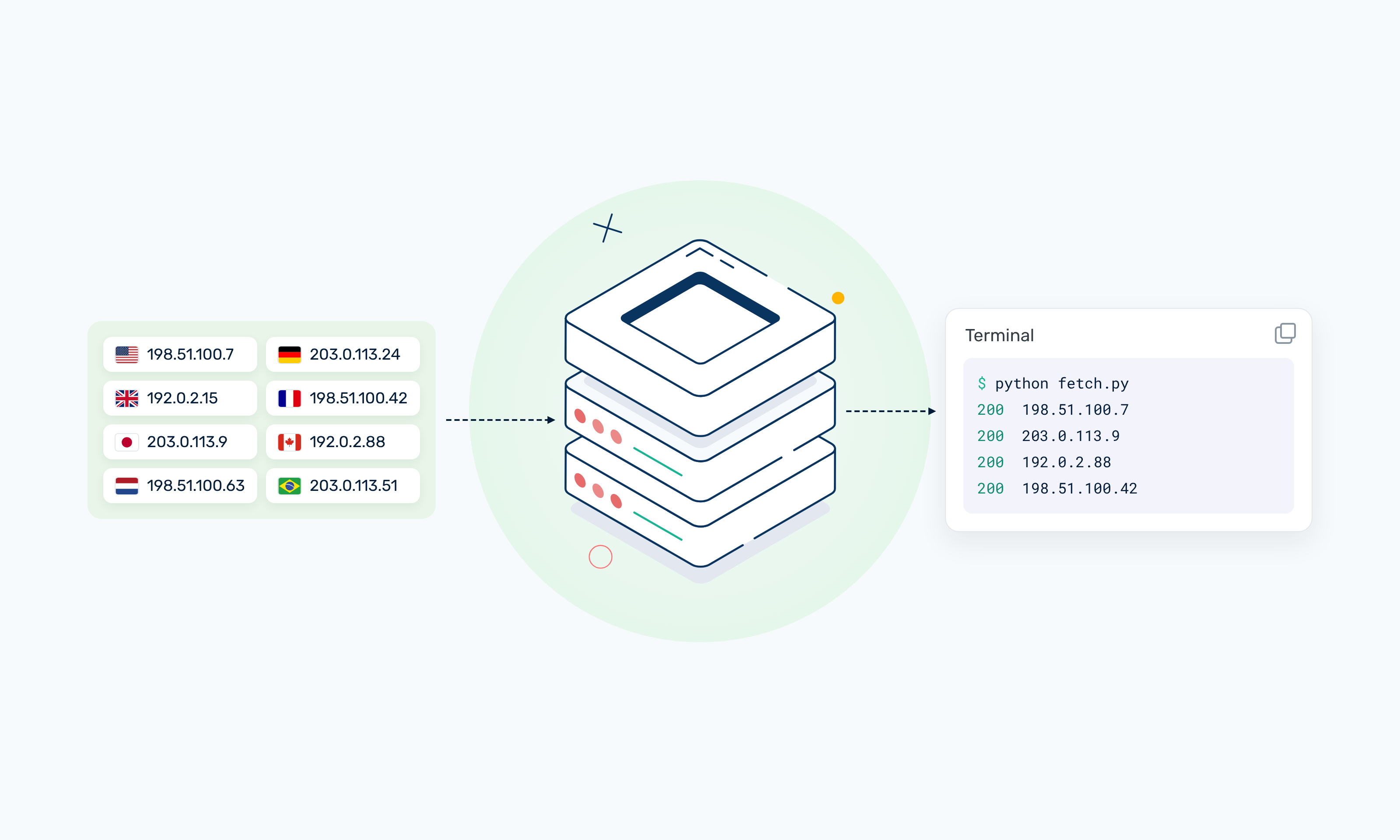
Your scraper ran fine on 20 proxies. A few hundred requests, clean HTML, no complaints. Then you pointed it at the full product catalog, 50,000 pages instead of 500, and somewhere around the first hour the 403s started. By the second hour, half the responses were CAPTCHA pages.
Nothing in the code changed. What changed is the ratio between how much traffic you were sending and how many IPs you were sending it from. That ratio is what a proxy pool is really about, and it's the part most guides skip. They explain what a pool is, then stop right before the question you actually have: how many IPs do I need?
This guide covers both. What a proxy pool is, how one decides which IP handles which request, the different kinds of pools, and a simple way to size yours before it starts burning through IPs.
TL;DR
- A proxy pool is a group of proxy IPs that your requests are spread across, so no single IP carries enough traffic to get flagged.
- The pool decides which IP handles each request, pulls blocked IPs out for a while, and drops the ones that keep failing.
- To size one, divide the requests you send per hour to a site by the number of requests one IP can safely send to that site per hour, then add 50-100% headroom.
- If your 429 and 403 rates climb as a run goes on, your pool is too small or you're rotating it the wrong way. Usually the first.
What Is a Proxy Pool?
A proxy pool is a set of proxy IP addresses managed as one resource. Instead of hardcoding a single proxy into your scraper or automation tool, you hand it the pool, and each request goes out through whichever IP the pool picks.
The point is to spread load. Most websites don't block traffic because it comes from a proxy. They block it because one IP is doing something a person never would - loading 40 product pages a minute, hitting the same search endpoint 2,000 times an hour, logging into six accounts in a row. Split that same traffic across 200 IPs and each one looks a lot more like a regular visitor.
A pool can be as simple as a list of 10 IP:port strings in a text file, or as large as a provider's residential network with millions of addresses behind a single hostname. The size and the type change a lot. The job doesn't: keep any one IP's footprint on a site small enough that it doesn't stand out.
How Does a Proxy Pool Work?
Whether you build the pool yourself or a provider runs it for you, the same four things happen under the hood.
1. Selection
Every request needs an IP, and the pool needs a rule for picking one. The common ones:
- Round-robin - go down the list in order and start over at the end. Predictable and easy to debug, but every IP hits the target in the same rhythm, which some anti-bot systems can pick up on.
- Random - pick any available IP. Spreads load almost as evenly as round-robin without the pattern.
- Sticky - keep the same IP for a whole session (a login, a checkout, a multi-page form) and only switch when the session ends. More on this below, because getting it wrong is one of the fastest ways to get accounts flagged.
2. Health checks
The pool watches what comes back. A 200 with the page you expected is a success. A timeout, a connection reset, a 403, a 429, or a 200 that's actually a CAPTCHA page is a failure, and the pool needs to know which kind.
That last one is sneaky. Plenty of sites return a block page with a normal 200 status, so if your health check only looks at status codes, a burned IP can look healthy for hours. Check for something you know should be on the real page - a product title, a price element - not just the status.
3. Cooldown
When an IP gets rate-limited, it usually isn't dead. It's just hot. A good pool benches it for a while (often a few minutes, sometimes longer for strict targets) and puts it back in rotation once the site has had time to forget about it. Without cooldown, a pool keeps feeding blocked IPs back into the fire and the block rate snowballs.
4. Retirement
Some IPs don't come back. If one fails over and over across cooldowns, it's probably on a blocklist for that site, and the pool should drop it rather than keep wasting requests on it. Managed pools handle this by replacing the IP. In a DIY pool, it just shrinks your list, which is why DIY pools need more headroom.
Types of Proxy Pools
The IPs inside a pool matter as much as how many there are. A pool of 1,000 datacenter IPs and a pool of 1,000 residential IPs will get very different results on the same site.
There's also a split that has nothing to do with IP type: who manages the pool. With a list-based pool, you get a fixed set of IPs and your code (or the provider's rotating endpoint) cycles through them. With a gateway-based pool, you connect to one hostname and the provider picks the exit IP from a much larger network on every request or session. List-based pools give you more control. Gateway-based pools give you far more IPs than you'd ever manage by hand.
If you want the longer version of the residential vs ISP trade-off, we covered it in ISP proxies vs residential proxies.
How Big Should Your Proxy Pool Be?
There's no universal number, and anyone who gives you one without asking about your target site is guessing. But there is a simple way to work it out for your own job.
The formula
IPs needed = (requests per hour to one site ÷ safe requests per IP per hour on that site) × headroom
Three inputs:
- Requests per hour to one site. Note the "one site" part. Rate limits are per target, so 100 IPs hitting five different sites is a very different load than 100 IPs hitting one. Size for your busiest target.
- Safe requests per IP per hour. How many requests a single IP can send to that site before it starts seeing 429s, CAPTCHAs or soft blocks. This is the number you have to measure (see below).
- Headroom. Some IPs will always be cooling down, and some will get retired. A multiplier of 1.5 covers a well-behaved job on a forgiving site. Use 2 or more for strict targets or DIY pools that can't replace burned IPs.
A worked example
Say you're tracking prices on 30,000 product pages once a day, and you want the run finished in 10 hours. That's 3,000 requests per hour to one site.
You test the site and find a single IP starts getting rate-limited somewhere around 50 requests an hour. You don't want to run right at the edge, so you call the safe number 30.
3,000 ÷ 30 = 100 IPs, before headroom. With a 1.5x multiplier, you want about 150. If the site is known for aggressive blocking, round up to 200.
Compare that with what most people start with - 10 or 20 proxies for the same job - and the 403s from the intro stop being a mystery. Twenty IPs at 3,000 requests an hour means 150 requests per IP per hour, five times what the site will put up with.
How to find your safe rate
- Pick one IP and send requests to your target at a slow, steady pace - say one every 30 seconds.
- Increase the pace in steps every 10-15 minutes while watching for 429s, CAPTCHA pages and empty or truncated responses.
- Note the rate where problems start.
- Use half to two-thirds of that number as your safe rate. Sites tighten limits during busy periods, and you don't want your job to fall over the one day they do.
What about concurrency?
The formula covers volume over time. Concurrency is a separate check. If you run 50 workers in parallel and each one holds a sticky session, you need at least 50 IPs in use at the same moment, plus spares for cooldown. Take whichever is bigger: the number from the formula or your peak concurrent sessions plus 30-50%.
And residential gateways?
With a rotating residential network, you're drawing from millions of IPs, so you won't run out of addresses. Sizing turns into a question of bandwidth and how many sessions you run at once, not how many IPs to buy. The formula is still useful though. It tells you how fast you can safely go per IP, which is exactly what you need to set your sticky session length and request pacing.
Signs Your Pool Is Too Small
An undersized pool rarely fails all at once. It degrades, and the pattern is pretty recognizable once you know to look for it:
- Block rates climb as the run goes on. The first 20 minutes look clean, then 429s and 403s creep up. Every IP is slowly crossing the site's threshold.
- CAPTCHA pages show up with 200 status codes. Your error logs look fine, but the data is junk. This is the one that quietly ruins datasets.
- Retries make things worse. If a retry lands on another IP that's just as hot, you've doubled the load without getting the page.
- The same few IPs keep showing up in your logs. Usually a sign that cooldown has benched most of the pool and the remaining handful are taking all the traffic.
- Success rate drops on weekdays or at peak hours. Many sites loosen up at night and tighten during the day. A pool that only works at 3 a.m. is running too close to the edge.
If you see two or more of these, slow down before you scale up. Halving the request rate is a five-minute fix and tells you right away whether the pool size is the problem.
How to Build a Simple Proxy Pool in Python
If you have a list of proxies and want to see how the pieces fit together, here's a minimal pool with random selection, cooldown and retirement. It's about 50 lines and uses nothing but requests.
import random
import time

import requests


class ProxyPool:
    def __init__(self, proxies, cooldown=300, max_strikes=3):
        # proxies: list of URLs like "http://user:pass@203.0.113.10:8080"
        self.state = {p: {"ready_at": 0.0, "strikes": 0} for p in proxies}
        self.cooldown = cooldown
        self.max_strikes = max_strikes

    def get(self):
        if not self.state:
            raise RuntimeError("Every proxy in the pool has been retired")
        now = time.monotonic()
        ready = [p for p, s in self.state.items() if s["ready_at"] <= now]
        if not ready:
            # Everything is cooling down - wait for the first one to come back
            wait = min(s["ready_at"] for s in self.state.values()) - now
            time.sleep(wait)
            return self.get()
        return random.choice(ready)

    def success(self, proxy):
        self.state[proxy]["strikes"] = 0

    def blocked(self, proxy):
        s = self.state[proxy]
        s["strikes"] += 1
        if s["strikes"] >= self.max_strikes:
            del self.state[proxy]  # retire it
        else:
            s["ready_at"] = time.monotonic() + self.cooldown


def fetch(pool, url, must_contain, attempts=3):
    for _ in range(attempts):
        proxy = pool.get()
        try:
            r = requests.get(url, proxies={"http": proxy, "https": proxy}, timeout=15)
        except requests.RequestException:
            pool.blocked(proxy)
            continue
        # A 200 can still be a block page, so check for real content
        if r.status_code == 200 and must_contain in r.text:
            pool.success(proxy)
            return r.text
        pool.blocked(proxy)
    return None
A few things worth pointing out:
must_containis the health check from earlier. Pass in something that's always on the real page, like a CSS class from the product title, so a CAPTCHA page with a 200 status counts as a block.- A strike resets on success. One bad response doesn't retire an IP. Three in a row does.
- Each retry pulls a fresh IP, so a blocked request doesn't hammer the same address.
cooldown=300(five minutes) is a starting point. Strict sites may need 15-30 minutes.
What this pool doesn't do is replace IPs. Every retirement makes it smaller, so a long run on a tough target slowly eats itself. That's fine for learning and for small jobs. For production, you either need a way to refresh the list or a provider that handles rotation and replacement for you.
Where Webshare Fits
Webshare gives you both kinds of pool, depending on which product you're on.
List-based pools on Datacenter and ISP plans. You choose how many proxies you want, and you can either work with the list directly or use the Rotating Proxy Endpoint. The endpoint takes the proxies you own and rotates through them in random order on every request, so you get the selection logic from the code above without writing it. If you'd rather not build the endpoint string by hand, the Endpoint Generator in the dashboard does it for you. This is the setup the sizing formula applies to most directly: work out your number, buy that many datacenter or ISP proxies, and add more if your block rate says you need to.
Gateway-based pools on Residential plans. Rotating residential traffic goes through one hostname, p.webshare.io, and Webshare picks the exit IP from a pool of 80M+ residential IPs. You can target a country or city and pin a session through the username, in the format {username}-{country_code}-{session_id}. Sticky sessions hold the same IP for anywhere from 1 minute to 24 hours, set from the dashboard, which covers most login and checkout flows.
If you're not sure which you need yet, the free plan is a good place to run the safe-rate test from earlier: 10 datacenter proxies and 1GB of bandwidth a month, no credit card, no expiry. Ten IPs won't carry a production job, but they're plenty to find out how hard your target pushes back.
Common Proxy Pool Mistakes
Sizing for total traffic instead of per-site traffic. Rate limits are counted per site. The same 100 IPs can comfortably carry a job spread across 10 sites and still get flattened by a job that sends everything to one. Size for your busiest target, not your total.
Rotating on every request during logged-in flows. If a site sees your session cookie jump between IPs in different cities every few seconds, that's a much bigger red flag than a single busy IP. Use sticky sessions for anything with a login and save per-request rotation for anonymous pages.
Trusting status codes. Covered above, but it's the mistake that costs the most, because nothing alerts you. Validate content, not just the 200.
Retrying immediately. An instant retry on a fresh IP is fine. An instant retry on a rate-limited IP just extends the block. Respect Retry-After headers when a site sends them.
Buying more IPs before slowing down. More IPs fix a pool that's too small. They don't fix a scraper that sends bursts of 50 requests in a second. Add pacing and jitter first, then size the pool to the pace you actually need.
Final Words
A proxy pool is only as good as the ratio behind it: how much traffic you send to a site versus how many IPs you spread it across. Measure the safe rate for your target, run the formula, leave real headroom, and watch your block rate over the length of a run rather than its first few minutes. Get that right and most of the "why is this suddenly failing" problems never show up.
Want to try it on your own target? Grab 10 free proxies from Webshare - no credit card required - and run the safe-rate test before you size anything.