

Our Products
Explore Webshare’s proxy lineup, including Datacenter, Static Residential, Rotating Residential, Private, and Dedicated options — each designed to fit different use cases.

Rotating Residential
Human-like IP address to stop proxy IP blocks
- 80M+ ethically sourced Residential IPs
- Affordable pricing as low as $1.40/GB
- Country, city, state, ZIP and ASN targeting


 https://dashboard.webshare.io/proxy/list


 Checked 3 secs ago
 IndonesiaChecked 3 secs agoIndonesiaChecked 3 secs agoIndonesiaChecked 3 secs agoIndonesiaChecked 3 secs agoIndonesiaChecked 3 secs agoIndonesiaChecked 3 secs agoIndonesiaChecked 3 secs agoIndonesia
Indonesia Proxy List
Indonesia Proxy Price
Switch to Webshare Proxy to improve the speed and reliability of your applications. Buy affordable proxy servers today.
 new
newUse Indonesia Proxies With Webshare Chrome Extension
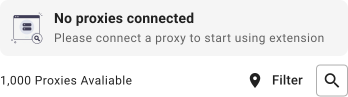
Connect your Indonesia proxy server to your Chrome browser using Webshare Proxy Extension for Chrome. Get Indonesia IP in just a few steps!
 Effortless setup – plug and play!Direct proxy list access via extensionStart free, no strings attached

 12.34.56.78104.32.16.78145.32.42.22211.43.54.11190.22.12.03
Most Popular Proxy Locations
 United States
 United Kingdom
 Germany
 Spain
Spain France
 Canada
 Netherlands
 Italy
Italy Australia
 Switzerland
All Locations
 United StatesUnited KingdomGermanySpainFranceCanadaNetherlandsItalyAustraliaSwitzerland
 Poland
 Romania
 Brazil
 Sweden
 Singapore
 Denmark
 Japan
Japan Lithuania
 Hungary
 Austria
 Norway
 Czechia
 Israel
 Serbia
 South Africa
 Mexico
 Belgium
 Latvia
 Cyprus
 Slovenia
 Chile
Chile Argentina
 Malta
Malta Estonia
 Greece
 Finland
 Türkiye
 Albania
 India
India Egypt
Egypt Croatia
 Ukraine
 Bangladesh
 Honduras
 Portugal
 Russia
 Panama
 United Arab Emirates
 Algeria
 China
China Taiwan, Province of China
 KazakhstanIndonesia
 Bulgaria
 Thailand
 Philippines
 Kyrgyzstan
 New Zealand
 Armenia
 Malaysia
 Belarus
 Viet Nam
 Pakistan
 Uzbekistan
 Morocco
 Colombia
 Iran
Iran Kenya
Kenya South Korea
 Kuwait
 Nigeria
 Qatar
Qatar Saudi Arabia
 Venezuela
 Ireland
Our Customers Love Webshare


Frequently Asked Questions
To get an Indonesian IP address, you can use a VPN, the Tor browser or a proxy server.
One of the easiest methods to use an Indonesian IP address is by using a proxy server extension for Chrome by Webshare.
To get an Indonesia proxy, you need to select a proxy provider and purchase an Indonesia proxy plan of your choice. Then, based on your device, setup the proxy and connect to the Indonesia proxy server.
If you're not sure how to setup the proxy, check the most popular proxy integrations right here.
For Windows 10 & 11, easiest way is to follow these steps:
- Step One: Open 'Settings'
- Step Two: Then, open 'Network & Internet', click on 'Proxy'
- Step Three: Under 'Manual proxy setup', press 'Set Up'
- Step Four: Fill in Indonesia proxy details
- Step Five: Connect to proxy
If you get asked for a username and password, fill in the details from your proxy list
This method will ensure a private and secure Indonesia proxy connection.
Easiest way to get an Indonesia residential proxy is to buy a residential proxy plan at Webshare. Then, go to your proxy dashboard, select Backbone Connection, and connect to Indonesia using provided login details.
Indonesia proxy price is from $0.029/IP.
Larger proxy plans are as cheap as $0.0179/IP. Indonesia Residential proxy price is from $7.00/Month for 1 GB.