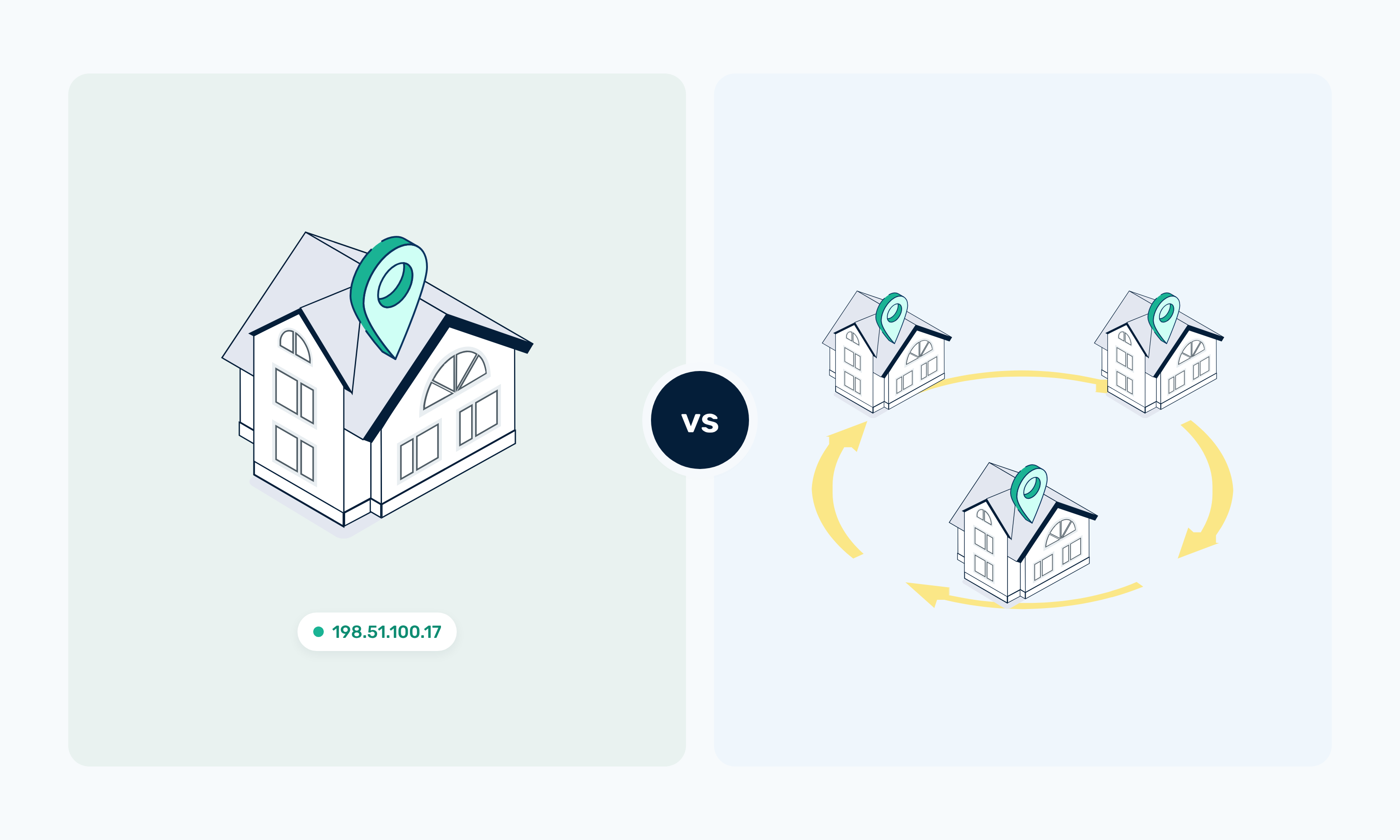
When you compare static vs rotating proxies, the main difference is how long you keep the same IP. Static proxies suit workflows that need IP consistency or longer sessions, while rotating proxies distribute requests across different IP addresses. Neither option is better for every job, and the right choice depends on how your application uses the proxy.
This guide compares both setups side by side, covers the advantages and disadvantages of each, and helps you choose based on your workflow.
TL;DR
- Static proxies keep the same IP available for longer periods, which suits workflows where IP consistency matters.
- Rotating proxies change the IP used across requests or sessions, which suits distributed or higher-volume workflows.
- Static proxies are ideal for long-running sessions, account management, and workflows where IP reputation or continuity matters.
- Rotating proxies are good for distributing requests across multiple IPs and for large-scale data collection.
- Neither option is universally better, so choose based on session length, scale, location needs, and IP persistence.
- At Webshare, the Rotating Proxy Endpoint is a connection method that rotates through the proxies already in your account, while Rotating Residential is a separate residential proxy product.
What Are Static and Rotating Proxies?
Before comparing static and rotating proxies, here’s an overview of each type of setup.
Static proxies
A static proxy keeps the same IP address across requests and sessions.
Webshare offers two static options:
- Datacenter proxies used through a direct connection are the faster, lower-cost choice when a workload needs a consistent IP.
- Static residential proxies, also known as ISP proxies, use IPs issued by ISPs such as AT&T, Comcast, and Cox. They’re the better fit when IP reputation and longer sessions matter more than cost.
Static doesn’t mean permanent, though. The IP stays the same until you refresh it, replace it, or change your plan. On Webshare, that happens through Recurring Replacements (previously Auto-Refresh), Manual Proxy Replacements, or Auto-Replace.
To improve static proxy performance when you run large workloads, size your pool around each target’s rate limits so no single IP carries more traffic than the site allows.
Rotating proxies
A rotating proxy changes the IP address your requests leave from, either on every request or at the end of each session. The details of how rotating proxies work vary by provider, and Webshare offers rotation in two separate ways:
- The Rotating Proxy Endpoint is a connection method that sends each request through a different proxy from your account, picked at random. It works with the datacenter and ISP proxies you already have, so you can use the same IPs as a rotating proxy without buying anything new.
- Rotating residential proxies are a separate product. Webshare’s draw from a pool of 80M+ residential IPs across 195 countries and are billed by bandwidth instead of per proxy.
Sticky vs Rotating Proxies
A rotating connection doesn’t always give you a new IP on every request. The difference between sticky vs rotating proxies comes down to how long one IP stays attached to your traffic.
Rotating setups handle this with one of two session types.
- A sticky session keeps the same IP for a set window, so a login or multi-step flow finishes on one address.
- A rotating session sends each request through a different IP.
On Webshare, you choose the session type by adding username parameters to your proxy username. The examples below use -us to set a US exit IP.
- Adding -rotate, as in username-us-rotate, gives each request a new IP.
- Adding a number, as in username-us-1234, creates a sticky session, so every request that uses that number goes through the same IP.
You can’t use a session ID and -rotate in the same username, so pick one per connection. On Rotating Residential plans, the Endpoint Generator lets you set how long a sticky session lasts, anywhere from one minute to 24 hours.
On datacenter and ISP plans, the Rotating Proxy Endpoint rotates on every request. If you need one IP to stay put on those plans, use a direct connection instead.
Static vs Rotating Proxies: Detailed Comparison
Here’s how a static proxy vs rotating proxy setup compares across the factors that shape your workflow.
The latency difference comes from routing. Rotating and Backbone connections go through p.webshare.io before reaching the proxy, while a direct connection goes straight to the assigned IP.
Advantages and Disadvantages of Static and Rotating Proxies
Both setups have clear strengths, and both have limits you’ll experience depending on the workload.
Static proxies
Advantages
- Every request leaves from the same IP, so the target site sees one consistent identity across sessions.
- Session continuity is easier to maintain. Cookies, logins, and multi-step flows stay tied to one address from start to finish.
- Workflows that need a persistent identity, such as account management, get the same IP every time they connect.
- Troubleshooting is simpler with one stable IP. When a request fails, you can trace it back to a specific address and check how that IP has been behaving.
- Long-running sessions don’t get cut off by an IP change partway through.
Disadvantages
- Your workflow depends more heavily on individual IPs. If one gets rate-limited, every job tied to it slows down until you replace it.
- Large request volumes don’t distribute naturally across a static setup.
- One IP can end up carrying a big share of the workload, pushing it toward the target’s rate limits faster.
- Static proxies are a poor fit for workloads that benefit from frequent IP changes. You’d have to manage rotation yourself or move that work to a rotating setup.
Rotating proxies
Advantages
- Requests are distributed across multiple IPs, so no single address handles the full load.
- Higher-volume collection is easier to run. Each IP handles a smaller share of the requests, which keeps per-IP traffic lower.
- Your workflow doesn’t depend on any one source IP.
- Rotating setups can support location-distributed workflows, since many rotating pools let you target IPs by country or city.
- Jobs made up of many independent requests, such as price checks across thousands of product pages, are a natural match.
Disadvantages
- IP consistency is lower, since the address changes across requests or sessions.
- Longer sessions get harder to manage. A login or checkout flow can break if the IP changes partway through.
- Session behavior has to be configured correctly. If a flow that needs one IP ends up on per-request rotation, or the reverse, the whole workflow behaves differently from what you planned.
- Rotation isn’t the right choice when a workflow needs the same IP for an extended period.
How to Choose Between Static and Rotating Proxies
Your workflow decides which setup fits. The table matches common use cases to a starting point, and you can adjust each one once you see how your target sites respond.
Choose Static When:
Here’s when to use static proxies:
- You need the same IP for longer periods, such as a scraper that runs for hours against one site.
- Session continuity matters. Logins, carts, and multi-step forms can break when the IP changes mid-flow.
- Your workflow uses accounts or persistent sessions that expect the same address each time.
- You want a consistent location and IP identity, such as when you check localized results from one city over several days.
- IP reputation consistency matters more to you than frequent rotation.
Explore Static Residential Proxies →
Choose Rotating When:
And here's when to use rotating proxies instead:
- You’re making many independent requests that don’t need to share a session.
- The workload is distributed, like parallel automation jobs hitting different pages at the same time.
- You want to reduce your dependence on one source IP. With rotating proxies, no single address carries the whole job.
- You’re collecting data across many pages, as you would for web scraping, price and market research, or SEO monitoring.
- The workflow benefits from a fresh IP between requests or sessions.
Consider Both When:
You don’t have to pick one setup for everything. A common pattern keeps static proxies on account logins and other session-based steps, while broader data collection runs through rotation. Splitting traffic by job type also keeps high-volume requests away from the IPs your sessions depend on.
To see Proxy Servers, Static Residential, and Rotating Residential side by side, compare Webshare’s proxy options and pick the setup that fits each part of your workflow.
Six Questions to Ask
If you’re still weighing rotating vs. static proxies, work through these six questions:
1. Do You Need the Same IP Throughout the Session?
If yes, start with static proxies. If each request can come from a different IP without breaking anything, rotation is the better fit.
2. Are You Making Many Independent Requests?
If yes, rotation is the more practical choice. Requests that don’t depend on each other can go out through different IPs with no extra session handling.
3. Does IP Reputation or Session Persistence Matter?
If yes, look at static residential proxies. They use ISP-issued IPs that stay assigned to you, which can support logged-in workflows and longer sessions.
4. Do You Need Residential IPs Specifically?
Residential IPs come in two forms, so pick the one that matches your session needs. Static Residential gives you a fixed ISP-issued IP for persistent sessions. Rotating residential proxies give you a new residential IP per request or session from a much larger pool.
Keep in mind that Rotating Residential is a separate product from the Rotating Proxy Endpoint, which only rotates through the proxies already in your account. IP source, pool size, and pricing also differ between ISP and residential proxies.
5. How Large Is the Workload?
Higher-volume workloads made up of independent requests are a good match for rotation, since no single IP has to carry the full load.
6. Do You Need a Persistent Geographic Identity?
If your workflow has to keep appearing from the same location over time, static is the better fit. Rotating Residential can target a country or city, but the IP within that location still changes.
The right choice comes down to how your workflow uses the IP. Match the setup to each job, and use both where your pipeline needs them.
How to Set Each Mode on Webshare
On Webshare, the rotating proxy vs. static proxy choice comes down to which connection string you use. Each one below goes into the proxy settings of your scraper, browser, or HTTP client.
Direct connection
A direct connection sends your requests straight to one proxy’s own IP address and port, so every request stays on that IP. It works on datacenter and Static Residential plans.
You’ll find the address and port for each proxy on your Proxy List page, with the connection method set to Direct.
Plug them into the string below, along with your proxy username and password, and paste the result into your tool’s proxy settings.
username:password@PROXY_ADDRESS:PORTRotating Proxy Endpoint
To rotate through the proxies already in your account, add -rotate to your username and connect through p.webshare.io. Your connection string then looks like this.
username-rotate:password@p.webshare.io:80Each request goes out through a different proxy from your list, picked at random.
Sticky Session
Sticky sessions work on Rotating Residential plans. To set one up, add a number of your choice to your Rotating Residential username. Every request that uses the same number keeps the same IP.
Here’s what that looks like with session number 1234 and a US exit.
username-us-1234:password@p.webshare.io:80The -us part sets a US exit IP, and you can swap it for any two-letter country code your plan covers. You set how long a sticky session lasts in the Endpoint Generator, anywhere from one minute to 24 hours.
On datacenter and ISP plans, session IDs don’t apply. To keep one IP on those plans, use a direct connection or that proxy’s Backbone port, which maps to the same fixed IP.
Rotating Residential rotate
Rotating Residential uses the same p.webshare.io host as the Rotating Proxy Endpoint, but with your Rotating Residential plan’s own proxy username and password. Instead of cycling through a list you own, each request gets a new IP from the residential pool.
To turn that on, add -rotate to that username.
username-rotate:password@p.webshare.io:80To keep every exit IP in one country, add a country code before -rotate. Here’s how that compares with a sticky session in the same country.
username-us-rotate:password@p.webshare.io:80
username-us-1234:password@p.webshare.io:80
The first line gives you a new US IP on every request, and the second keeps the same US IP for session 1234.
Test Results
We sent requests through each mode to https://ipv4.webshare.io/, which returns the IP address each request comes from. The datacenter modes got 20 requests each, and the residential and ISP modes got five.
The datacenter tests were carried out on November 7, 2026, using Webshare’s free datacenter plan, and the residential and ISP tests on November 13, 2026, all from a single machine. The numbers reflect what we saw on that day, so your results may vary.
With the datacenter direct connection, all 20 requests came back from the same IP. The Rotating Proxy Endpoint cycled through all 10 proxies on the plan. A few IPs showed up more than once because the endpoint picks a proxy at random for each request.
On the residential side, Rotating Residential gave each of the five requests a new IP. The sticky session kept the same IP across all five requests, and switching the session number from 1234 to 5678 moved it to a new one. The ISP proxy stayed on the same IP throughout, and an IP lookup showed it registered to Comcast.