
TikTok is one of today’s most influential social media platforms, and it continues to attract millions globally with its short-form videos. Whether for entertainment, content creation, or business, unrestricted access makes maximizing efforts and having fun possible.
If TikTok is blocked on your network or in your country, this article has the solutions. Here, we’ll explore how to unblock TikTok quickly while maintaining privacy and security with proxies.
How to Unblock TikTok in 4 Easy Steps
There are numerous ways to get around TikTok restrictions; however, if you want something quick and effective, a proxy might be your best bet. Like VPNs, proxies route your traffic through a different IP address, so a network or country block no longer applies.
Ready to lift the restrictions? Here’s how to unblock TikTok in just four simple steps:
Step 1: Choose a Proxy
Unblocking TikTok requires you to have a reliable proxy in your reach. One solid option is Webshare, which offers 10 free proxies—no credit card required. This means you can test the waters without any upfront payment before committing to a paid plan.
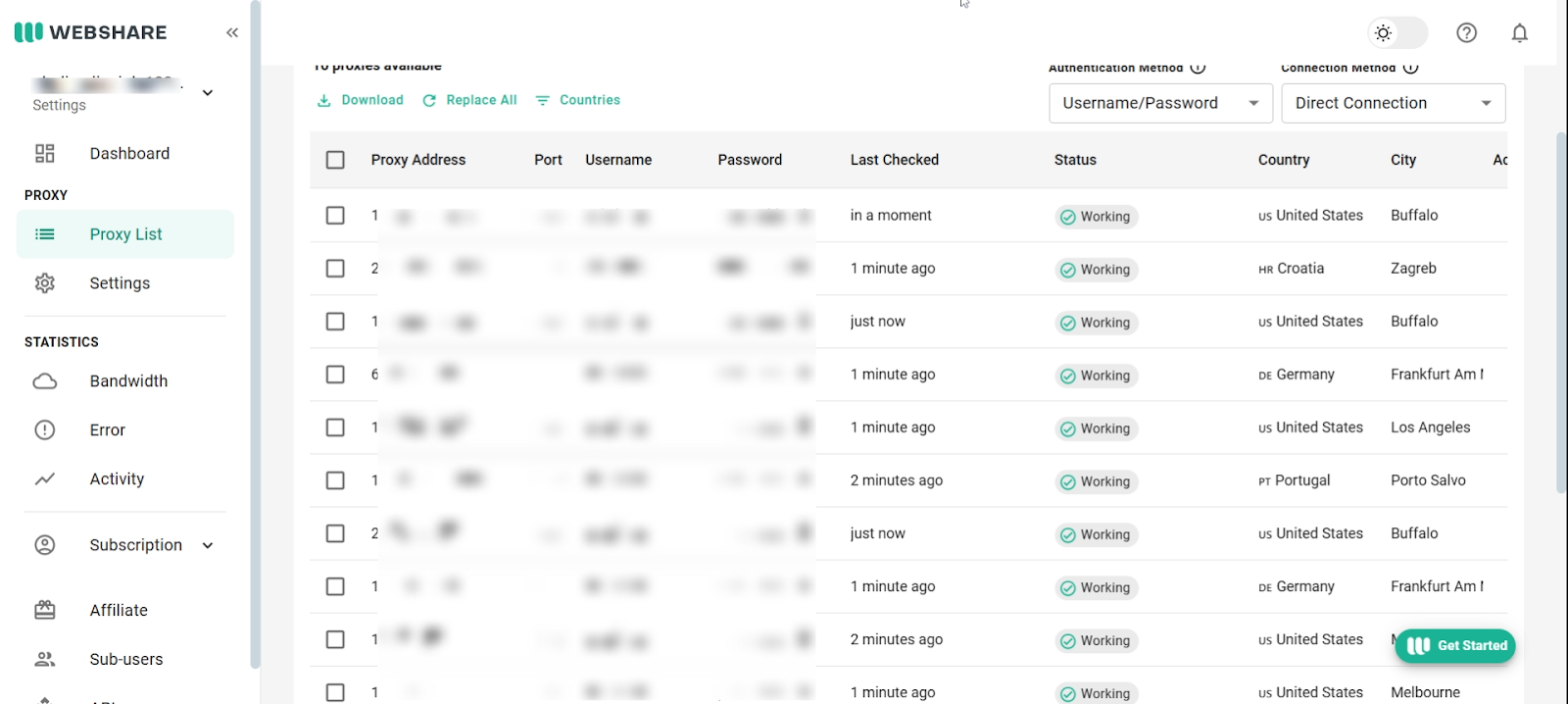
Signing up is simple. Create an account or log in if you already have one. Then, proceed to the Proxy List section to view your assigned proxies. Here, you will find all the key details, including the IP address, port, username, password, and server location.
Step 2: Setup the Proxy
Now that you have a reliable proxy, it’s time to set it up. Although Webshare proxies work across major browsers and platforms like Chrome, Firefox, Mac, iOS, Android, and Windows, Chrome remains the go-to choice, owing to its ease of use.
To set up Webshare on Chrome, visit the Chrome Web Store and search for the Webshare Proxy Extension. Click Add to Chrome, then confirm by selecting Add Extension.
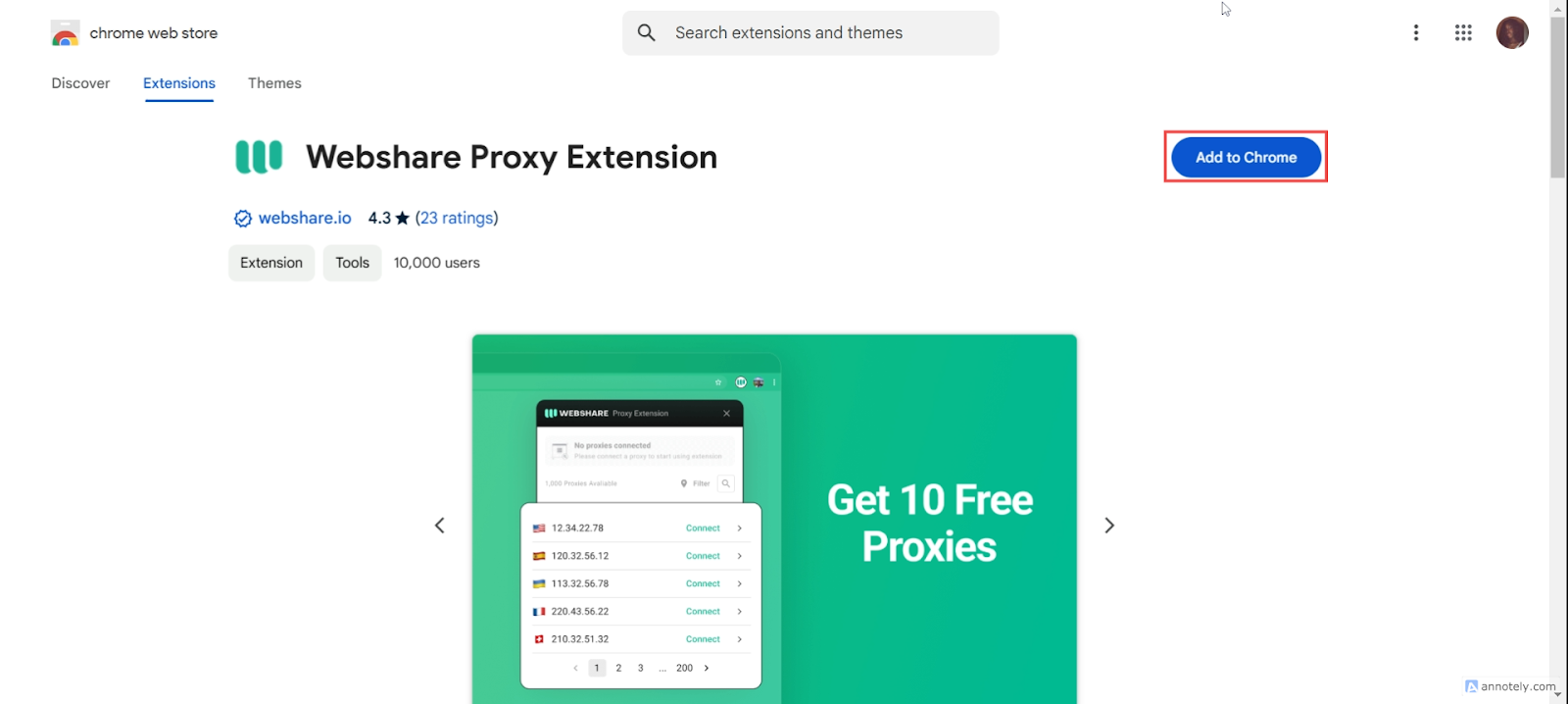
If it’s your first time adding a Chrome extension, you might not see it appear right away. Don’t worry; it’s an easy fix. Just click on the Extensions menu (the small puzzle icon in the top-right corner of your browser), find Webshare, and click the pin icon to keep it visible.
Step 3: Connect to a Proxy
It’s time to put Webshare to work. Open your browser’s Extensions menu, find Webshare, and click on it. If you are not logged in, enter your credentials to access your proxy dashboard.
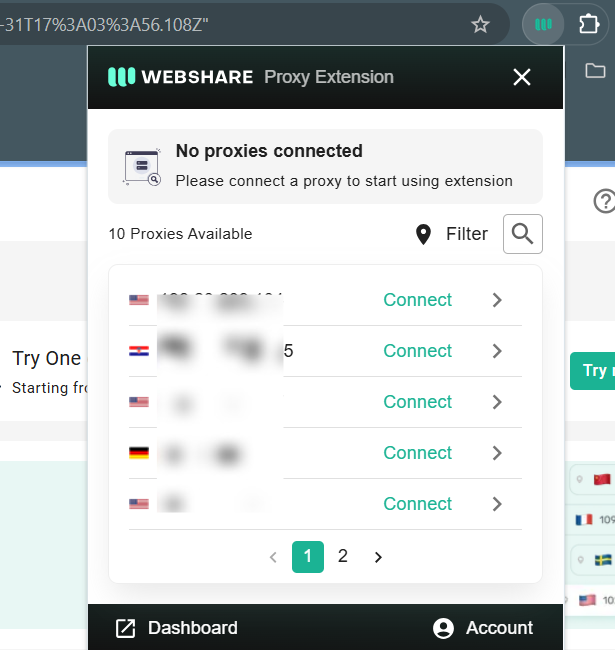
Now, choose a proxy from the available list. Notably, each proxy connects through a specific country, so you may need to choose a location where TikTok isn’t restricted to ensure smooth access.
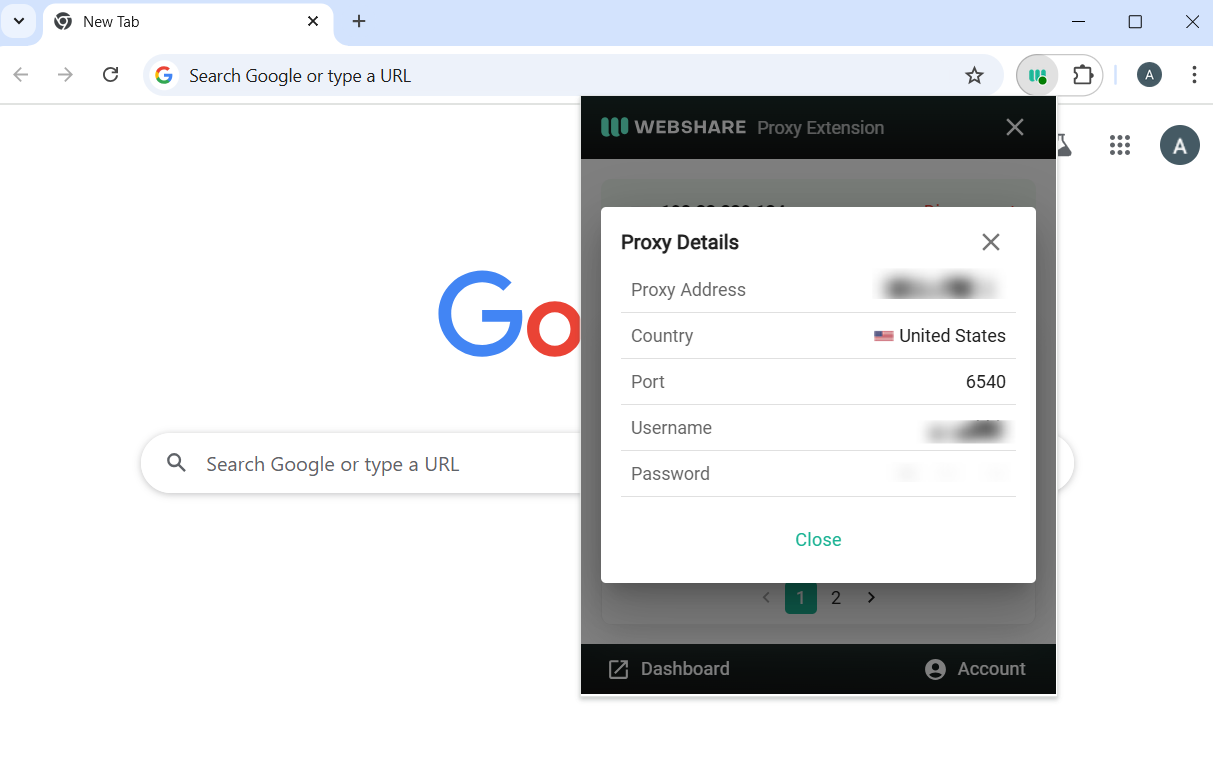
If your connection requires authentication, click the arrow next to the proxy’s IP address and view the Proxy Details section.
Step 4: Go to the TikTok Website
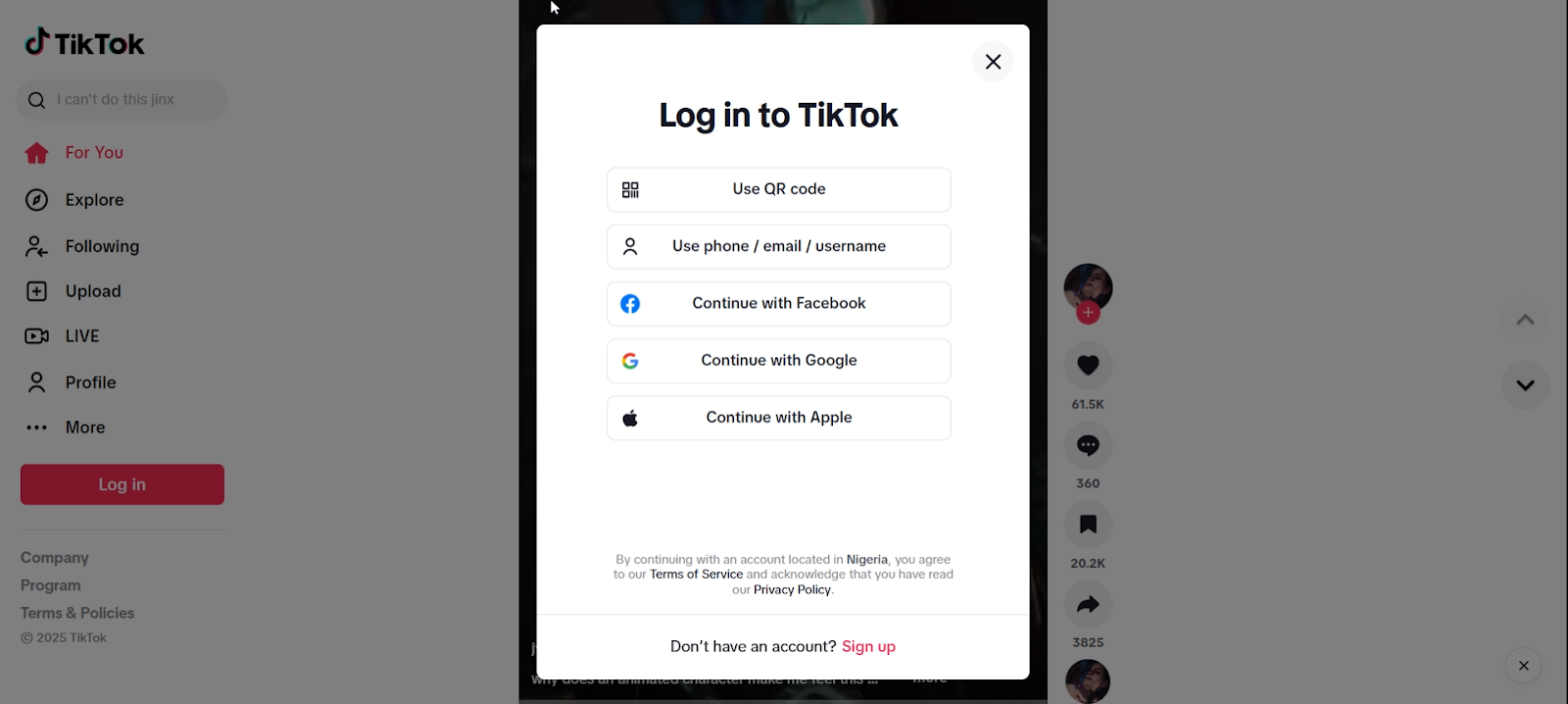
To ensure everything works smoothly, open TikTok’s website and try logging in with your credentials. If you still can’t access TikTok, don’t panic. Try switching to a different proxy, preferably one from a country with unrestricted TikTok access.
Why Have I Been Blocked From TikTok?
Your access to TikTok can be restricted for several reasons, ranging from network and browser issues to broader policies. Let’s take a closer look at these reasons:
1. Your IP Got Banned
TikTok may ban an IP address linked to automated activity, such as mass liking or rapid logins across multiple accounts. On a shared network, someone else’s activity can get your IP flagged.
Besides this, TikTok may ban your IP address if it detects that you access the platform through a low-quality proxy or VPN. You can quickly fix this by switching to a high-quality proxy like Webshare.
2. Technical Issues or Glitches
Access issues can occur due to technical glitches or misconfigurations. TikTok servers occasionally experience downtime due to high traffic loads or unexpected technical failures. For instance, the platform’s Content Delivery Networks (CDNs) can experience an outage, causing login requests to fail.
3. Browser Compatibility and Cache Issues
More often than not, TikTok servers are not the culprit. It could be your browser settings or cached data. If your browser stores outdated or corrupted TikTok-related files, it can cause login failures, video loading errors, or even false error messages suggesting blocked access.
Also, if you use an outdated version of Chrome or Firefox, TikTok’s latest security and display features might not function properly, causing login failures and blank pages. You can quickly overcome these issues if you clear your browser cache and update to the latest version for good measure.
4. Regulatory Compliance
TikTok operates globally, meaning it must comply with the laws and regulations across several countries. Governments often enforce these regulations to protect national security, uphold cultural norms, or enforce data privacy laws. As a result, TikTok may block access, remove content, or even face bans in certain regions.
What Is a Proxy Server for TikTok?
A proxy server for TikTok reroutes your internet traffic, hiding your actual IP address and making you appear to be accessing TikTok from another location. When you connect through a TikTok-specific proxy, your requests are sent via the proxy server’s IP address instead of yours.
This is particularly useful if TikTok is blocked in your region or on your network, or if a shared IP address has been flagged. A TikTok proxy can also enhance privacy and anonymity.
Ready to Unblock TikTok With a Proxy?
If TikTok is blocked on your network or in your country, the steps in this guide will help you get back on the platform quickly. One highly recommended option for your unblocking process is Webshare, which offers 10 free proxies to get you started.
Thankfully, these proxies serve multipurpose functions. Besides unblocking TikTok, they also enhance your online privacy. Remember: visit Webshare today to claim your free proxies and enjoy smooth access to TikTok!