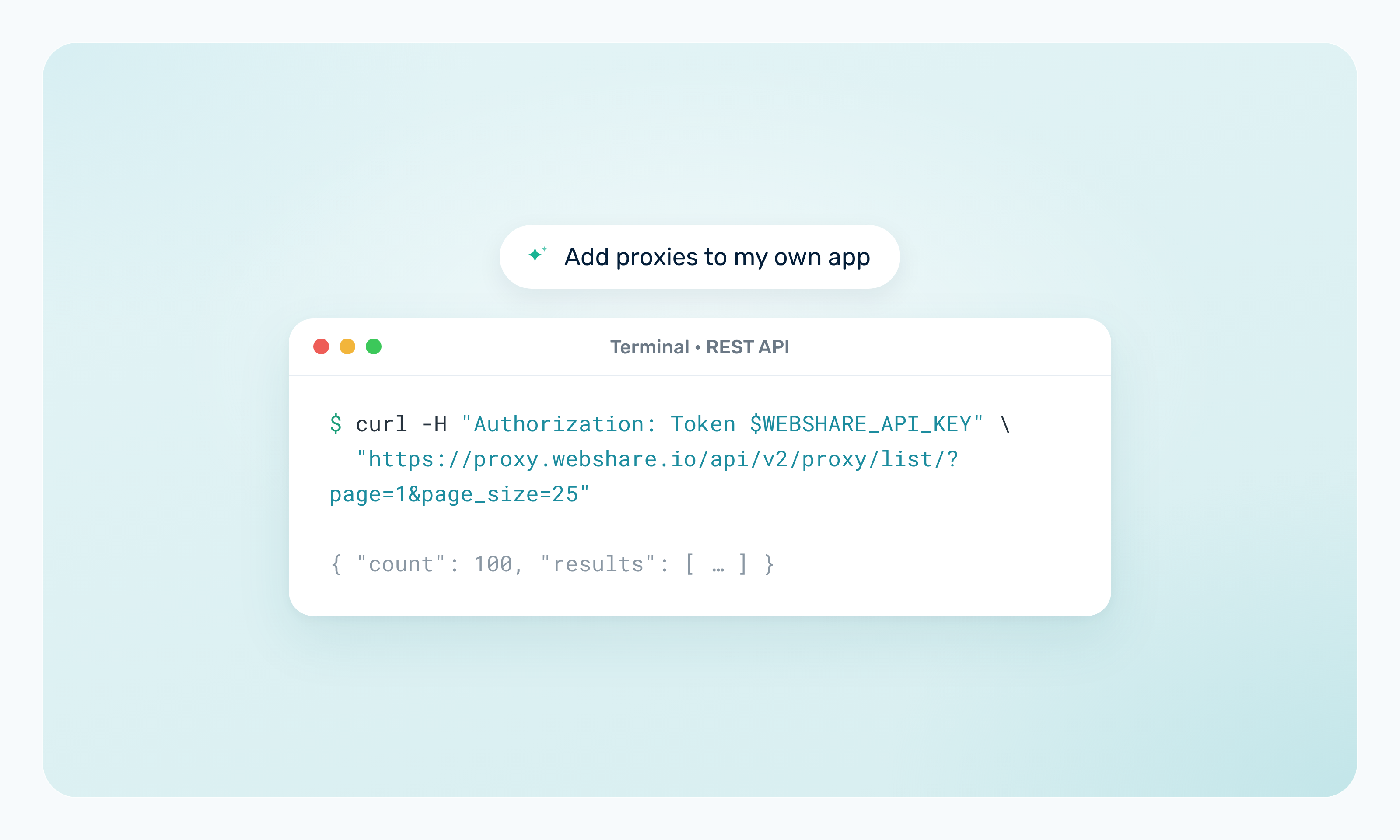
If your application relies on proxies, proxy management eventually becomes part of the application itself. Instead of downloading proxy lists or manually checking account usage, you can use the Webshare proxy SDK to run supported management tasks directly from your code.
This is especially useful for scheduled jobs. If your scraper relies on an exported proxy list, it could keep using outdated proxies and fail when they're no longer available. The Webshare SDK lets your application retrieve the latest proxy list before each run.
In this guide, you'll learn what the SDK can do, how to install and configure it, and how to pull a fresh proxy list, replace proxies, and monitor bandwidth. You'll then combine all of these steps into a complete workflow.
TL;DR
- The Webshare SDK lets you manage supported Webshare proxy tasks from application code.
- This guide uses the official Python and Node.js/TypeScript SDKs, which let you retrieve proxy lists, replace eligible proxies, and check bandwidth usage from code.
- A common pattern is to pull a fresh proxy list before each job runs instead of maintaining exported files.
- Your application decides when to replace a proxy or send an alert, and the SDK runs the supported actions.
- Use the CLI for shell scripts and CI, and use MCP for AI-assisted management.
What Can You Do With the Webshare SDK?
The Webshare SDK is an official client library that wraps the Webshare API in typed methods. This guide uses the Python and Node.js/TypeScript versions, and Webshare also publishes an official Go SDK.
With the SDK, you can:
- List the proxies on a plan through the proxy list API, or download the full list as plain text.
- Refresh your entire proxy list using an on-demand refresh.
- Dry run, create, and track proxy replacements on Proxy Server and Static Residential plans.
- Read and update your proxy configuration, including which auto-replace conditions are turned on.
- Pull usage stats such as bandwidth, request counts, and error reasons for any period in the last 90 days.
- Check plan details such as your bandwidth limit and remaining manual replacements.
- Add and remove authorized IP addresses.
- Build proxy connection URLs for direct or backbone connections.
The SDK manages your account and proxy list. It doesn't send requests to target websites, so your application still makes those requests through its own HTTP client.
Install and Configure the Webshare SDK
Follow the steps below to get the Webshare SDK running in your project:
1. Install the package
The Python SDK requires Python 3.10 or newer. Install it from PyPI with pip.
pip install webshare-sdkIf your application runs on Node.js 20 or newer, install the package from npm instead. It ships ESM and CommonJS builds with TypeScript types.
npm install @webshare-proxy/sdkBoth SDKs are at v0.2.0, and the examples in this guide use that version.
2. Authenticate
The SDK authenticates with a Webshare API key. Both SDKs read the key from the WEBSHARE_API_KEY environment variable, so you never have to put it in your source code.
For local development, you can export the variable in your shell.
export WEBSHARE_API_KEY=your-api-keyIn production, store the key in your secrets manager or your CI provider's secret storage and inject it into the environment at runtime. Don't hardcode the key or commit it to your repo, because anyone with read access to your code would then have access to your Webshare account.
3. Create a client
You create a client with no arguments, and it detects WEBSHARE_API_KEY on its own. The Python client works as a context manager.
import webshare

with webshare.Webshare() as client:
    ...
If your code is async, use webshare.AsyncWebshare with async with instead, and await each call.
The Node.js client follows the same pattern.
import { Webshare } from "@webshare-proxy/sdk";

const client = new Webshare();
If no key is available, the Python constructor raises webshare.WebshareError, and the Node.js constructor throws an error. That makes a missing secret fail at startup, before your job sends any requests.
4. Test the connection
To confirm everything works, you can fetch your profile and find your active plan. The plan check matters because most proxy operations are scoped to a plan, and you'll pass its ID to later calls.
import webshare

with webshare.Webshare() as client:
    profile = client.profile.get()
    print(f"Signed in as {profile.email}")

    plan = next((p for p in client.plans.list() if p.status == "active"), None)
    if plan is None:
        raise SystemExit("No active plan found on this account.")
    print(f"Active plan {plan.id}: {plan.proxy_count} x {plan.proxy_type} proxies")
Here's the same check in Node.js. Save it as an .mjs file, or set "type": "module" in your package.json, because it uses top-level await.
import { Webshare } from "@webshare-proxy/sdk";

const client = new Webshare();
const profile = await client.profile.get();
console.log(`Signed in as ${profile.email}`);

const plans = await client.plans.list();
const plan = plans.results.find((p) => p.status === "active");
if (!plan) throw new Error("No active plan found on this account.");
console.log(`Active plan ${plan.id}: ${plan.proxy_count} x ${plan.proxy_type} proxies`);
If the key is wrong or has been revoked, the first call raises AuthenticationError with a 401 status.
The examples in this guide take the first active plan on your account. If your account has more than one plan, set the plan ID explicitly, for example from an environment variable, instead of taking the first active one.
Pull a Fresh Proxy List Before Each Run
Your proxy list changes more often than you might expect. Webshare's auto-replace swaps out any proxy that stays invalid for more than 15 minutes (that setting is on by default), and manual replacements and list refreshes change it too. If your job reads proxies from a file you exported last week, some of those addresses may no longer belong to you.
The easiest way around this is to pull the current list every time your job starts.
Retrieve available proxies
You can use client.proxies.list() to fetch every proxy on a plan. It calls the proxy list API behind the scenes, and when you loop over the result, the SDK keeps fetching the next page until it reaches the end. If you want to narrow the list by country or another field, the Webshare API documentation shows the filters the endpoint accepts.
You'll need to pass a mode with every call. This guide uses mode="direct", which gives you individual proxies on Proxy Server and Static Residential plans. Rotating Residential plans only work with mode="backbone", where every request goes through p.webshare.io, so you won't use this per-proxy approach with them.
Select the fields you need
Each proxy comes back with more data than most jobs use. To connect directly, you need the address, port, username, and password. You might also keep the country code if you route requests by location, and the valid flag tells you whether the proxy passed its last check.
The function below finds your active plan, skips any proxy marked invalid, and turns the rest into connection URLs with the SDK's build_proxy_url helper. It also keeps each proxy's address, which the error handling later in this guide uses to count failures.
import webshare
from webshare import build_proxy_url


def load_proxy_pool() -> list[dict]:
    with webshare.Webshare() as client:
        plan = next((p for p in client.plans.list() if p.status == "active"), None)
        if plan is None:
            raise SystemExit("No active plan found on this account.")

        pool = []
        for proxy in client.proxies.list(mode="direct", plan_id=plan.id, page_size=100):
            if not proxy.valid:
                continue  # skip proxies that failed their last check
            pool.append({
                "address": proxy.proxy_address,
                "url": build_proxy_url(
                    mode="direct",
                    username=proxy.username,
                    password=proxy.password,
                    proxy_address=proxy.proxy_address,
                    port=proxy.port,
                ),
                "country": proxy.country_code,
            })
        return pool
Feed the pool into your application
Call the function once when your job starts, then pass the pool to the part of your code that hands out proxies.
pool = load_proxy_pool()
print(f"Loaded {len(pool)} valid proxies")
Avoid maintaining exported proxy files
When you build the pool at runtime, there's no file to keep in sync. If Webshare replaces a proxy overnight, your next run picks up the new one, and your job starts from the proxies that are on your list right now. Connecting to a replaced proxy is what triggers the no_proxies_allocated (407) error, so building the pool at runtime avoids that error for proxies that have already been replaced. A proxy can still be replaced mid-run, which is why the next section counts failures per proxy.
If another tool in your stack still needs a file, write one from this function at the start of each run, so it always matches your current list.
Use Webshare Proxies in Your Application
Once you have a pool, using it comes down to four steps:
- You pick a proxy
- Format it the way your HTTP client expects
- Send the request
- Handle errors at the application level
The SDK's part ends once you have the connection URL. From there, your HTTP client sends the traffic and your code decides what to do with the response.
Retrieve a proxy from the pool
On a Proxy Server plan, every entry in your pool is a separate datacenter IP, so you can choose which one handles each request. Random selection works well for most jobs. If you need even distribution across the pool, a round-robin counter works too.
import random

proxy = random.choice(pool)
Format the connection string
The build_proxy_url helper already gives you a URL like http://username:password@address:port, and most HTTP clients accept that format as is. With requests, you use the same URL for both HTTP and HTTPS traffic.
The https entry intentionally starts with http:// because requests connects to the proxy over plain HTTP and then opens an encrypted tunnel through it to the HTTPS site.
proxies = {"http": proxy["url"], "https": proxy["url"]}Send the request through your HTTP client
You can now send the request through the proxy. Set a timeout so a slow proxy doesn't stall your whole job.
import requests

response = requests.get("https://ipv4.webshare.io/", proxies=proxies, timeout=15)
print(response.status_code, response.text)
Handle errors in your application
Failures can come from two places:
- The proxy couldn't complete the request.
- The target site answered with a 403 or 429.
When Webshare's proxy rejects a plain HTTP request, the response carries an X-Webshare-Error-Reason header with the same reason code you'll see in your usage stats. On HTTPS requests, a rejected tunnel shows up as a ProxyError instead, because the requests library never gets a response to read.
The function below sends a request through a random proxy and counts failures per proxy address. It catches every requests exception, including proxy errors and timeouts, so one bad proxy doesn't stop the job. That count is what you'll use later to decide which proxies to replace.
import random
from collections import Counter

import requests

failures = Counter()


def fetch(url: str, pool: list[dict]) -> requests.Response | None:
    proxy = random.choice(pool)
    proxies = {"http": proxy["url"], "https": proxy["url"]}
    try:
        response = requests.get(url, proxies=proxies, timeout=15)
    except requests.exceptions.RequestException as err:
        failures[proxy["address"]] += 1
        print(f"{proxy['address']} failed: {type(err).__name__}")
        return None

    reason = response.headers.get("X-Webshare-Error-Reason")
    if reason or response.status_code in (403, 429):
        failures[proxy["address"]] += 1
        print(f"{proxy['address']} returned {response.status_code} {reason or ''}".strip())
    return response
Keep the failure count in your own logs or metrics. The SDK doesn't track how your requests to target sites perform, so the rules for what counts as a bad proxy belong to your application.
Replace Proxies Programmatically
Proxies don't stay healthy forever. One might stop responding, start showing up in the wrong country, slow down, or get blocked by the site your job targets. When that happens, you can swap it for a different proxy.
Webshare handles part of this for you through auto-replace, a free feature on paid plans that replaces proxies without using your replacement balance. Your replacement balance is the number of manual replacement credits on your plan, which you'll use later in this section.
Webshare's auto-replace feature covers four situations:
- A proxy has been invalid for more than 15 minutes. This option is on by default.
- A proxy has low country confidence, meaning websites see it in a different country than your dashboard shows.
- A proxy is working but slower than usual.
- A proxy no longer passes the site checks your plan requires. Site checks are tests that confirm your proxies work on specific websites, such as Google Search, if your plan includes them.
You can turn each of these on or off on the Replace Proxies tab of your plan's Proxy Settings in the dashboard, or through the Proxy Config API, which controls your proxy list settings.
What auto-replace can't catch is a proxy that works in general but keeps failing on the specific site you're scraping. Webshare's checks don't see the 403s or 429s your target sends back, so only your application knows which proxies are struggling there. That's the gap the SDK fills. You can use it to replace eligible proxies based on your application's own health checks or operational rules.
Replacement works on Proxy Server and Static Residential plans. It isn't available on Rotating Residential, because those plans don't give you a fixed list of individual proxies to swap.
Here's how you can use the SDK to replace specific proxies, from deciding which ones to swap to updating your pool once the replacement finishes.
The code in each step assumes you've created a client with with webshare.Webshare() as client: and loaded your active plan, as shown in the "Test the connection" step of the installation section.
Identify which proxies to replace
You can start with the failure counts you collected in the failures counter in the "Handle errors in your application" step of the previous section, and apply your own threshold. Each manual replacement uses one credit from your plan, and paid plans include 10 per month, so check proxy_replacements_available before you request more than you have.
The snippet below picks every proxy that failed five or more times, then trims the list so it never asks for more replacements than your plan has credits for.
FAILURE_THRESHOLD = 5

to_replace = [address for address, count in failures.items() if count >= FAILURE_THRESHOLD]
to_replace = to_replace[: plan.proxy_replacements_available]
You can set FAILURE_THRESHOLD to whatever fits your job. A lower number replaces proxies sooner but uses more credits.
Dry run the replacement
A dry run is a replacement request that reports how many proxies would be removed and added without changing your list. Every replacement request takes two settings:
to_replace, which tells Webshare which proxies to remove.replace_with, which tells it where the new ones should come from.
The ip_address type targets the exact proxies you picked, and any lets Webshare choose the replacements from what's available.
Here's how you can send a dry run using the list of addresses from the previous step.
target = {"type": "ip_address", "ip_addresses": to_replace}
source = [{"type": "any", "count": len(to_replace)}]

dry_run = client.proxy_replacements.create(
    to_replace=target, replace_with=source, dry_run=True, plan_id=plan.id
)
Replacements run asynchronously, which means Webshare accepts the request right away but finishes the work in the background. The counts aren't ready the moment you send the request, so you'll wait for them in the polling step below.
Once the dry run finishes, it reports two numbers. proxies_removed is how many proxies would leave your list, and proxies_added is how many would replace them. If proxies_added is lower than proxies_removed, there aren't enough replacements available for your plan's settings. You can stop there instead of shrinking your list.
Create the replacement
Once the dry run looks right, you can send the same request with dry_run=False. This time, Webshare actually swaps the proxies on your list.
The code below sends the real replacement request, using the same target and source settings as the dry run.
replacement = client.proxy_replacements.create(
    to_replace=target, replace_with=source, dry_run=False, plan_id=plan.id
)
The SDK doesn't retry POST requests by default, and that's what you want here. A retried create call could submit the same replacement twice and use extra credits.
Poll until the replacement completes
Polling means checking a request's status over and over until it finishes. Both requests move through a series of states, and each replacement object has a state field that tells you where it is.
validatingmeans Webshare has received the request and is checking it.validatedmeans the check is done. A dry run stops here, and its counts are ready to read.processingmeans Webshare is swapping the proxies on your list.completedmeans the replacement is finished and your list has been updated.failedmeans something went wrong. Theerror_codeanderrorfields explain what happened.
A real replacement moves through validating, validated, and processing before it reaches completed.
The helper function below does the polling for you. It checks the replacement's state every five seconds, returns as soon as it reaches one of the states you're waiting for, and raises an error if the replacement fails or takes longer than five minutes.
import time


def wait_for(client, replacement_id, plan_id, done_states, timeout=300):
    deadline = time.monotonic() + timeout
    while time.monotonic() < deadline:
        replacement = client.proxy_replacements.get(replacement_id, plan_id=plan_id)
        if replacement.state == "failed":
            raise RuntimeError(f"Replacement failed: {replacement.error_code} {replacement.error}")
        if replacement.state in done_states:
            return replacement
        time.sleep(5)
    raise TimeoutError(f"Replacement {replacement_id} is still {replacement.state}")
Here's where the helper fits in the flow. You wait on the dry run until it's validated before creating the real replacement, then wait on the real one until it's completed before moving on.
dry_run = wait_for(client, dry_run.id, plan.id, {"validated"})
print(f"Would remove {dry_run.proxies_removed} and add {dry_run.proxies_added}")

# After creating the real replacement
replacement = wait_for(client, replacement.id, plan.id, {"completed"})
Re-list your proxies and update your application
When the replacement completes, you can log which addresses changed and rebuild your pool so your job stops using the old ones.
The snippet below lists each swap, showing the old address and the new one, then rebuilds your pool with the load_proxy_pool() function from the "Pull a fresh proxy list before each run" section. It also clears the failure counts, so the new proxies start with a clean record.
swaps = client.replaced_proxies.list(proxy_list_replacement=replacement.id, plan_id=plan.id)
for swap in swaps:
    print(f"{swap.proxy} replaced with {swap.replaced_with}")

pool = load_proxy_pool()
failures.clear()
Refreshing the full list vs. replacing specific proxies
A refresh swaps out your entire proxy list at once. You can trigger one with client.proxies.refresh(plan_id=plan.id), and it uses an on-demand refresh from your plan instead of replacement credits.
On-demand refreshes are a separate allowance on your plan, and you can check how many you have left with the on_demand_refreshes_available field. It's useful when you want a completely new set of IPs, but it also throws away proxies that were working fine.
Replacing specific proxies makes more sense when only a handful are causing problems. You keep the healthy part of your list and spend one credit for each proxy you actually need to change.
Monitor Bandwidth Usage
Most Webshare plans come with a bandwidth limit, and on bandwidth-priced plans such as residential proxies, running out partway through a billing period can stop your jobs. A quick usage check at the start of each run tells you whether you're on track before that happens.
Retrieve usage
You can use client.stats.aggregate() to get your usage for a time window. When the end of that window is in the future, the response includes bandwidth_projected, which combines the bandwidth you've used so far with an estimate for the hours that remain.
The end date can't go past your current billing period, so the easiest window is your subscription's start and end dates.
Here's how you can pull usage for the current billing period.
subscription = client.subscription.get()
usage = client.stats.aggregate(
    timestamp__gte=subscription.start_date,
    timestamp__lte=subscription.end_date,
    plan_id=plan.id,
)
Compare it with your threshold
The two numbers use different units. bandwidth_projected is in bytes, while plan.bandwidth_limit is in gigabytes, and a limit of 0 means the plan is unlimited. You'll need to convert the limit to bytes before comparing, and skip the check entirely on unlimited plans.
This snippet works out what share of your limit you're projected to use and flags it once it crosses 80%.
BYTES_PER_GB = 1_000_000_000
ALERT_AT = 0.8

if plan.bandwidth_limit == 0:
    print("Unlimited bandwidth plan, skipping the usage check")
else:
    limit_bytes = plan.bandwidth_limit * BYTES_PER_GB
    share = usage.bandwidth_projected / limit_bytes
    if share >= ALERT_AT:
        notify(f"Projected bandwidth is at {share:.0%} of the plan limit")
Log or send an alert
Webshare gives you the usage numbers, and your application decides what to do with them. The notify() function below just logs a warning, so you can swap in whatever your team already uses, such as a Slack webhook or an email.
import logging

logging.basicConfig(level=logging.INFO)
log = logging.getLogger("proxy-usage")


def notify(message: str) -> None:
    # Replace with your own alerting, e.g. a Slack webhook
    log.warning(message)
Example Workflow: Prepare a Scraping Job Before Every Run
This example combines everything you've learned so far into one script you can run before each scraping job. The Webshare proxy SDK handles the account side, which covers loading proxies, replacing them, and checking usage, while the requests library sends the job's actual traffic.
From start to finish, the script:
- Authenticates with your API key and finds your active plan.
- Loads a fresh list of valid proxies from that plan.
- Checks that you have enough working proxies to start the job.
- Sends the job's requests through those proxies.
- Records which proxies fail and how often.
- Replaces proxies that cross your failure threshold, if you have replacement credits.
- Compares projected bandwidth against your plan limit.
- Sends an internal alert if usage passes 80%.
The code includes comments so you can see where each of these steps happens.
The script works on Proxy Server and Static Residential plans. Replacement needs a paid plan, so on the free plan the script skips that step. If you need replacement credits, you can buy a proxy server plan and run the same script against it.
Python version
Before you run it, install the two packages the script uses and set your API key.
pip install webshare-sdk requests
export WEBSHARE_API_KEY=your-api-key
Save the following as prepare_job.py. TARGET_URLS points to Webshare's IP check endpoint so you can test safely, and you'd replace it with the pages your job actually collects.
import logging
import random
import time
from collections import Counter

import requests
import webshare
from webshare import build_proxy_url

TARGET_URLS = ["https://ipv4.webshare.io/"] * 10
MIN_POOL_SIZE = 5
FAILURE_THRESHOLD = 3
ALERT_AT = 0.8
BYTES_PER_GB = 1_000_000_000

logging.basicConfig(level=logging.INFO, format="%(levelname)s %(message)s")
logging.getLogger("httpx").setLevel(logging.WARNING)
log = logging.getLogger("prepare-job")


def notify(message: str) -> None:
    # Replace with your own alerting, e.g. a Slack webhook
    log.warning("ALERT: %s", message)


def load_pool(client, plan) -> list[dict]:
    pool = []
    for proxy in client.proxies.list(mode="direct", plan_id=plan.id, page_size=100):
        if not proxy.valid:
            continue
        pool.append({
            "address": proxy.proxy_address,
            "url": build_proxy_url(
                mode="direct",
                username=proxy.username,
                password=proxy.password,
                proxy_address=proxy.proxy_address,
                port=proxy.port,
            ),
        })
    return pool


def run_job(pool: list[dict], urls: list[str], failures: Counter) -> None:
    for url in urls:
        proxy = random.choice(pool)
        proxies = {"http": proxy["url"], "https": proxy["url"]}
        try:
            response = requests.get(url, proxies=proxies, timeout=15)
        except requests.exceptions.RequestException as err:
            failures[proxy["address"]] += 1
            log.info("%s failed: %s", proxy["address"], type(err).__name__)
            continue
        reason = response.headers.get("X-Webshare-Error-Reason")
        if reason or response.status_code in (403, 429):
            failures[proxy["address"]] += 1
            log.info("%s returned %s %s", proxy["address"], response.status_code, reason or "")


def wait_for(client, replacement_id, plan_id, done_states, timeout=300):
    deadline = time.monotonic() + timeout
    while time.monotonic() < deadline:
        replacement = client.proxy_replacements.get(replacement_id, plan_id=plan_id)
        if replacement.state == "failed":
            raise RuntimeError(f"Replacement failed: {replacement.error_code} {replacement.error}")
        if replacement.state in done_states:
            return replacement
        time.sleep(5)
    raise TimeoutError(f"Replacement {replacement_id} is still {replacement.state}")


def replace_failing(client, plan, failures: Counter) -> bool:
    to_replace = [address for address, count in failures.items() if count >= FAILURE_THRESHOLD]
    to_replace = to_replace[: plan.proxy_replacements_available]
    if not to_replace:
        log.info("No proxies to replace")
        return False

    target = {"type": "ip_address", "ip_addresses": to_replace}
    source = [{"type": "any", "count": len(to_replace)}]

    dry_run = client.proxy_replacements.create(
        to_replace=target, replace_with=source, dry_run=True, plan_id=plan.id
    )
    dry_run = wait_for(client, dry_run.id, plan.id, {"validated"})
    if dry_run.proxies_added < dry_run.proxies_removed:
        log.info("Not enough replacements available, skipping")
        return False

    replacement = client.proxy_replacements.create(
        to_replace=target, replace_with=source, dry_run=False, plan_id=plan.id
    )
    replacement = wait_for(client, replacement.id, plan.id, {"completed"})
    log.info("Replaced %d proxies", replacement.proxies_added)
    return True


def check_bandwidth(client, plan) -> None:
    if plan.bandwidth_limit == 0:
        log.info("Unlimited bandwidth plan, skipping the usage check")
        return
    subscription = client.subscription.get()
    usage = client.stats.aggregate(
        timestamp__gte=subscription.start_date,
        timestamp__lte=subscription.end_date,
        plan_id=plan.id,
    )
    share = usage.bandwidth_projected / (plan.bandwidth_limit * BYTES_PER_GB)
    log.info("Projected bandwidth: %.1f%% of the plan limit", share * 100)
    if share >= ALERT_AT:
        notify(f"Projected bandwidth is at {share:.0%} of the plan limit")


def main() -> None:
    # 1. Authenticate (reads WEBSHARE_API_KEY)
    with webshare.Webshare() as client:
        plan = next((p for p in client.plans.list() if p.status == "active"), None)
        if plan is None:
            raise SystemExit("No active plan found on this account.")

        # 2. Retrieve the proxy list
        pool = load_pool(client, plan)

        # 3. Validate available resources
        log.info(
            "Plan %s: %d valid proxies, %d replacement credits",
            plan.id, len(pool), plan.proxy_replacements_available,
        )
        if len(pool) < MIN_POOL_SIZE:
            notify(f"Only {len(pool)} valid proxies, job not started")
            raise SystemExit(1)

        # 4 and 5. Pass proxies to the job and record failures
        failures = Counter()
        run_job(pool, TARGET_URLS, failures)
        log.info("Job finished: %d requests, %d failed", len(TARGET_URLS), sum(failures.values()))

        # 6. Replace eligible proxies when appropriate
        if replace_failing(client, plan, failures):
            # Rebuild the pool so any work you add after this step uses the new proxies
            pool = load_pool(client, plan)

        # 7 and 8. Check bandwidth and alert past the threshold
        check_bandwidth(client, plan)


if __name__ == "__main__":
    main()
Running python prepare_job.py on a free plan prints this output:
INFO Plan 13005063: 10 valid proxies, 0 replacement credits
INFO Job finished: 10 requests, 0 failed
INFO No proxies to replace
INFO Projected bandwidth: 0.0% of the plan limit
Replacement was skipped here because the free plan has no replacement credits and none of the test requests failed. On a paid plan, any proxy that fails three or more times would go through the dry run and replacement steps, and you'd see a "Replaced" line in the output.
Node.js version
The Node.js version follows the same steps. Node's built-in fetch doesn't accept a proxy setting, so this version uses undici's ProxyAgent to route requests through each proxy.
npm install @webshare-proxy/sdk undici
export WEBSHARE_API_KEY=your-api-key
Save this as prepare_job.mjs. The .mjs extension lets you use top-level await.
import { Webshare, buildProxyUrl } from "@webshare-proxy/sdk";
import { fetch, ProxyAgent } from "undici";

const TARGET_URLS = Array(10).fill("https://ipv4.webshare.io/");
const MIN_POOL_SIZE = 5;
const FAILURE_THRESHOLD = 3;
const ALERT_AT = 0.8;
const BYTES_PER_GB = 1_000_000_000;

const sleep = (ms) => new Promise((resolve) => setTimeout(resolve, ms));

function notify(message) {
  // Replace with your own alerting, e.g. a Slack webhook
  console.warn(`ALERT: ${message}`);
}

async function loadPool(client, plan) {
  const pool = [];
  for await (const proxy of await client.proxies.list({ mode: "direct", plan_id: plan.id })) {
    if (!proxy.valid) continue;
    pool.push({
      address: proxy.proxy_address,
      url: buildProxyUrl({
        mode: "direct",
        username: proxy.username,
        password: proxy.password,
        proxyAddress: proxy.proxy_address,
        port: proxy.port,
      }),
    });
  }
  return pool;
}

async function runJob(pool, urls, failures) {
  for (const url of urls) {
    const proxy = pool[Math.floor(Math.random() * pool.length)];
    const recordFailure = () => failures.set(proxy.address, (failures.get(proxy.address) ?? 0) + 1);
    try {
      const response = await fetch(url, {
        dispatcher: new ProxyAgent(proxy.url),
        signal: AbortSignal.timeout(15_000),
      });
      await response.text();
      const reason = response.headers.get("x-webshare-error-reason");
      if (reason || response.status === 403 || response.status === 429) {
        recordFailure();
        console.log(`${proxy.address} returned ${response.status} ${reason ?? ""}`.trim());
      }
    } catch (err) {
      recordFailure();
      console.log(`${proxy.address} failed: ${err.name}`);
    }
  }
}

async function waitFor(client, id, planId, doneStates, timeoutMs = 300_000) {
  const deadline = Date.now() + timeoutMs;
  while (Date.now() < deadline) {
    const replacement = await client.proxyReplacements.get(id, { plan_id: planId });
    if (replacement.state === "failed") {
      throw new Error(`Replacement failed: ${replacement.error_code} ${replacement.error}`);
    }
    if (doneStates.includes(replacement.state)) return replacement;
    await sleep(5_000);
  }
  throw new Error(`Replacement ${id} did not finish in time`);
}

async function replaceFailing(client, plan, failures) {
  const toReplace = [...failures]
    .filter(([, count]) => count >= FAILURE_THRESHOLD)
    .map(([address]) => address)
    .slice(0, plan.proxy_replacements_available);
  if (toReplace.length === 0) {
    console.log("No proxies to replace");
    return false;
  }

  const request = {
    to_replace: { type: "ip_address", ip_addresses: toReplace },
    replace_with: [{ type: "any", count: toReplace.length }],
    plan_id: plan.id,
  };

  let dryRun = await client.proxyReplacements.create({ ...request, dry_run: true });
  dryRun = await waitFor(client, dryRun.id, plan.id, ["validated"]);
  if (dryRun.proxies_added < dryRun.proxies_removed) {
    console.log("Not enough replacements available, skipping");
    return false;
  }

  let replacement = await client.proxyReplacements.create({ ...request, dry_run: false });
  replacement = await waitFor(client, replacement.id, plan.id, ["completed"]);
  console.log(`Replaced ${replacement.proxies_added} proxies`);
  return true;
}

async function checkBandwidth(client, plan) {
  if (plan.bandwidth_limit === 0) {
    console.log("Unlimited bandwidth plan, skipping the usage check");
    return;
  }
  const subscription = await client.subscription.get();
  const usage = await client.stats.aggregate({
    timestamp__gte: subscription.start_date,
    timestamp__lte: subscription.end_date,
    plan_id: plan.id,
  });
  const share = usage.bandwidth_projected / (plan.bandwidth_limit * BYTES_PER_GB);
  console.log(`Projected bandwidth: ${(share * 100).toFixed(1)}% of the plan limit`);
  if (share >= ALERT_AT) {
    notify(`Projected bandwidth is at ${Math.round(share * 100)}% of the plan limit`);
  }
}

// 1. Authenticate (reads WEBSHARE_API_KEY)
const client = new Webshare();
const plans = await client.plans.list();
const plan = plans.results.find((p) => p.status === "active");
if (!plan) throw new Error("No active plan found on this account.");

// 2. Retrieve the proxy list
let pool = await loadPool(client, plan);

// 3. Validate available resources
console.log(
  `Plan ${plan.id}: ${pool.length} valid proxies, ${plan.proxy_replacements_available} replacement credits`,
);
if (pool.length < MIN_POOL_SIZE) {
  notify(`Only ${pool.length} valid proxies, job not started`);
  process.exit(1);
}

// 4 and 5. Pass proxies to the job and record failures
const failures = new Map();
await runJob(pool, TARGET_URLS, failures);
const failed = [...failures.values()].reduce((a, b) => a + b, 0);
console.log(`Job finished: ${TARGET_URLS.length} requests, ${failed} failed`);

// 6. Replace eligible proxies when appropriate
if (await replaceFailing(client, plan, failures)) {
  // Rebuild the pool so any work you add after this step uses the new proxies
  pool = await loadPool(client, plan);
}

// 7 and 8. Check bandwidth and alert past the threshold
await checkBandwidth(client, plan);
Running node prepare_job.mjs on the same account gives you the same result.
Plan 13005063: 10 valid proxies, 0 replacement credits
Job finished: 10 requests, 0 failed
No proxies to replace
Projected bandwidth: 0.0% of the plan limit
Tested with webshare-sdk 0.2.0 (Python) and @webshare-proxy/sdk 0.2.0 (Node.js) on October 25, 2026.
Webshare SDK vs API vs CLI vs MCP
The SDK is one of four routes you can take to manage your Webshare proxies. Here's a quick overview of how it compares to other approaches.
The SDK is a wrapper around the Webshare API. It uses the same endpoints, including the proxy list API, handles authentication and pagination, and retries most requests for you. Besides Python and Node.js, there's also an official Go SDK, and from any other language you can call the API directly.
The other two options suit different setups. Use the CLI to manage proxies from shell scripts and scheduled jobs, or connect the MCP Server to manage proxies with an AI client like Claude Code or Cursor.
Read the Webshare API Docs to see every endpoint, request parameter, and response field the SDK is built on.
Start Managing Your Proxies in Code
With the Webshare SDK, the proxy management tasks you'd normally do in the dashboard can run as part of your application. You can pull a fresh proxy list before every run, replace the proxies your own health checks flag, and keep an eye on bandwidth before it becomes a problem, all from the same code that runs your jobs.
The workflow script is a good starting point. You can swap in your own target URLs, adjust the failure threshold and alert settings, and connect notify() to the tools your team already uses.
Start managing your proxies in code with the Webshare SDK, or try it first on the free plan, which includes 10 datacenter proxies and doesn't require a credit card.