TL;DR
- Learn how to scrape Google’s Related Searches and People Also Search For sections using Python.
- Use Webshare rotating residential proxies to access accurate location-based suggestions and prevent IP blocks.
- Extract and save structured data – including query-specific related terms and people-also-search-for keywords – into a clean JSON file.
Google’s search results page offers valuable insights into user intent through its Related Searches and People Also Search For sections, which surface semantically connected topics and entities. In this guide, you’ll learn how to build a Python scraper that collects these suggestion datasets for any list of queries.
Prerequisites
Before building and running the Google Related Searches scraper, make sure your environment is properly configured with the required tools and dependencies.
- Python: Ensure that Python 3.9+ is installed on your system. You can verify your version with:
python --version- Required Python Packages: This scraper will use playwright for browser automation and asyncio for asynchronous execution. Install the necessary dependencies using:
pip install playwright- Built-in Python Libraries: The following standard libraries are used for JSON handling, random delays, and asynchronous task management – no extra installation is required:
- asyncio - for managing asynchronous browser tasks
- json - for saving structured results
- random - for adding small random delays to mimic human-like behavior
- Playwright Browser Setup: After installing Playwright, install the browser binaries (Chromium) once by running:
playwright install chromium- Webshare Proxy Access: Since Google’s search results are region-specific and rate-limited, reliable access requires authenticated rotating proxies. Use Webshare residential proxies to rotate IPs and specify your preferred proxy location, ensuring location-accurate related searches and ‘People also search for’ results without being blocked.
Scraping Google related searches & ‘People also search for’
Now that your environment is ready, let’s walk through the process of scraping Google’s related searches and ‘People also search for’ sections step-by-step.
Step 1: Configure your scraper settings
- Begin by setting your proxy details and preferred proxy location (e.g., “US” or “UK”) inside the scraper initialization.
- If you’re using Webshare proxies, include the full authenticated proxy string (username, password, host, and port). This allows your scraper to send all traffic through that region.
- The scraper class stores these configurations so that every browser context you open inherits the correct proxy and credentials automatically.
Step 2: Launch the headless browser
- Initialize Playwright asynchronously and start a Chromium browser in headless mode.
- During launch, include arguments like --no-sandbox and --disable-blink-features=AutomationControlled to avoid sandbox errors and automation detection.
- If you’re using proxies, pass the proxy server url as a launch argument, and define your HTTP credentials (username and password) in the browser context.
- You’ll also set a realistic viewport size and user agent string to match a standard desktop Chrome browser.
- Finally, use an add_init_script() call to remove the navigator.webdriver flag – this makes your automated session look more like a real user browsing Google.
Step 3: Add realistic delays and async behavior
- Since this scraper uses asynchronous execution (asyncio), introduce randomized sleep intervals between 3-6 seconds before and after key actions. These pauses simulate human interaction and reduce the chance of Google flagging repetitive automated behavior.
- The human_like_delay() function handles this using asyncio.sleep() with a random float value, allowing asynchronous tasks to remain responsive while waiting.
Step 4: Extract related searches from the search bar
- After navigating to Google’s homepage, select the search box element using the right selector.
- Simulate typing your query one character at a time using press() instead of sending the whole string instantly – this mimics genuine typing.
- Once you finish entering the query, wait a short moment for Google to load its autocomplete suggestions below the search box.
- You can target these suggestions using the CSS selector that represents each dropdown item.
- Loop through each suggestion, clean up the text (removing newlines and extra spaces), and store the results in a list.
- Finally, clear the search box before moving on to the next query by selecting it again and pressing Backspace.
Step 5: Extract ‘People also search for’ suggestions
- To capture the People also search for data, navigate to the full search results url for each query.
- Use page.goto() with wait_until='networkidle' to ensure all network requests have finished loading.
- Then, scroll to the bottom of the page using JavaScript window.scrollTo(0, document.body.scrollHeight) to trigger dynamic loading of related content.
- Google displays this section inside certain containers like div[aria-label="People also search for"], so use multiple CSS selectors to ensure reliable detection.
- Within that section, extract text from smaller sub-elements.
- Each valid item is stripped of whitespace and stored, avoiding duplicates.
- Once extraction is complete, navigate back to the homepage (https://www.google.com) to prepare for the next query.
Step 6: Iterate over all queries
- Pass a list of queries (for example, authors like “jk rowling”, “jrr tolkien”, and “mark twain”) to the main scraping function.
- For each query, call the two extraction methods – one for related searches and one for People also search for – depending on which features you’ve enabled.
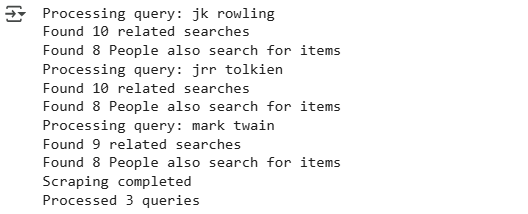
- The scraper prints progress updates to your console as it processes each term, indicating how many items were captured from both sections.
- Between each query, apply the human_like_delay() function to asynchronously pause execution with a randomized interval.
Step 7: Save the output to a json file
Once all queries are processed, compile your data into a structured dictionary that includes:
- The list of search queries
- The proxy location used
- The related and people-also-search-for results for each query
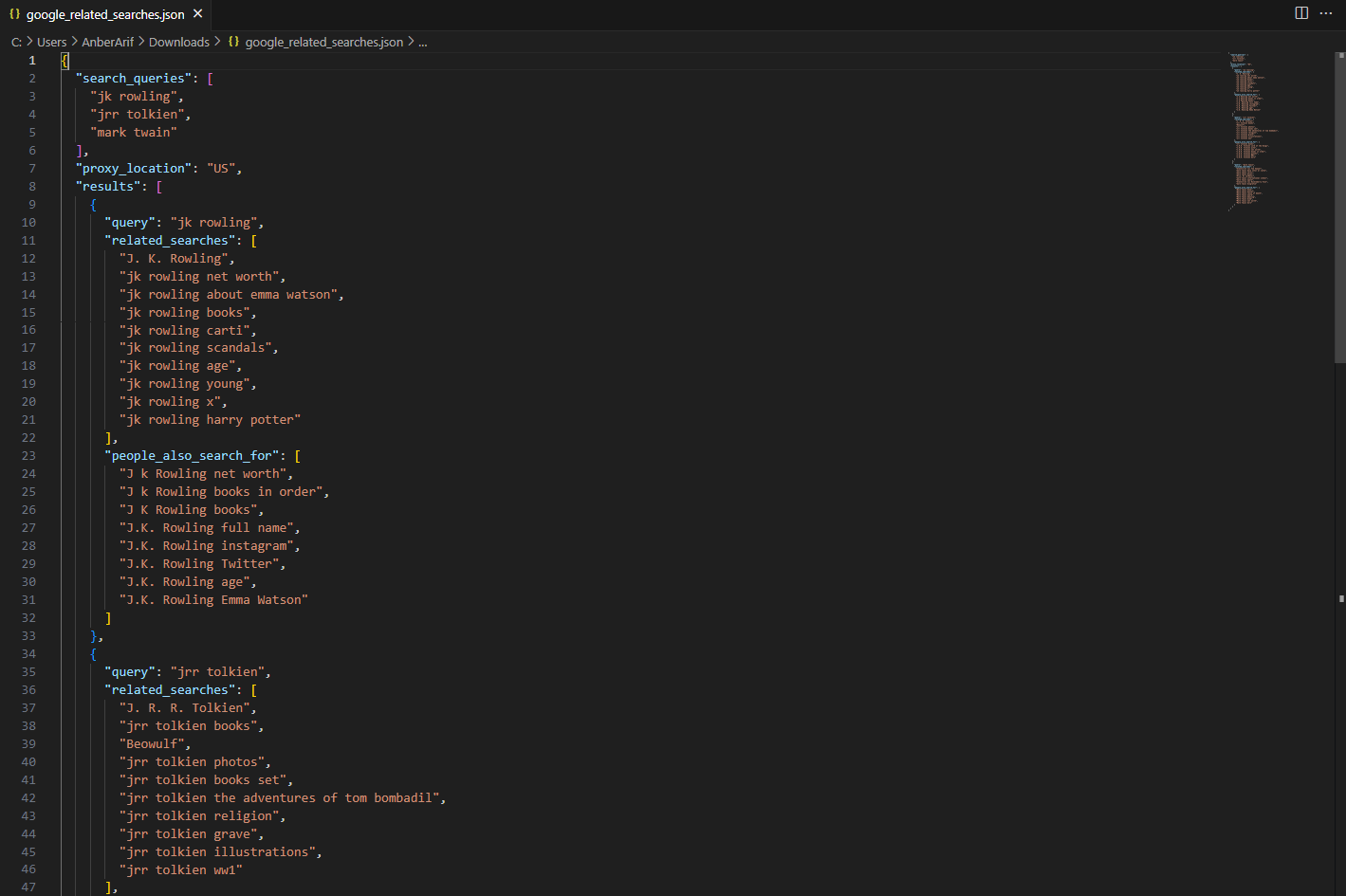
Write this structured data into a JSON file using Python’s json.dump() method with UTF-8 encoding and indentation for readability.
Note: This code uses await main() which works in Google Colab and Jupyter notebooks. For regular Python scripts, use this instead:
if __name__ == "__main__":
    asyncio.run(main())
Here’s the complete code:
import asyncio
from playwright.async_api import async_playwright
import json
import random

class GoogleRelatedSearchesScraper:
    def __init__(self, proxy_details=None, proxy_location="US"):
        self.results = []
        self.proxy_details = proxy_details
        self.proxy_location = proxy_location

    async def setup_browser(self):
        playwright = await async_playwright().start()

        launch_args = [
            '--no-sandbox',
            '--disable-dev-shm-usage',
            '--disable-blink-features=AutomationControlled',
        ]

        if self.proxy_details:
            proxy_server = self.proxy_details.split('@')[1]
            launch_args.append(f'--proxy-server={proxy_server}')

        browser = await playwright.chromium.launch(
            headless=True,
            args=launch_args
        )

        context_args = {
            'viewport': {'width': 1366, 'height': 768},
            'user_agent': 'Mozilla/5.0 (Windows NT 10.0; Win64; x64) AppleWebKit/537.36 (KHTML, like Gecko) Chrome/120.0.0.0 Safari/537.36',
        }

        if self.proxy_details:
            proxy_parts = self.proxy_details.split('://')[1].split('@')
            if len(proxy_parts) == 2:
                credentials = proxy_parts[0]
                context_args['http_credentials'] = {
                    'username': credentials.split(':')[0],
                    'password': credentials.split(':')[1]
                }

        context = await browser.new_context(**context_args)

        await context.add_init_script("""
            Object.defineProperty(navigator, 'webdriver', {
                get: () => undefined,
            });
        """)

        page = await context.new_page()
        return playwright, browser, context, page

    async def human_like_delay(self):
        await asyncio.sleep(random.uniform(3, 6))

    async def extract_related_searches(self, page, query):
        related_searches = []

        try:
            search_box = await page.query_selector('textarea[name="q"]')
            if search_box:
                await search_box.click()

                for char in query:
                    await search_box.press(char)
                    await asyncio.sleep(0.1)

                await asyncio.sleep(2)

                await page.wait_for_selector('.OBMEnb', timeout=8000)

                suggestion_elements = await page.query_selector_all('.sbct .wM6W7d')

                for element in suggestion_elements:
                    suggestion_text = await element.text_content()
                    if suggestion_text and suggestion_text.strip():
                        clean_text = suggestion_text.replace('\n', ' ').strip()
                        if clean_text.lower() != query.lower():
                            related_searches.append(clean_text)

                await search_box.click(click_count=3)
                await search_box.press('Backspace')
                await asyncio.sleep(1)

        except Exception as e:
            print(f"Error extracting related searches for {query}: {e}")

        return related_searches[:10]

    async def extract_people_also_search_for(self, page, query):
        people_also_search = []

        try:
            search_url = f"https://www.google.com/search?q={query.replace(' ', '+')}&gl=us&hl=en"

            await page.set_extra_http_headers({
                'Accept': 'text/html,application/xhtml+xml,application/xml;q=0.9,image/webp,*/*;q=0.8',
                'Accept-Language': 'en-US,en;q=0.5',
                'DNT': '1',
            })

            await page.goto(search_url, wait_until='networkidle', timeout=20000)
            await asyncio.sleep(3)

            current_url = page.url
            if any(blocked in current_url for blocked in ['sorry', 'captcha', 'blocked']):
                return people_also_search

            await page.evaluate("window.scrollTo(0, document.body.scrollHeight)")
            await asyncio.sleep(2)

            section_selectors = [
                'div[aria-label="People also search for"]',
                'div:has-text("People also search for")',
                '.oIk2Cb',
                '.MjjYud'
            ]

            for selector in section_selectors:
                section = await page.query_selector(selector)
                if section:
                    item_selectors = ['.dg6jd', '.mtv5bd span']

                    for item_selector in item_selectors:
                        items = await section.query_selector_all(item_selector)
                        if items:
                            for item in items:
                                text = await item.text_content()
                                if text and text.strip():
                                    clean_text = text.replace('\n', ' ').strip()
                                    if clean_text not in people_also_search:
                                        people_also_search.append(clean_text)
                            break
                    break

            await page.goto('https://www.google.com', wait_until='networkidle')

        except Exception as e:
            print(f"Error extracting People also search for for {query}: {e}")
            try:
                await page.goto('https://www.google.com', wait_until='networkidle')
            except:
                pass

        return people_also_search[:8]

    async def scrape_related_searches(self, queries, enable_related_searches=True, enable_people_also_search=True):
        playwright, browser, context, page = await self.setup_browser()

        try:
            await page.goto('https://www.google.com', wait_until='networkidle', timeout=30000)
            await self.human_like_delay()

            results = []

            for query in queries:
                print(f"Processing query: {query}")
                query_result = {
                    'query': query,
                    'related_searches': [],
                    'people_also_search_for': []
                }

                if enable_related_searches:
                    related_searches = await self.extract_related_searches(page, query)
                    query_result['related_searches'] = related_searches
                    print(f"Found {len(related_searches)} related searches")

                if enable_people_also_search:
                    people_also_search = await self.extract_people_also_search_for(page, query)
                    query_result['people_also_search_for'] = people_also_search
                    print(f"Found {len(people_also_search)} People also search for items")

                results.append(query_result)
                await self.human_like_delay()

            return {
                'search_queries': queries,
                'proxy_location': self.proxy_location,
                'results': results
            }

        except Exception as e:
            print(f"Error during scraping: {e}")
            return {
                'search_queries': queries,
                'proxy_location': self.proxy_location,
                'results': [],
                'error': str(e)
            }
        finally:
            await browser.close()
            await playwright.stop()

async def main():
    PROXY_DETAILS = "http://username-rotate:password@p.webshare.io:80"

    scraper = GoogleRelatedSearchesScraper(
        proxy_details=PROXY_DETAILS,
        proxy_location="US"
    )

    queries = [
        "jk rowling",
        "jrr tolkien",
        "mark twain"
    ]

    results = await scraper.scrape_related_searches(
        queries=queries,
        enable_related_searches=True,
        enable_people_also_search=True
    )

    with open('google_related_searches.json', 'w', encoding='utf-8') as f:
        json.dump(results, f, indent=2, ensure_ascii=False)

    print("Scraping completed")
    print(f"Processed {len(results['results'])} queries")

await main()
Here’s the console output:
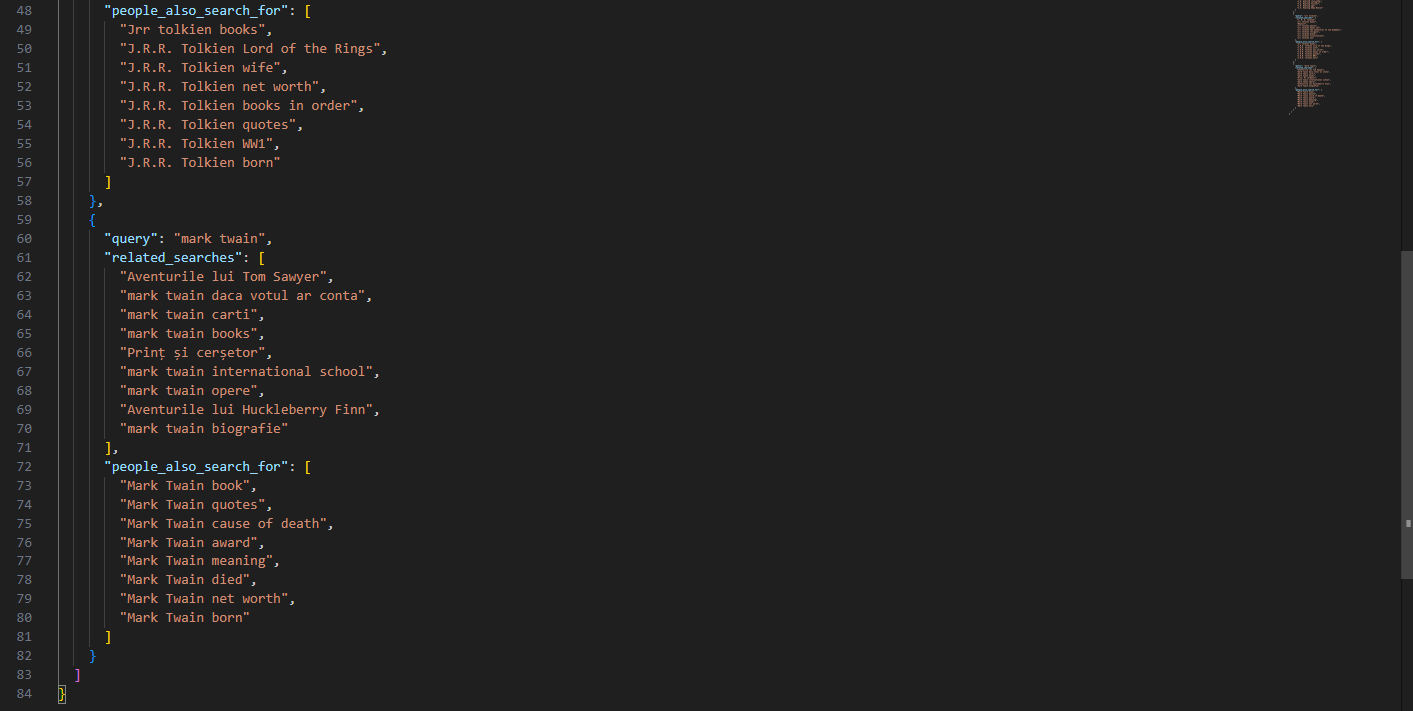
The generated json is as:
Wrapping Up: Scrape Google related searches & ‘People also search for’ section
This guide demonstrates how to collect Google’s related searches and ‘People also search for’ data using Playwright and Webshare rotating residential proxies. The scraper automates browser interactions, handles JavaScript-rendered content, and adapts to different geographic regions through proxy-based location targeting. The resulting solution captures two key categories of contextual data – search bar suggestions and post-search related entities – while maintaining stability and avoiding detection.