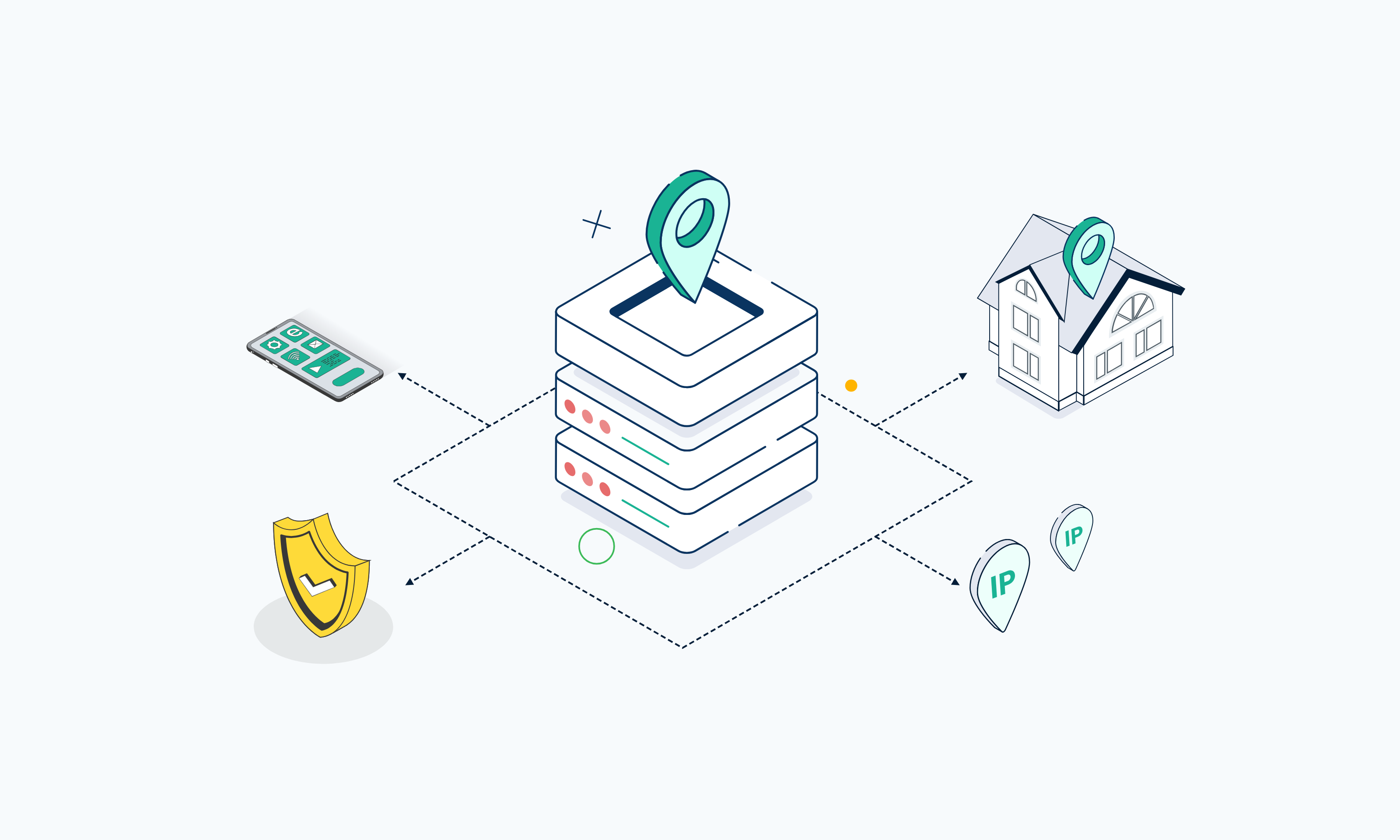
There are many types of proxies, and they can be classified in different ways: by IP source, protocol, anonymity, traffic flow, exclusivity, and rotation. Understanding these categories makes it easier to choose the right proxy type for scraping, automation, browsing, or business infrastructure.
A single proxy can belong to several categories at once. For example, it can be a datacenter proxy, a SOCKS5 proxy, a dedicated proxy, and a static proxy. Each label describes different features, so understanding how they overlap helps you choose the right setup for your needs.
This guide covers the main ways proxies are classified, the most common proxy types, and how to pick the right one for your workflow.
TL;DR
- Proxies can be classified by IP source, protocol, anonymity, traffic flow, exclusivity, and rotation.
- Common proxy types include datacenter, residential, static residential (also called ISP proxies), HTTP, and SOCKS5 proxies. Every Webshare plan supports both HTTP and SOCKS5.
- Datacenter proxies are often the fastest and most cost-efficient option because their IPs run on hosting infrastructure built for throughput.
- Residential proxies route traffic through ISP-assigned IPs on real home devices, making them useful when residential-origin IPs matter.
- Static residential proxies pair an ISP-registered residential IP with session persistence, so you keep the same IP across logins and long sessions.
- HTTP and SOCKS5 describe the protocol type, not the IP source.
- The best proxy type depends on your use case, target site, session needs, and the scale of the job.
What Is a Proxy?
A proxy server is an intermediary that forwards requests between your device or application and the destination server. Instead of connecting to a website directly, your traffic goes to the proxy first, and the proxy sends the request for you. The destination then sees the proxy’s IP address in place of yours.
You can use a proxy to route traffic through a specific location, run automation, collect public web data, keep your own IP address off the sites you access, hold sessions on a consistent IP, and manage outbound traffic across your infrastructure. A proxy only handles traffic from the apps you configure it for, which is one of the main ways it differs from a VPN.
Why Are There So Many Types of Proxies?
If you’ve searched for “What are the different types of proxies,” you’ve probably noticed there’s no single fixed list.
That’s because each classification describes a different aspect of how a proxy works, and a single proxy can belong to several categories at once. This overlap is often what causes confusion around proxy types.
It also explains why searches for the three types of proxies return different answers. Some sources might group proxies by IP source (datacenter, residential, and mobile), while others classify them by anonymity (transparent, anonymous, and elite). Both are correct because they sort proxies by different criteria.
Here’s an overview of the classification used in this guide:
Types of Proxies Based on Use
This grouping sorts proxies by the kind of work they’re best suited for, which makes it the one you’ll use most in day-to-day work.
A proxy's usefulness depends largely on where its IP comes from. That origin decides how fast the proxy is, what it costs, and how target sites treat its traffic, so it’ll likely shape your choice more than any other category.
Datacenter Proxies
Datacenter proxies use IP addresses hosted on datacenter servers and registered to hosting or cloud providers. Because they run on infrastructure built for throughput, they’re fast and cost-efficient, and you can easily add more IPs when a job grows.
Datacenter proxies are commonly used for automation, public data collection, site audits, and general proxying on targets that don’t filter by IP type. The drawback is that sites can identify datacenter IP ranges with a quick ASN lookup, which shows a hosting provider in place of a consumer ISP.
Residential Proxies
Residential proxies route traffic through IP addresses that ISPs assign to real home devices. This means each request looks like it comes from an ordinary home connection, which is useful when the origin of the IP matters.
Residential proxies are good for location-sensitive work, like checking local search results or verifying ads in a specific city, and for sites that treat datacenter traffic with suspicion. However, they’re slower than datacenter proxies because each IP depends on the home connection behind it, and they’re usually billed by bandwidth.
Static Residential Proxies
Static residential proxies, also called ISP proxies, use residential-origin IPs that stay assigned to you over time. The IPs are registered to consumer ISPs but hosted on datacenter servers, so you get a residential trust signal with datacenter-level speed.
Use them when a workflow needs a persistent identity, such as staying logged into an account, completing a multi-step checkout, or connecting to a system that only accepts allowlisted IPs. A rotating IP would break those sessions partway through.
The downside? They have a smaller IP pool and follow per-proxy pricing instead of per GB.
Mobile Proxies
Mobile proxies route traffic through IP addresses that mobile carriers assign to phones and other cellular devices.
Carriers often share one IP across many users, so sites tend to be careful about blocking them. They’re also more expensive and less common for everyday scraping and automation. Webshare doesn’t offer mobile proxies.
Proxy Servers for General Access and Routing
Not every proxy job depends on IP reputation. Sometimes you just need to route an application through another IP, see how a site responds from another country, or give a script a consistent outbound address. General-purpose proxy servers handle this kind of routing, and for most of these jobs a datacenter IP is enough.
Types of Proxies Based on Protocol
This grouping sorts proxies by the protocol they use to carry your traffic. The protocol decides which kinds of traffic a proxy can handle and how it treats that traffic along the way. Protocols are separate from IP source, so a datacenter or residential proxy can use any of these protocols.
HTTP Proxies
HTTP proxies are built to handle web traffic over the HTTP protocol. Because they understand HTTP, they can read request headers, cache responses, and filter content before passing it along.
HTTP and HTTPS proxies are the most common types of web proxies, and most browsers, scraping libraries, and automation tools support them without extra setup. That makes HTTP proxies the simplest place to start for website access, browser configurations, and many scraping workflows.
HTTPS and SSL Proxies
HTTPS proxies, also called SSL proxies, are HTTP proxies that support encrypted web traffic. When you request an HTTPS site, your client asks the proxy to open a tunnel to the destination using the CONNECT method. The proxy then passes the encrypted traffic through without reading it, so the TLS session stays between you and the site.
They’re grouped with HTTP proxies because the same proxy handles both. You’ll want HTTPS support whenever you log in, submit forms, or work with any site that runs on HTTPS, which covers most of the web today.
SOCKS Proxies
SOCKS proxies route traffic at a lower network level than HTTP proxies, passing data between your client and the destination without interpreting it. Because they don’t depend on one application protocol, they can carry web traffic along with other connections, such as file transfers and email clients.
SOCKS5 is the current version of the SOCKS protocol, and it adds username and password authentication and the option to resolve DNS through the proxy. If you use socks5h:// in curl or Python requests, your DNS lookups go through the proxy too, so they don’t leave from your own connection.
Webshare includes SOCKS5 proxies on every plan, including the free one, and every proxy accepts both SOCKS5 and HTTP on the same port. You can switch protocols in your tool without changing your plan or credentials.
Other Protocol and Application-Based Proxy Types
You’ll also come across proxies named after the specific protocol or application they handle. They matter less for scraping and automation, but they’re still worth knowing:
- DNS proxies forward DNS queries to a resolver, often to cache lookups or control which domains a network can reach.
- Smart DNS proxies route lookups for selected domains through servers in another region, while the rest of your traffic connects normally.
- SMTP proxies relay email between mail clients and servers, usually to filter spam or control outbound mail.
- FTP proxies handle file transfers over FTP, often to control or log file access on a company network.
- CGI proxies are web-based proxies used through a webpage, where you type a URL into a form, and the site fetches the page for you.
- SIP proxies route the signaling that sets up and ends VoIP calls.
- Tor (onion) proxies send traffic through a chain of volunteer-run relays with layered encryption. It’s built for anonymity, so it’s slow, and many sites block known Tor exit nodes, which makes it a poor fit for scraping or automation.
Types of Proxy Servers Based on Anonymity
Some proxies tell the site exactly who you are, while others even hide the fact that a proxy is involved. It all comes down to which HTTP headers the proxy adds or strips before it passes your request along.
Transparent Proxies
Transparent proxies forward your request without hiding anything. They pass your real IP address to the destination, often in a header like X-Forwarded-For, and add headers such as Via that mark the request as proxied.
They’re built to manage traffic. Companies, schools, and ISPs use them for content filtering, caching, and monitoring, and they’re often set up at the network level, so the people behind them don’t have to configure anything.
Anonymous Proxies
Anonymous proxies hide your IP address from the destination but still identify themselves as proxies. The site can’t see your IP, but headers like Via tell it a proxy handled the request, and some sites block or limit proxied traffic for that reason alone.
Elite (Highly Anonymous) Proxies
Elite proxies, also called highly anonymous proxies, hide your IP address and remove headers that show a proxy is involved, making the request look like a direct visit from the proxy’s IP.
One catch is that anonymity level only covers headers. A site can still see the proxy’s IP origin, so even an elite datacenter proxy gives itself away through its hosting provider’s ASN. That’s why you choose IP source and anonymity level separately.
Types of Proxy Servers Based on Traffic Flow
In network security, forward and reverse proxies are the main proxy types you'll come across:
Forward Proxies
A [forward proxy] represents the client side of a connection. Your device or application sends requests to the forward proxy, and the proxy passes them on to the destination servers on your behalf, so the destination only sees the proxy.
Datacenter, residential, HTTP, and SOCKS5 proxies all work this way. Webshare provides forward proxy infrastructure, including backconnect proxies (or Backbone Connection on Webshare), which route your requests through a single gateway that picks the exit IP for you.
Rotating Residential plans connect this way, through the p.webshare.io domain or a gateway IP address you can use in its place. Despite the name, a backconnect gateway still works on the client side, so it's a forward proxy too.
Reverse Proxies
A reverse proxy is placed in front of one or more servers that receive incoming traffic on their behalf. Visitors connect to the reverse proxy, which decides which backend server handles each request and returns the response, so visitors never reach the origin server directly.
Reverse proxies handle jobs like load balancing, caching, TLS termination, and keeping origin servers out of direct reach. They belong to server-side infrastructure, which Webshare doesn't provide. If you're sending requests out to websites or APIs, you’ll need a forward proxy.
Types of Proxies Based on Exclusivity of Use
Two proxies with the same IP type and protocol can still behave differently, depending on who else uses the IP.
Dedicated Proxies
A dedicated proxy is assigned to one user, so its reputation depends only on your traffic, and you get its full speed. Dedicated proxies are useful when consistency and control matter, such as accounts that need the same IP every time. Providers that call a proxy "exclusive" mean the same thing.
Shared Proxies
A shared proxy has an IP that several customers can use at the same time. It's the most economical paid option and works well for scraping, though another user's traffic can affect an IP's reputation before you use it.
Private Proxies
A private proxy is one you can only reach with your own credentials or an authorized IP. The term describes access, so its meaning varies between providers. At Webshare, private IPs are shared by no more than two users, and dedicated is the step above.
Public Proxies
A public proxy is one anyone can connect to without authenticating, the kind you find on free proxy lists. They’re often less reliable and predictable, and sites tend to block these IPs quickly. Managed proxies limit who uses each IP and replace ones that fail. Webshare's free proxy plan gives you 10 authenticated datacenter proxies and 1 GB of bandwidth a month, with no credit card.
Proxies Based on Rotation
Some workflows need a new IP on every request, while others break the moment the IP changes.
Rotating Proxies
Rotating proxies change your IP on every request, at set intervals, or per session. That suits distributed workflows like large-scale scraping, where each IP in a proxy pool carries only a small share of the traffic.
Webshare offers two forms of rotating proxies. With the Rotating Proxy Endpoint, you connect to a single address that switches between the proxies you’ve already bought. Rotating Residential works differently. It’s a standalone plan priced by bandwidth, and your requests draw from a network of 80M+ residential IPs.
Static Proxies
Static proxies keep the same IP over time, which matters when a site ties your login or session to one address. Datacenter proxies on a direct connection are static and cost less, while static residential proxies are designed for persistent sessions on stricter targets. Static IPs can still be refreshed or replaced when you need new ones.
What Proxy Types Does Webshare Offer?
Webshare offers datacenter, residential, and static residential proxies, and every plan includes both HTTP and SOCKS5. You can also choose shared, private, or dedicated IPs for datacenter and static residential proxies.
Datacenter Proxies
Webshare's Proxy Server (datacenter) plans give you a pool of 400K+ IPs across 50+ countries for high-throughput scraping, automation, and site audits. Plans start at $2.99 a month* for 100 proxies, and the free plan includes 10 proxies with no credit card.
Rotating Residential Proxies
Rotating Residential plans route your traffic through 80M+ ethically sourced residential IPs in 195 countries, with targeting by country, city, state, ZIP code, or ASN. Pricing is based on bandwidth and starts at $3.50 per GB*.
Static Residential Proxies
The Static Residential product gives you ISP-issued IPs from providers like AT&T, Sprint, and Cox that stay assigned to you, with speeds up to 1 Gbps and up to unlimited bandwidth. Plans start at $6.00 a month for 20 proxies*.
*Pricing correct as of November 2026
How to Choose the Best Proxy Type for You
These questions help narrow down what type of proxy to use:
Most setups combine more than one answer. A price monitoring job might run rotating residential IPs over HTTP, while an account management workflow might use one static residential IP per account over SOCKS5.
If more than one answer fits your setup, you can compare Webshare proxy plans side by side by pool size, pricing, and rotation options.
Comparison Table: Common Proxy Types
Compare the most common types of proxies by IP source, rotation, use cases, and best fit:
Frequently Asked Questions
What are the main types of proxies?
The main types of proxy servers are datacenter, residential, static residential, HTTP, SOCKS, dedicated, shared, public, private, and rotating proxies.
Each type describes a different trait, such as where the IP comes from, which protocol it uses, who shares it, or whether it changes, so one proxy can fit several types at once.
What are the different types of proxies in network security?
In network security, proxies are grouped by traffic flow and by how much they reveal. You'll come across these four most often:
- Forward proxies send requests on behalf of clients.
- Reverse proxies receive incoming traffic on behalf of servers.
- Transparent proxies pass your IP along and are used for filtering and monitoring.
- Anonymous proxies hide your IP but still identify themselves as proxies.
What is the difference between HTTP and SOCKS proxies?
HTTP proxies are built for web traffic and can read, cache, and filter HTTP requests. SOCKS proxies pass data along without interpreting it, so they can carry a wider range of traffic, including file transfers and custom apps. On Webshare, every proxy supports both protocols on the same port.
What is the difference between residential and datacenter proxies?
The difference is where the IP comes from. Residential proxies use IPs that ISPs assign to real home devices, while datacenter proxies use IPs hosted on servers and registered to hosting providers.
That origin affects how sites treat your traffic. Datacenter proxies are faster and cheaper, but sites can identify them more easily. Residential proxies cost more and run slower, but their traffic looks like it comes from ordinary home connections.
What is a static residential proxy?
A static residential proxy is a proxy with a residential-origin IP that stays assigned to you over time. It's also called an ISP proxy because the IP is registered to a consumer ISP but hosted on a datacenter server. That makes it useful when you need session persistence, such as staying logged into an account.
Are rotating proxies better than static proxies?
Not always. Rotating proxies work better for distributing requests across many IPs, while static proxies work better when a site expects the same IP for a whole session or login.
What type of proxy should I use for web scraping?
It depends on your target, volume, session needs, and protocol requirements. Datacenter proxies handle simple public sites at a low cost, rotating residential proxies help on sites that filter by IP type, and static residential proxies fit scraping jobs that need a login.
What is the best proxy type for beginners?
Start by deciding whether you need datacenter, residential, or static residential IPs, and whether HTTP or SOCKS5 suits your tools, since those cover most real-world use. If you're still unsure, datacenter proxies over HTTP are the simplest to set up and the cheapest to test with.